





 Make us preferred on Google
What Is Backpack And How To Interact With Backpack Products
The Backpack ecosystem consists of the Backpack wallet, Backpack exchange, and Mad Lads NFT collection. The company is also responsible for creating and developing executable non-fungible tokens (xNFTs), a token standard on Solana that lets users interact with applications directly from the wallet.
Key Takeaways
-
Backpack is a company founded by Solana developer, Armani Ferrante, that has created multiple products and services including the Backpack wallet, Backpack exchange, and Mad Lads NFT collection.
-
Backpack has successfully raised $17 million in a Series A round that concluded on February 28, 2024, which was led by Placeholder VC with participation from Hashed, Delphi Digital, and more.
-
Users can earn points on Backpack exchange based on their trading volume which could possibly be a criterion for a potential future token airdrop.
Backpack Introduces An Innovative Crypto Ecosystem
Backpack is a technology company founded in 2022 by Solana developer, Armani Ferrante, and is behind the creation of a number of products and services within the crypto space.
The company has launched three notable products which are the Backpack Wallet, Backpack Exchange, and the Mad Lads NFT collection. They are also the creator and developers of Anchor which is a development framework for building Solana programs, and executable non-fungible tokens (xNFTs), a token standard on Solana that represents ownership rights over the use of executable tokenized code.
The Backpack Wallet was incorporated in April 2022 which was the same year that the company lost 88% of its corporate treasury on FTX. Despite that, the company continued building and the Backpack Exchange was incorporated in March 2023 while the Mad Lads NFT collection launched on Solana in April the same year.
On February 28, 2024, Backpack announced that they had successfully raised $17 million in a Series A round led by Placeholder VC and with participation from investors such as Hashed, Robot Ventures, Amber Group, Delphi Digital, and more. Notable investors also included the founders of Solana, Tensor, Jito, Zeta, and others.
The Backpack Wallet
The Backpack wallet is a self-custodial crypto wallet that lets users trade, manage non-fungible tokens (NFTs), and access decentralized finance (DeFi) applications in one place. Backpack is available as both a desktop extension and mobile application on both iOS and Android.
As a multi-chain wallet, users can manage their digital assets across multiple blockchain networks like Solana, Ethereum, Arbitrum, and Optimism. This includes connecting with protocols on the various networks and performing on-chain transactions in real-time like sending and receiving crypto assets, swapping tokens, and connecting to developer testnets.
One of the key security features is Backpack’s integration of xNFTs. It allows developers to create decentralized applications (dApps) that users can launch and interact with directly from the wallet. As a result, users can reduce the number of third-party applications they need to connect with and minimize additional security risks.
The Backpack Exchange
The Backpack Exchange is a fully regulated cryptocurrency exchange that provides users with an easy-to-use trading platform. With the intention of increasing transparency, the platform incorporates cryptographic techniques like zero-knowledge proof of reserves (zk-proofs), Multi-Party Computation, and state machine replication.
On top of increasing transparency, Backpack Exchange is also focused on global expansion and compliance to better serve a global audience. It has acquired licenses in several jurisdictions worldwide including a Virtual Asset Service Provider (VASP) license from Dubai’s Virtual Assets Regulatory Authority (VARA).
Users can take advantage of the range of tools and features offered to improve the blockchain experience. With the auto lend feature, a user's deposited assets are automatically entered into Backpack’s lending pool to generate yield. Other than that, the wallet is able to recognize any unrealized profit and loss (PnL) positions as part of the total collateral. If a user decides to turn on the auto realize PnL function, Backpack’s settlement engine will then partially realize PnL on a rolling basis.
The Mad Lads NFT Collection
Mad Lads is a collection of 10,000 NFTs that consists of 9,000 Lads and 1,000 Lassies. The NFTs were minted on the Solana blockchain with more than 8,000 participants. Within 24 hours, it reached a trading volume peak of $8.2 million, nearly triple Bored Ape Yacht Club’s corresponding 24 hour volume.
It was introduced with the mission of onboarding non-crypto natives and showcasing how NFTs can also be dApps. This is because each Mad Lads is integrated with xNFTs and serves as a clickable ticket into the Mad Lads story. As a result, holders can benefit from additional offers by the creators such as staking Mad Lads NFTs through the xNFT to earn points and accumulate badges.
Interacting With Backpack For A Potential Airdrop
Backpack tracks and incentivizes user activity by allowing traders to accumulate points based on trading volume. At the time of writing, the points are redeemable for platform benefits which might include discounted fees and special promotions. Some users speculate that these points could be used as a criterion for a future token airdrop.
|NEW BEGINNINGS|
— Backpack 🎒 (@Backpack) February 12, 2024
Your Backpack Exchange trading volume will be a key factor in determining your Backpack Rank starting Feb 13 2300 UTC.
That's the tweet. pic.twitter.com/rbiKcrfeMK
Given Backpack’s success as well as the support it has been receiving from various industry players, now seems like a good time to start interacting with Backpack. However, do note that at the time of writing, the Backpack team has not made any official announcements regarding a token launch. Therefore, following the steps below does not guarantee a future token airdrop allocation.
Step 1: Download the Backpack Wallet
Go to https://backpack.app/ and either Download Extension or click More Downloads.
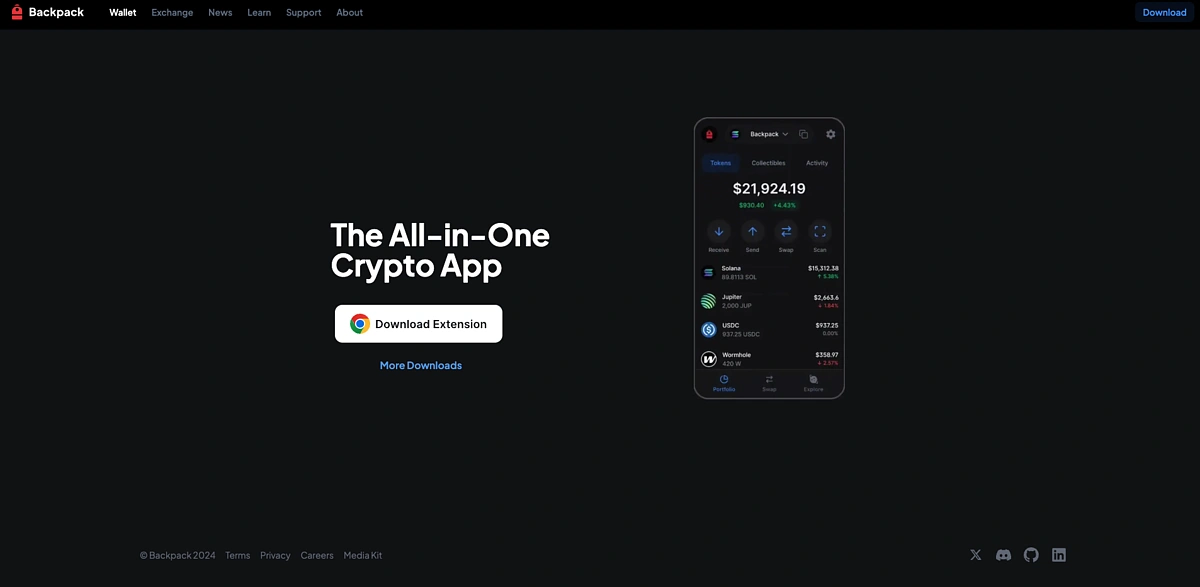
More downloads will give you more options for both desktop and mobile.
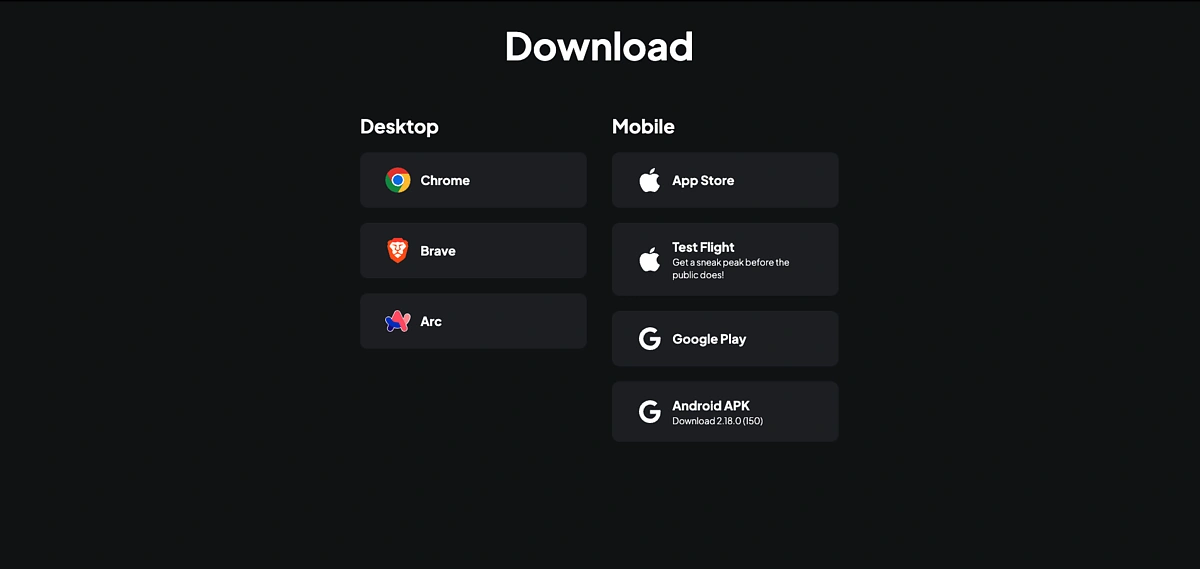
In this guide, we are adding the wallet to Chrome.
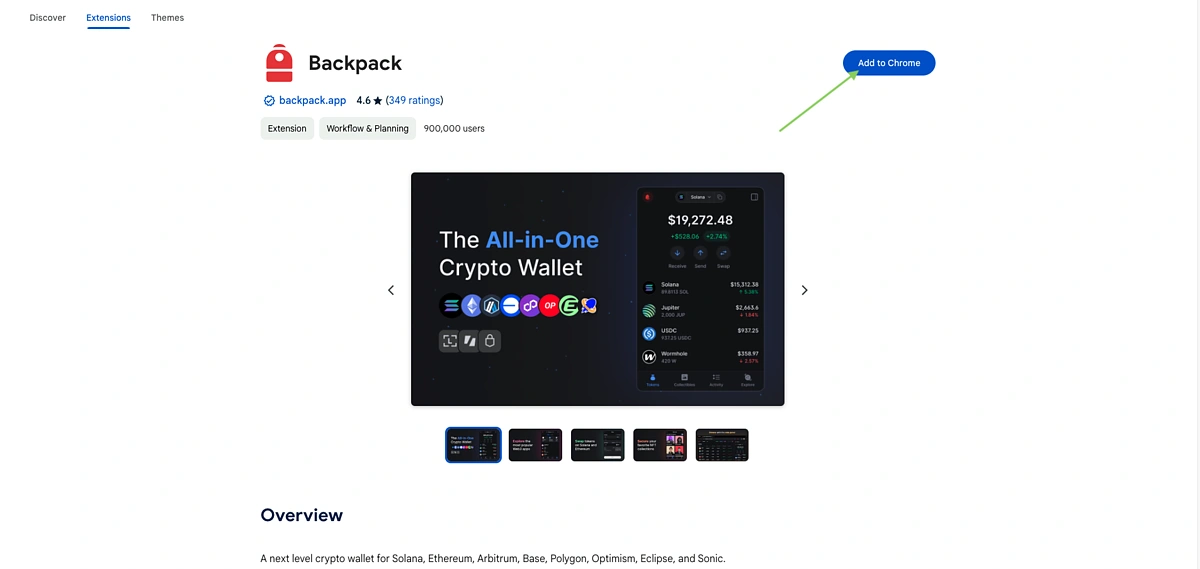
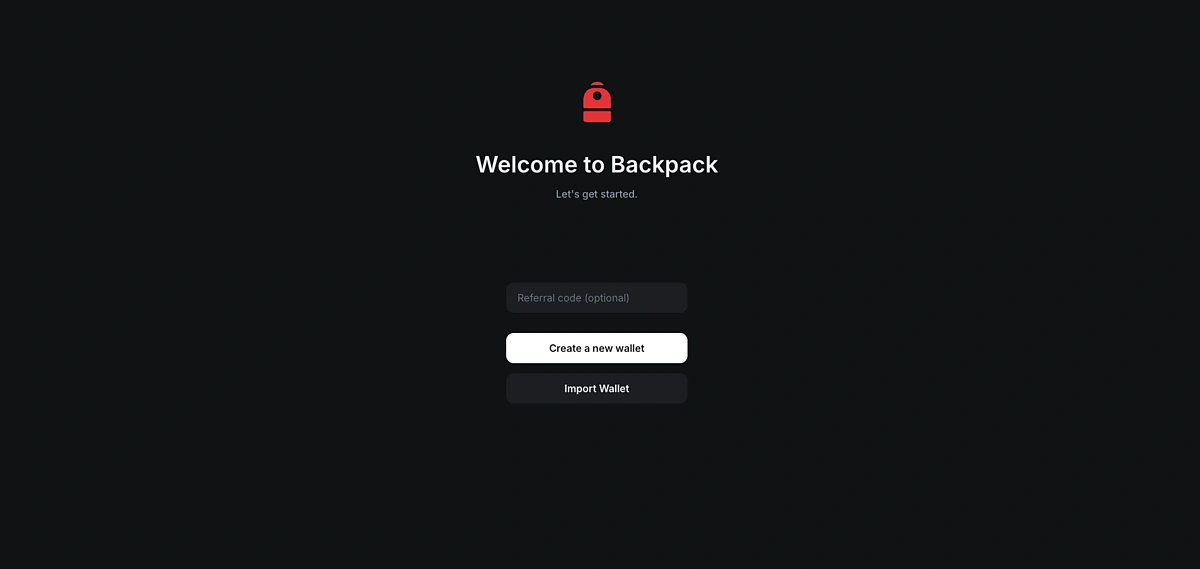
Once it has downloaded, open the extension and Create a new wallet.
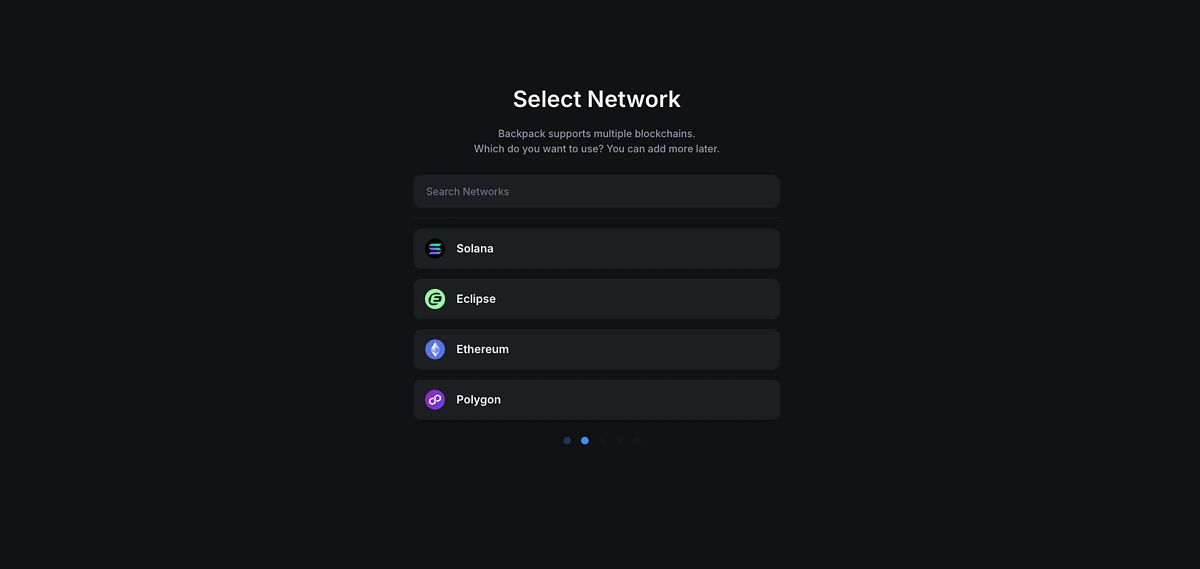
Select a network from the list. More networks can be added at a later time.
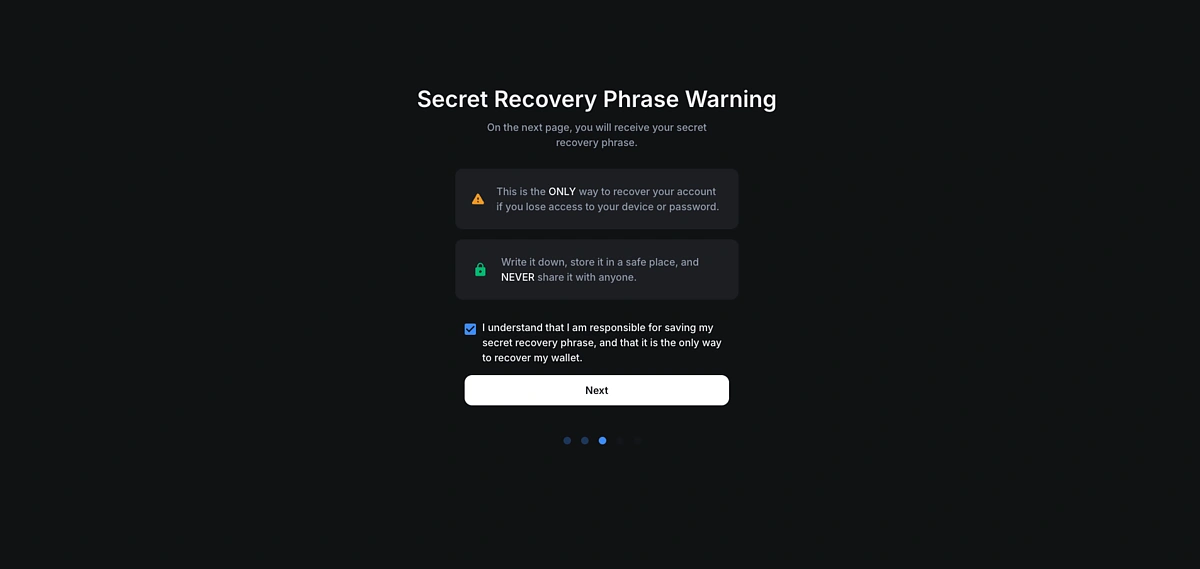
Then acknowledge that you understand the responsibilities of securely storing your secret recovery phrase. Click on Next to view your secret recovery phrase and make sure to write it down in a secure manner such as with pen and paper. After that, be sure to keep it in a secure location.
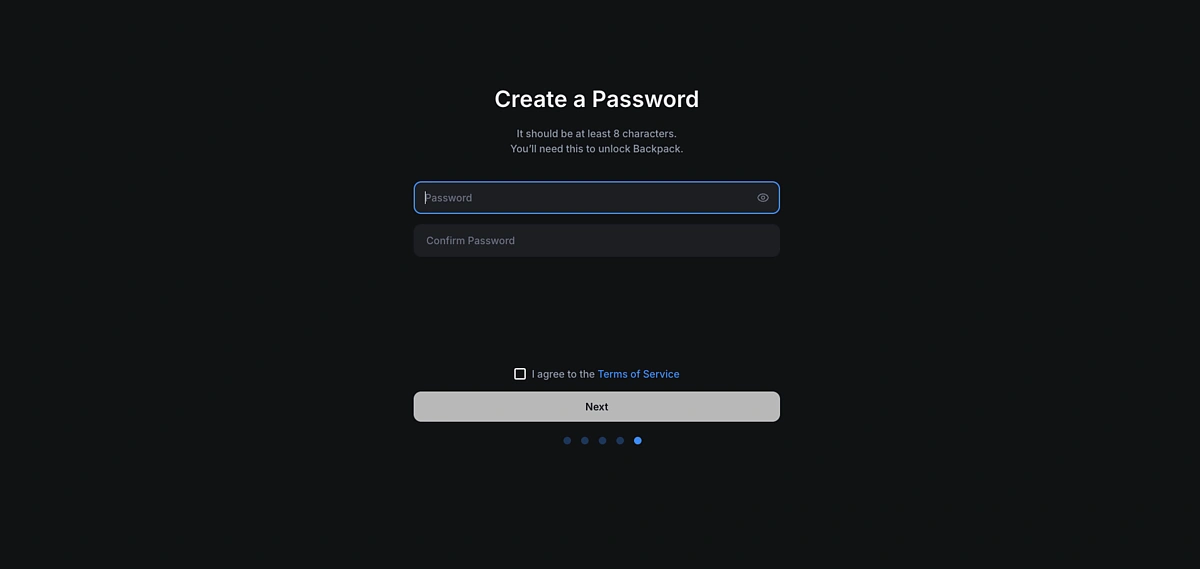
Lastly, create a password and your wallet account is ready.
You can now deposit funds in it and start interacting with other platforms.
Step 2: Set Up Your Backpack Exchange Account
First, go to https://backpack.exchange/ and Sign Up for an account.
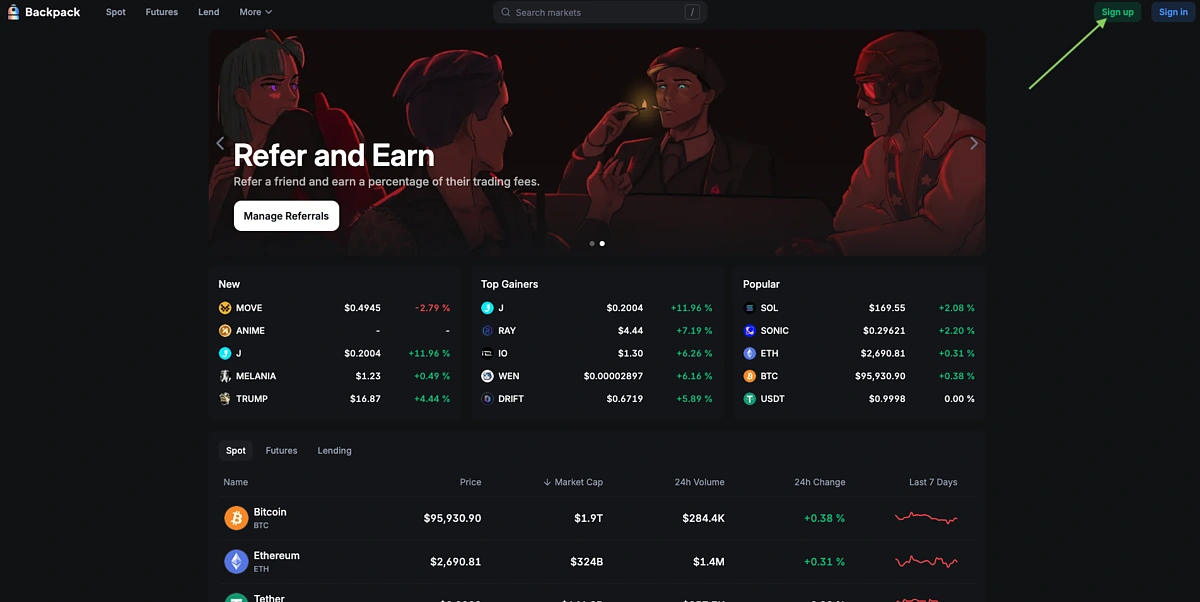
You will need to provide an email address and password. You can also choose to add a referral code if you have one.
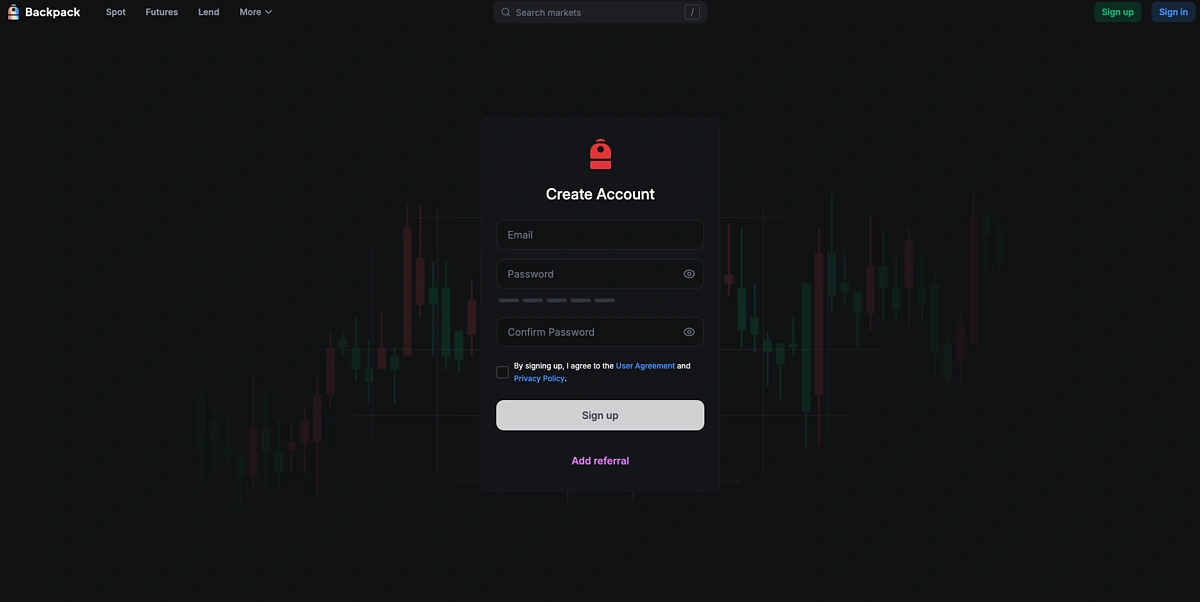
After that, choose your account type as an individual.
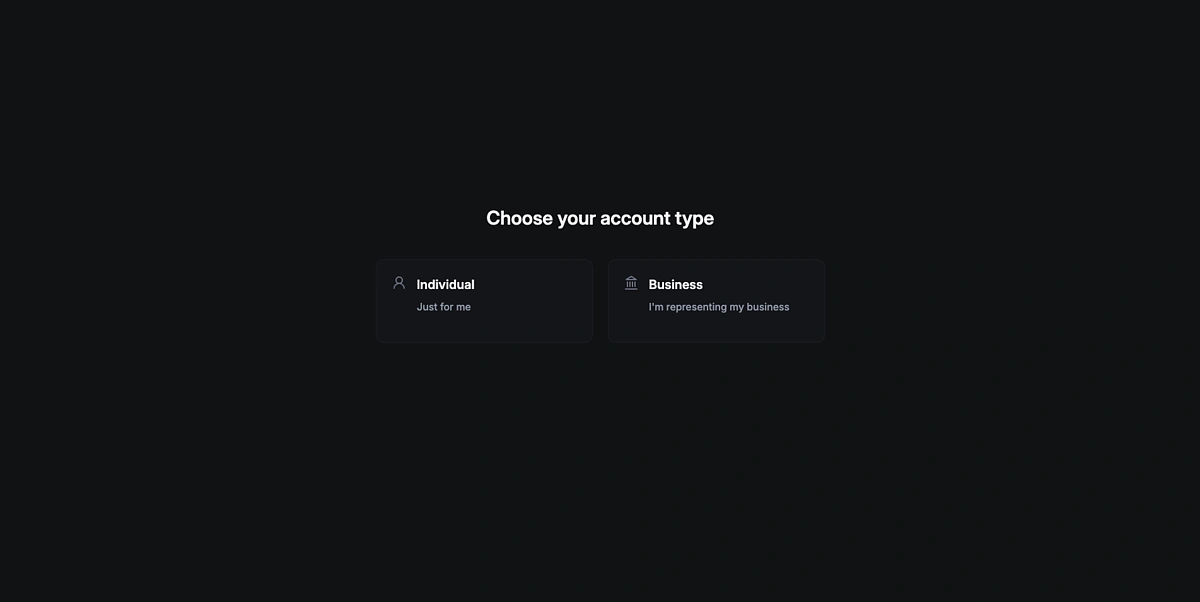
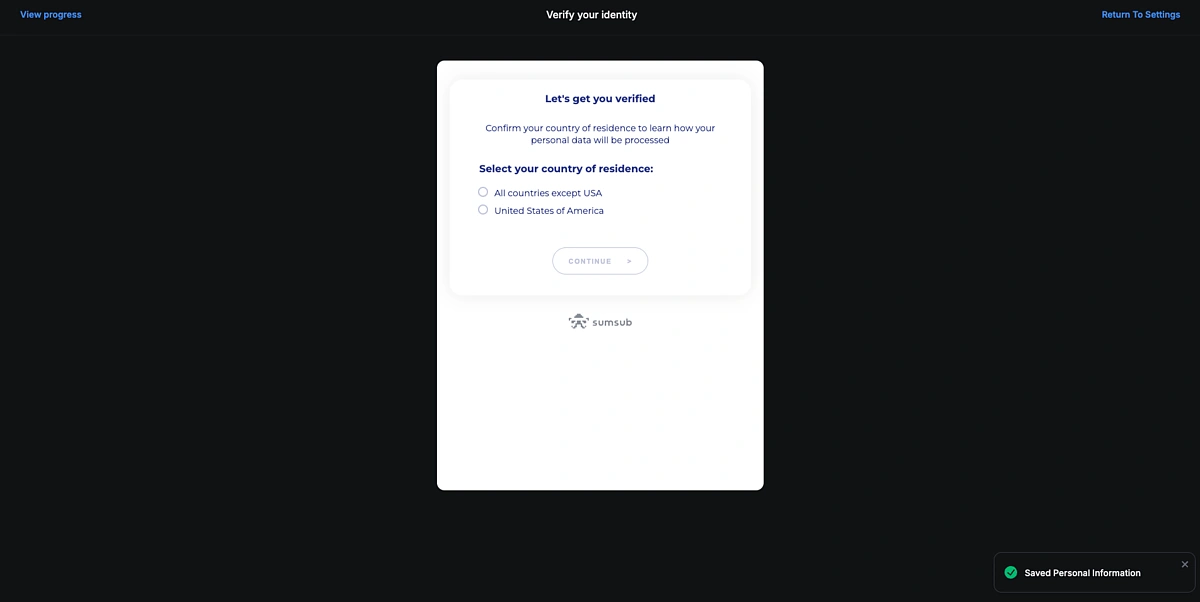
Then, you will need to verify your identity by providing some personal information including your country of residence, first name, last name, and address.
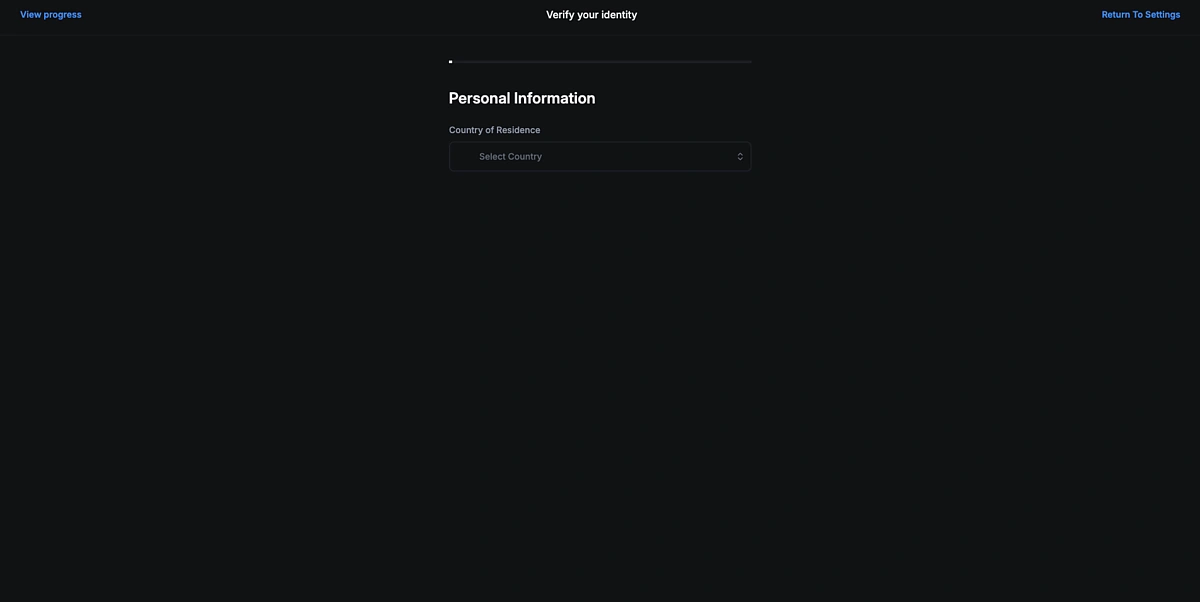
After that, upload or take a picture of your identification card, license, or passport. You will then be required to do a liveness test where you turn on your camera and move your face in a circle.
Once this is completed, you can wait for Backpack to verify your account successfully.
Step 3: Perform Transactions on Backpack Exchange
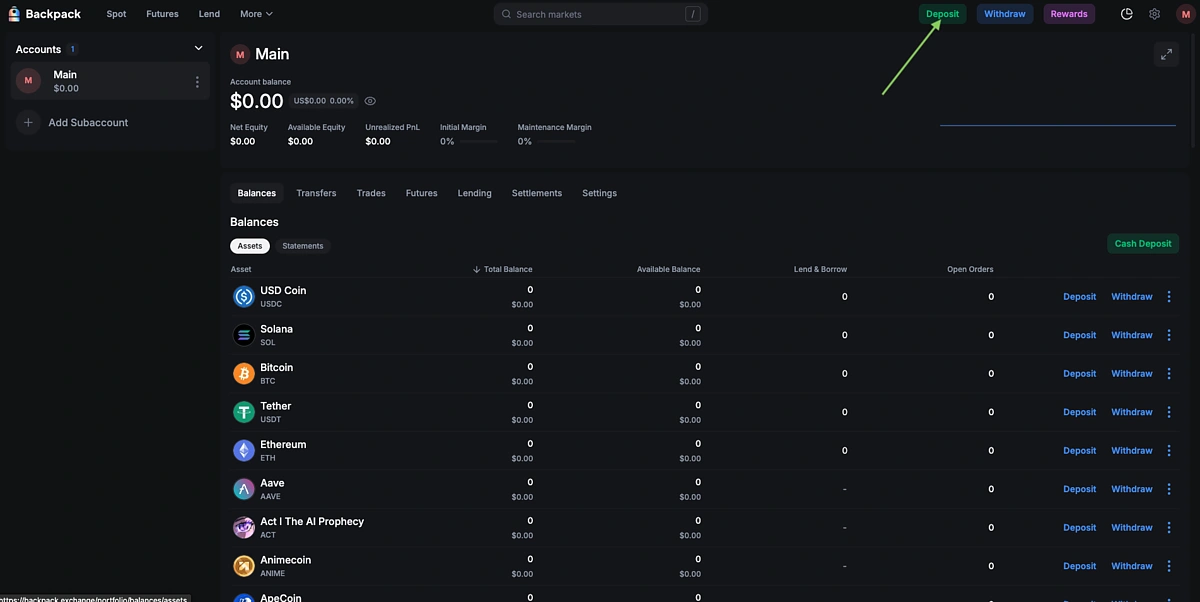
Now that you have an account, it’s time to deposit funds. Click Deposit in the top right menu or go to your Main account in the top right corner and choose which tokens you want to deposit.
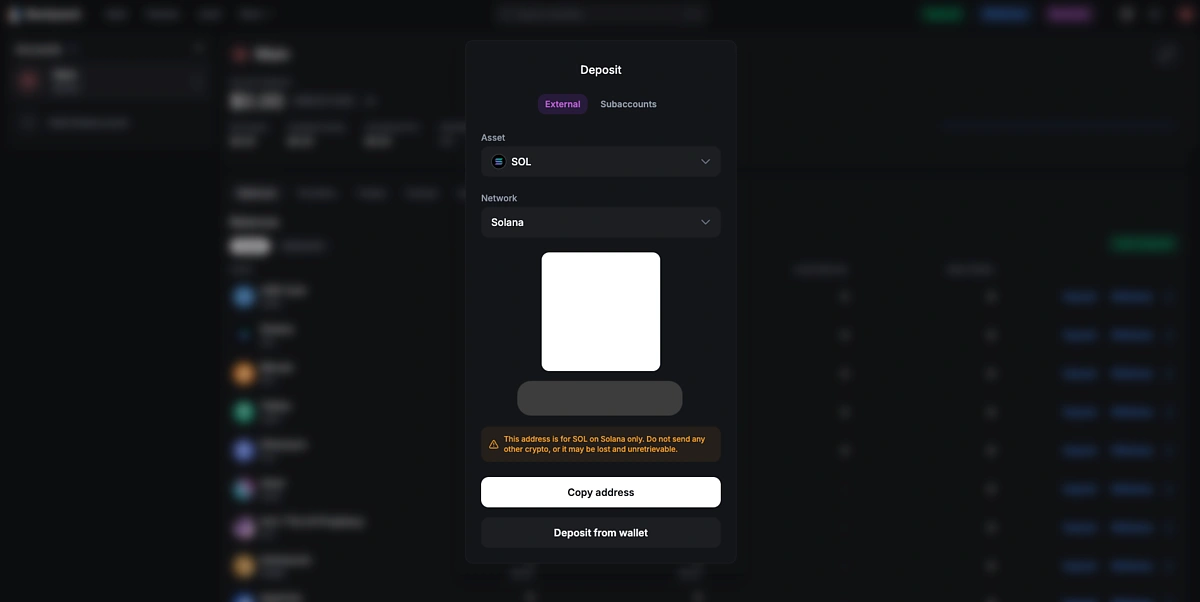
In this guide, we are going to deposit SOL on Solana from another wallet.
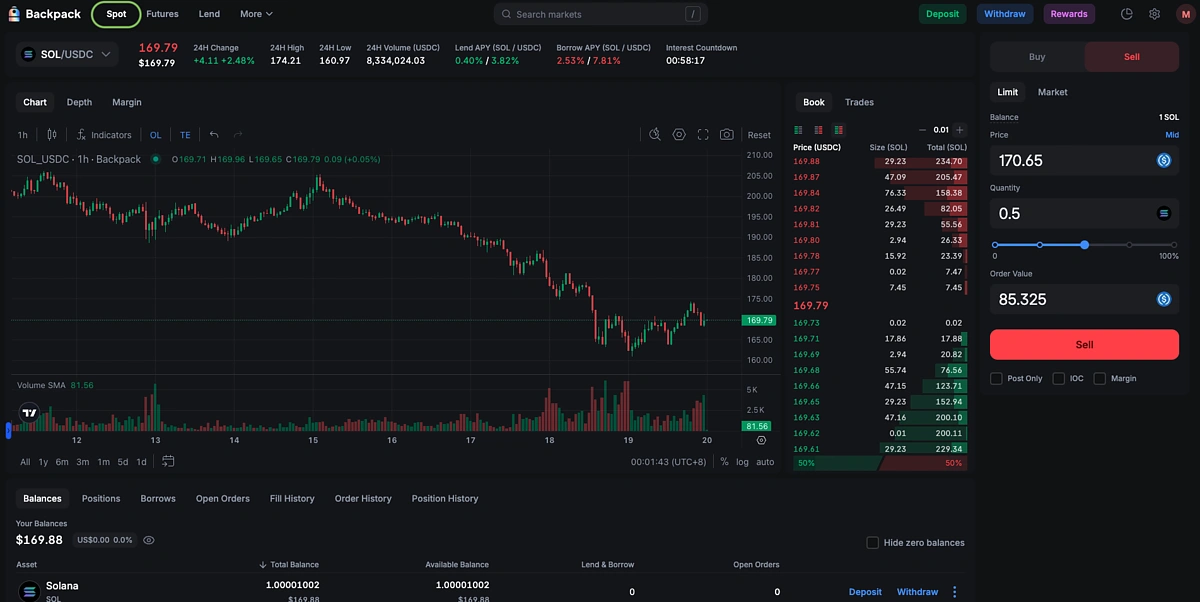
In the top left menu, go to Spot and trade your tokens. At the time of writing, all available pairs are USDC based. We will be performing a sell trade on the SOL/USDC pair.
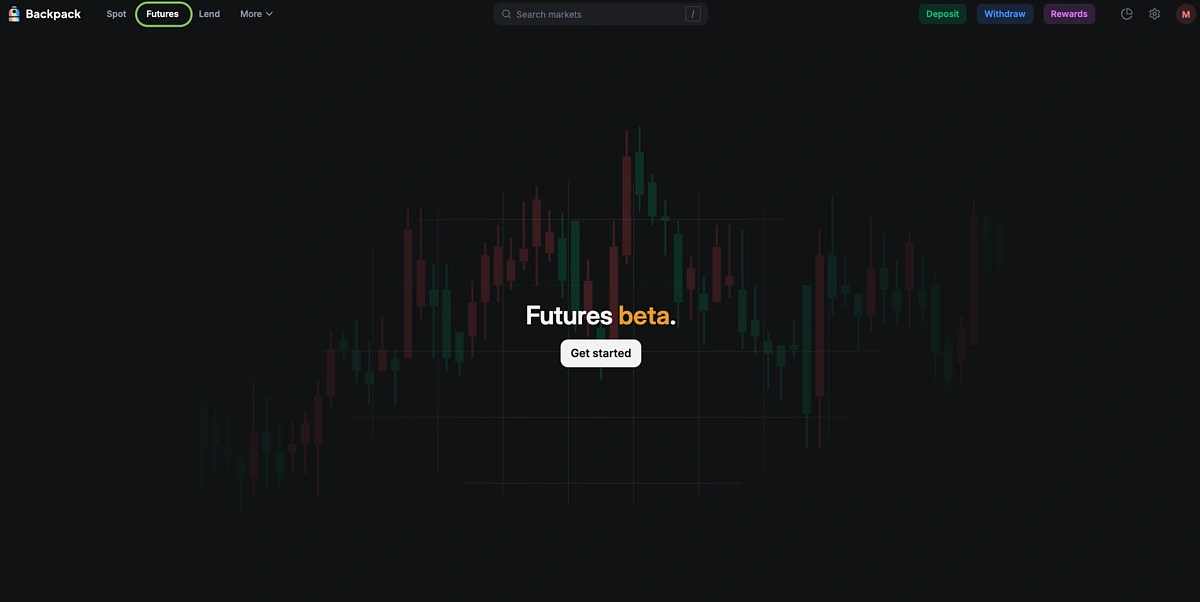
After that, go to Futures which is currently in its beta phase. Go ahead and click on Get started.
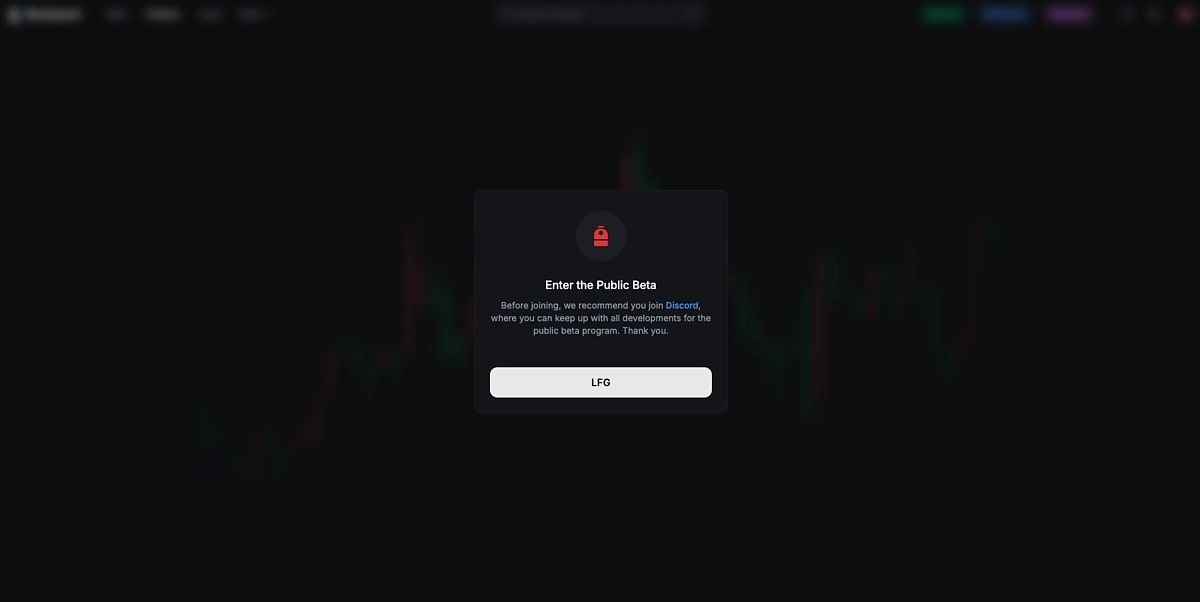
Before accessing the page, Backpack will recommend that you join the Backpack Discord channel for additional updates on the Futures and Lending beta phase. This is an optional step but if you want, you can join the Discord channel at https://discord.com/invite/backpack.
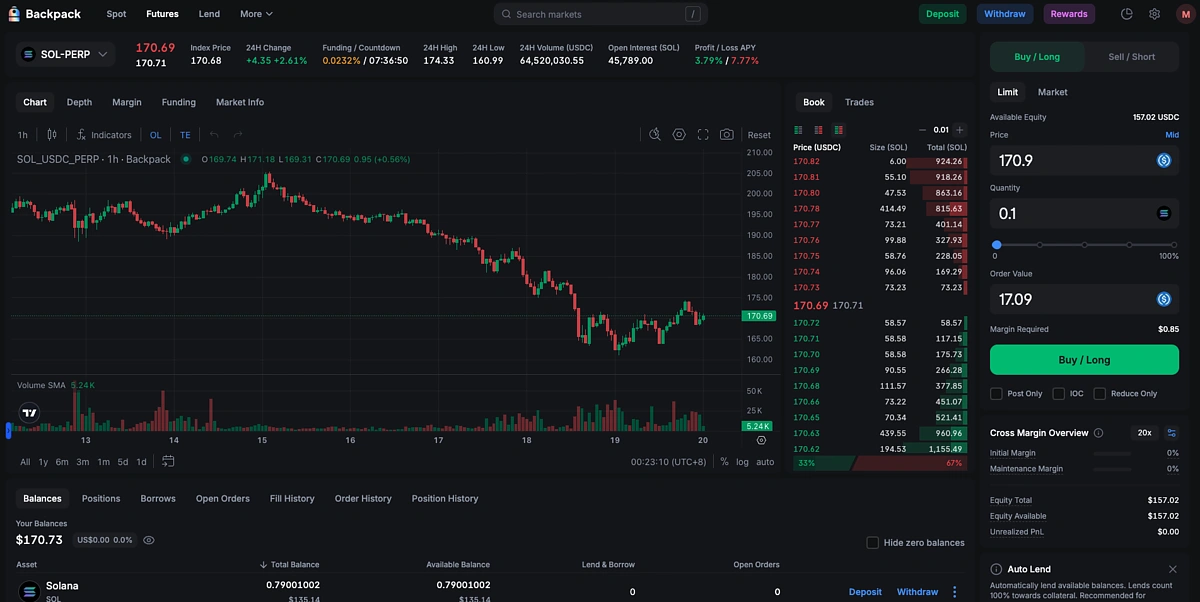
You can then perform a Futures trade. In this example, we are doing a Buy/Long trade on SOL-PERP.
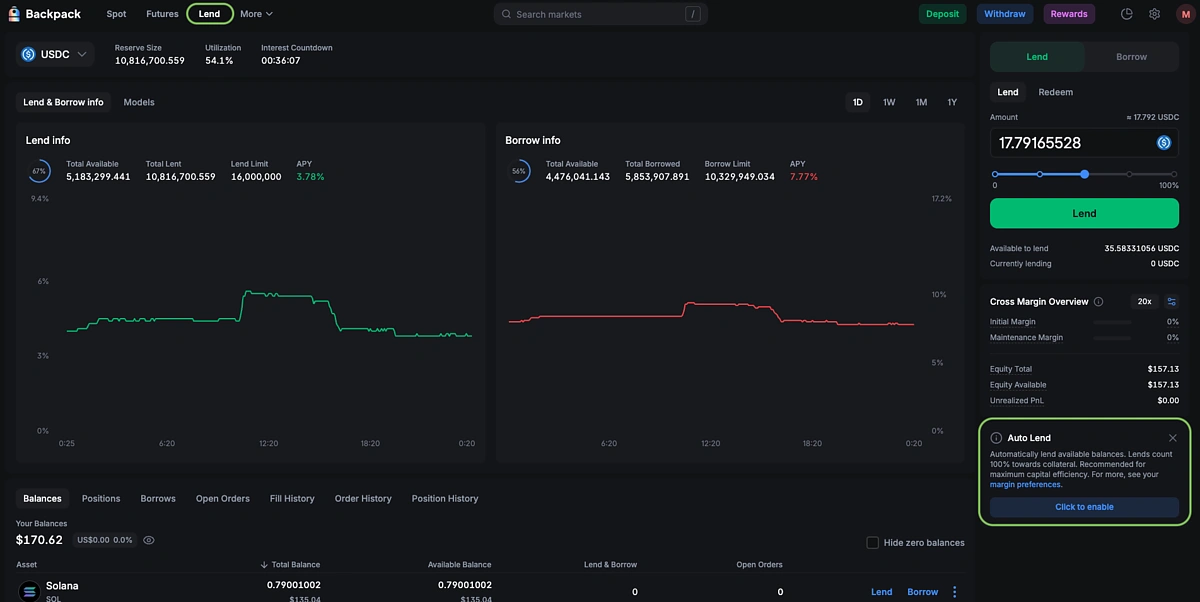
Head to Lend and choose how much of your assets you want to lend. At the time of writing, the only tokens available for lending are USDC, USDT, SOL, ETH, and BTC.
You can also choose to enable Auto Lend which will automatically lend available balances whenever there is a change in your portfolio balance.
Step 4: Earn Rewards (Optional)
In the top right menu, click on Rewards.
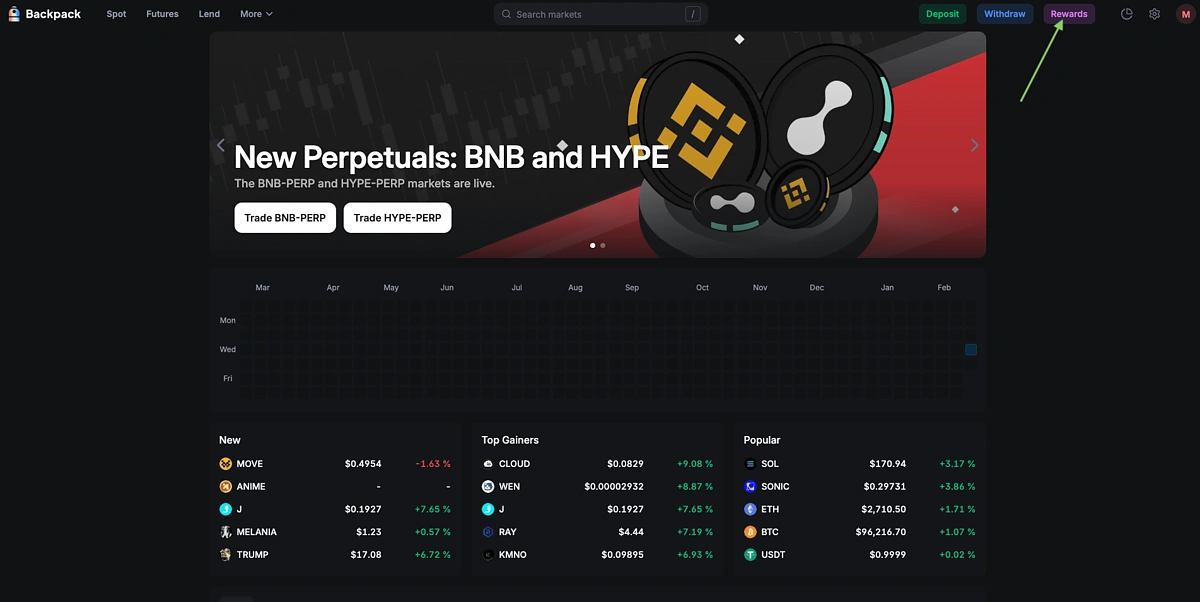
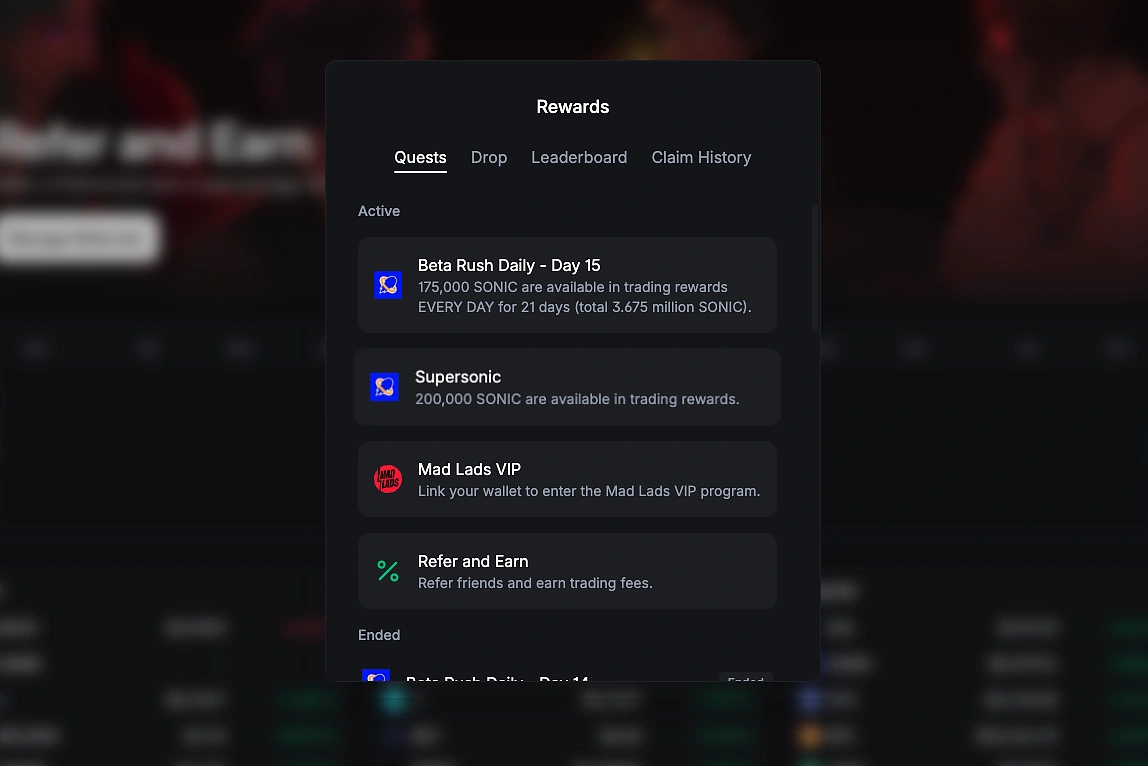
You can then see different available quests that you can complete including referring other users. Clicking on a quest will show you the necessary steps to participate.
Conclusion
Backpack aims to address several key issues within the cryptocurrency space which includes increasing transparency and compliance of their products for enhanced user experience and security. Within the Backpack ecosystem are Backpack wallet, Backpack exchange, and the Mad Lads NFT collection. Users can now interact with Backpack for a potential future token airdrop.
This article is only for informational purposes and should not be taken as investment or financial advice. Always do your own research before connecting your wallet to any protocol, and note that following the above steps is no guarantee of receiving an airdrop.






 Or check it out in the app stores



