





 Make us preferred on Google
How to Interact with Lens Chain
Lens is a Layer 2 solution on Ethereum designed for SocialFi, giving developers a customizable set of social features to choose from and implement. Now, users can interact with Lens by claiming testnet tokens, purchasing their Lens username and discovering apps on Lens.
Key Takeaways
-
Lens Chain is a Layer 2 solution on Ethereum that is specifically for developers to build social applications on the blockchain that can give financial opportunities to users.
-
It is being developed by Avara, the company founded by Stani Kulechov that developed the Aave Protocol and GHO stablecoin.
-
Users can interact with the Lens Chain by claiming testnet tokens, purchasing their Lens username, and exploring apps that are building on Lens.
Social applications have become a key part of our everyday lives, from interacting with others to watching videos and sharing snippets of our experiences. These applications exist in the very devices that we carry around and use all day. However, many of these applications also bring additional issues for users, mainly around censorship, data ownership, and monetization.
An ideal option would be to build social applications on the blockchain to help address these issues but this introduces scalability as the next challenge. Like many decentralized applications, the ability to scale up while continuously providing reliable user experiences can be an uphill climb to achieve.
How The Lens Chain Is Introducing Social Finance
To help resolve this, the Lens Chain is building a blockchain stack specifically for what they call SocialFi, or Social Finance. SocialFi is meant to be the merging point of social and finance in a decentralized ecosystem by integrating social features into a diverse array of applications. Users can build communities, foster collaboration, as well as unlock new opportunities for monetization. Creators and influencers can then leverage these opportunities to generate revenue and possibly build another stream of income.
Lens is firstly focusing on giving developers an easy and flexible experience through a customizable set of social features to choose from and implement. Developers can then define how these features such as Groups, Feeds, and Usernames interact within their own applications.
The decentralized Layer 2 (L2) built on Ethereum is designed to enable social applications and spaces to continue scaling up while minimizing issues around speed and transaction costs. To do this, Lens is built on zkSync’s ZK stack, secured by Ethereum, and leverages Avail. ZkSync’s scaling solution uses zero-knowledge rollups to deliver fast and cheap transactions, making horizontal scaling easier to achieve.
At the same time, Len leverages Avail’s data availability (DA) solution to better support a high volume of transactions while maintaining lower costs for a better user experience. The intention is to keep costs on Lens low enough that developers can easily absorb them the way that a Web2 company might absorb cloud server costs.
The Team That Is Building Lens
Lens is part of Avara, the web3 technology company founded by Stani Kulechov that developed the Aave Protocol as well as GHO, the Aave-native stablecoin that will be integrated with the Lens chain to be used as the gas token.
On December 18, 2024, Lens announced that it had successfully closed a $31 million strategic round led by Lightspeed Faction. The round also received participation from Avail, Circle, Consensys, Fabric Ventures, Re7 and more. Users can now interact with the Lens testnet ahead of the mainnet launch which is scheduled for sometime in Q1 2025.
However, do note that the Lens team has not made any official announcement regarding a token airdrop. Therefore, following the steps below and interacting with the Lens testnet does not guarantee a future token airdrop allocation.
Interacting with the Lens Testnet
Here’s a guide on interacting with the Lens Testnet.
Step 1: Add Lens Testnet and Get Testnet Tokens
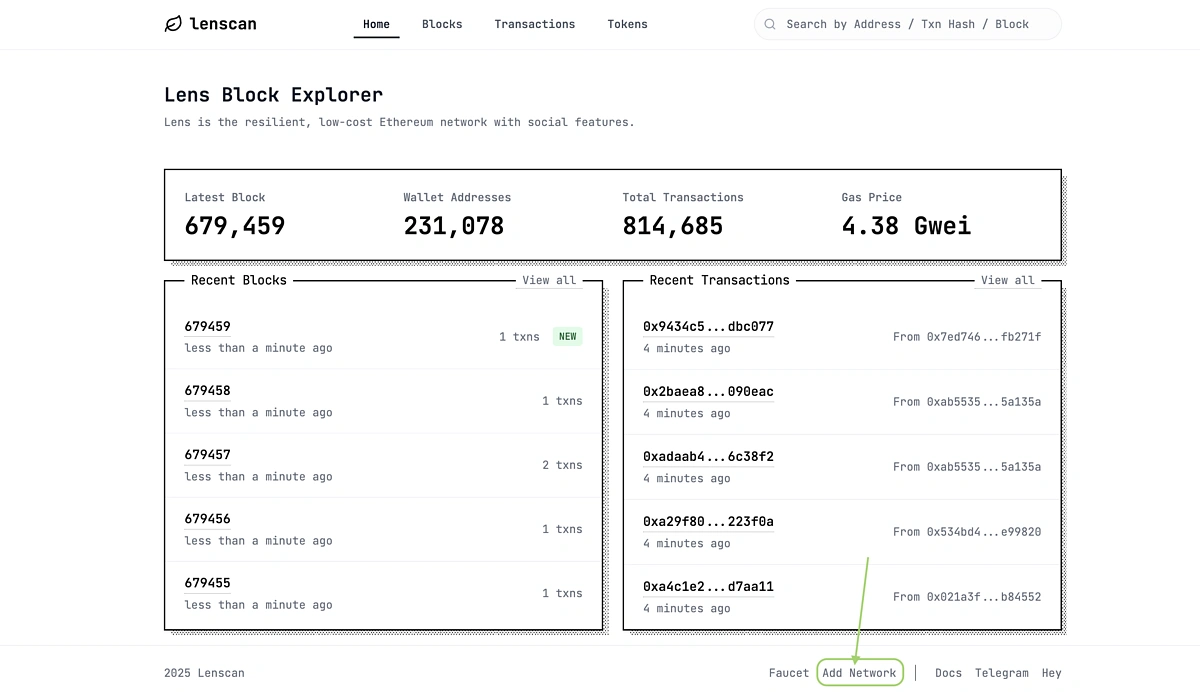
Go to https://testnet.lenscan.io/ and Add Network at the bottom. This will automatically open your wallet extension for you to confirm that you want to add the Lens testnet to your wallet. In this guide, we are using the Rabby Wallet.
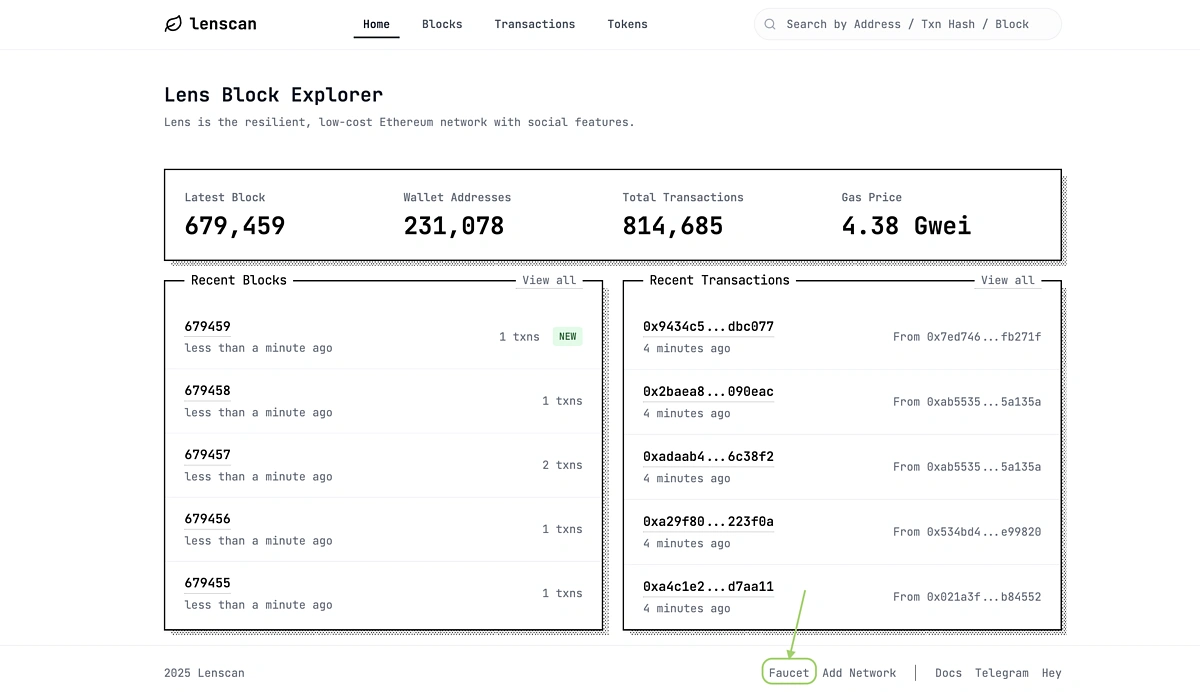
At the bottom on the same page, go to the Faucet to claim your testnet tokens.
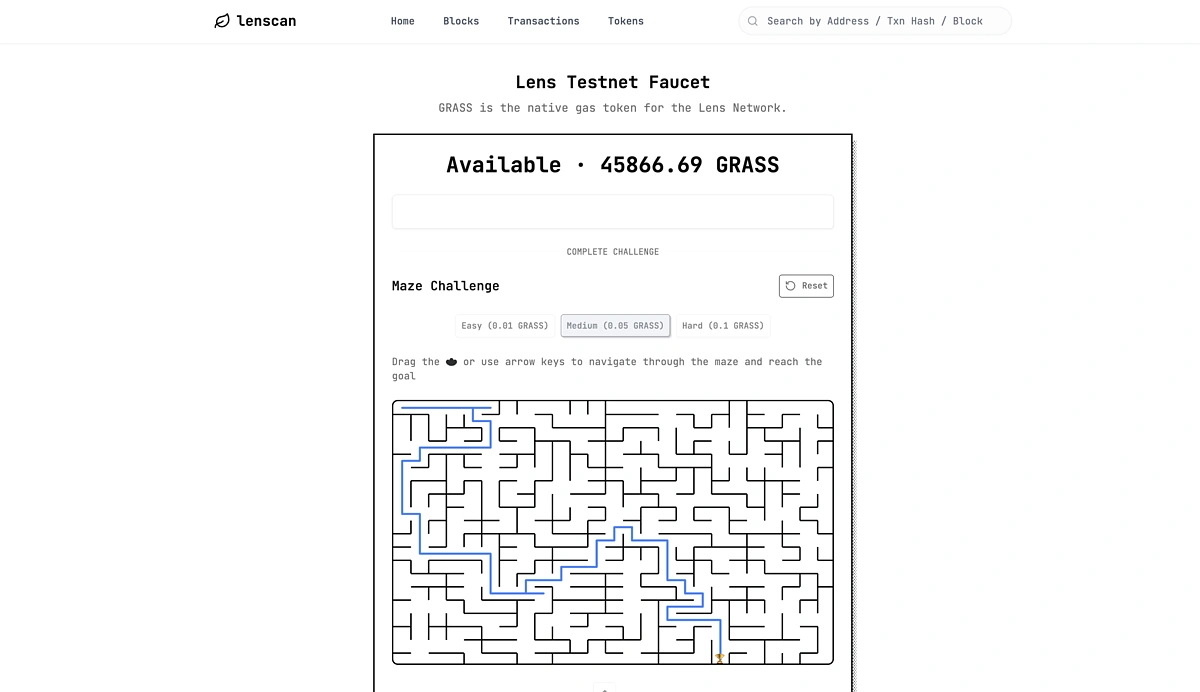
After pasting in your wallet address, you will need to complete a maze challenge and verify the CAPTCHA before claiming the tokens. The amount of testnet tokens you can claim will depend on the difficulty level of the maze you complete.
Step 2: Claim Your Username
Next, go to https://www.lens.xyz/ and Login in the top right corner.
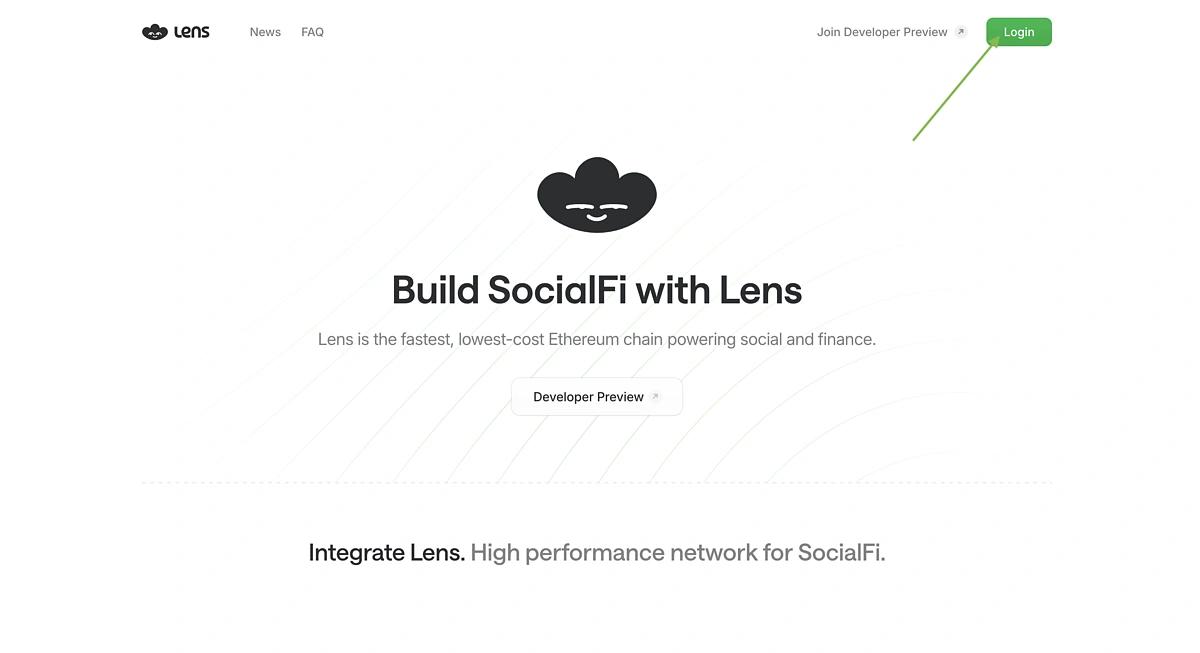
You can then Claim your own username which is one of the key social features on Lens.
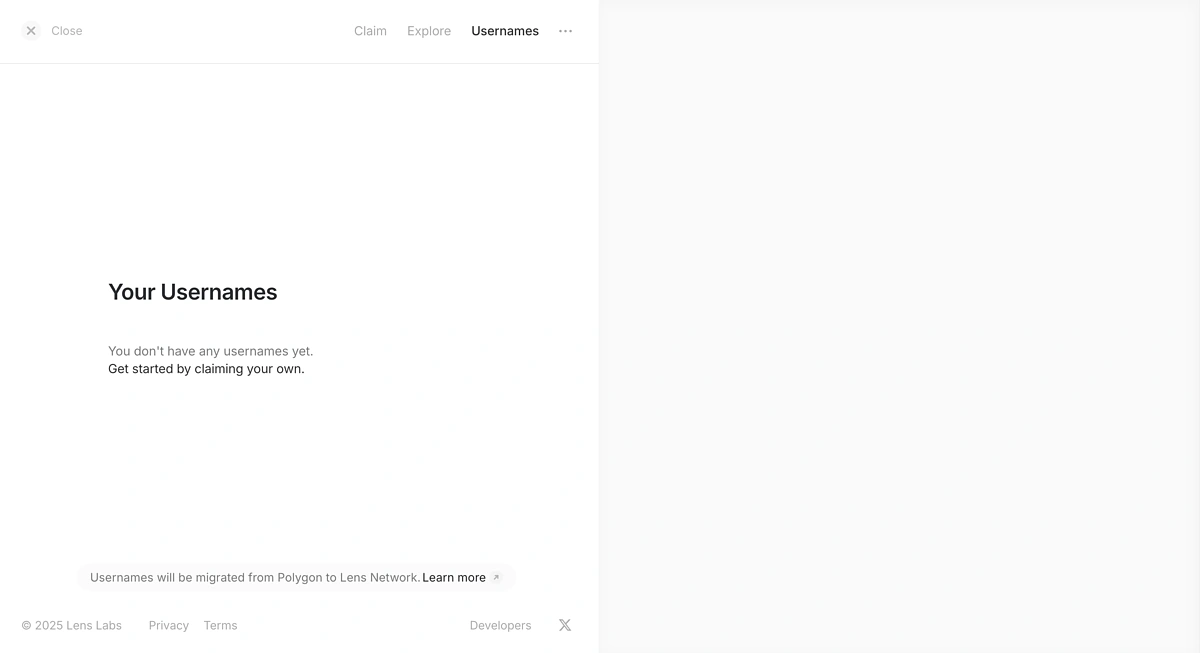
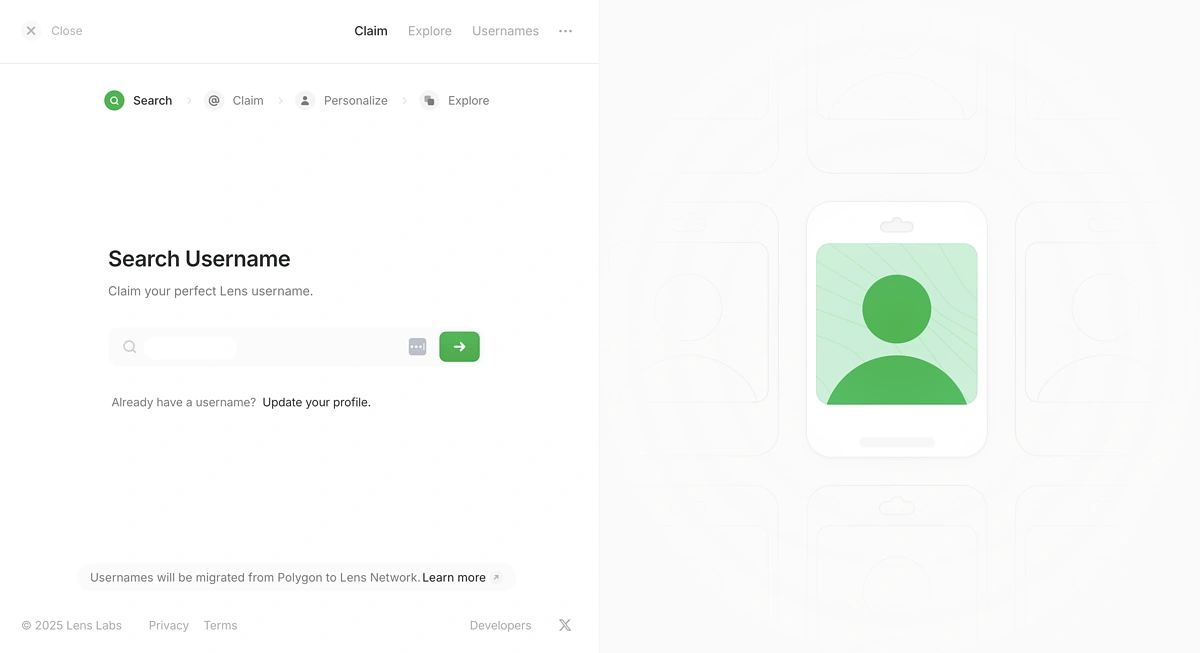
Input your preferred Lens username and check if it is available to claim.
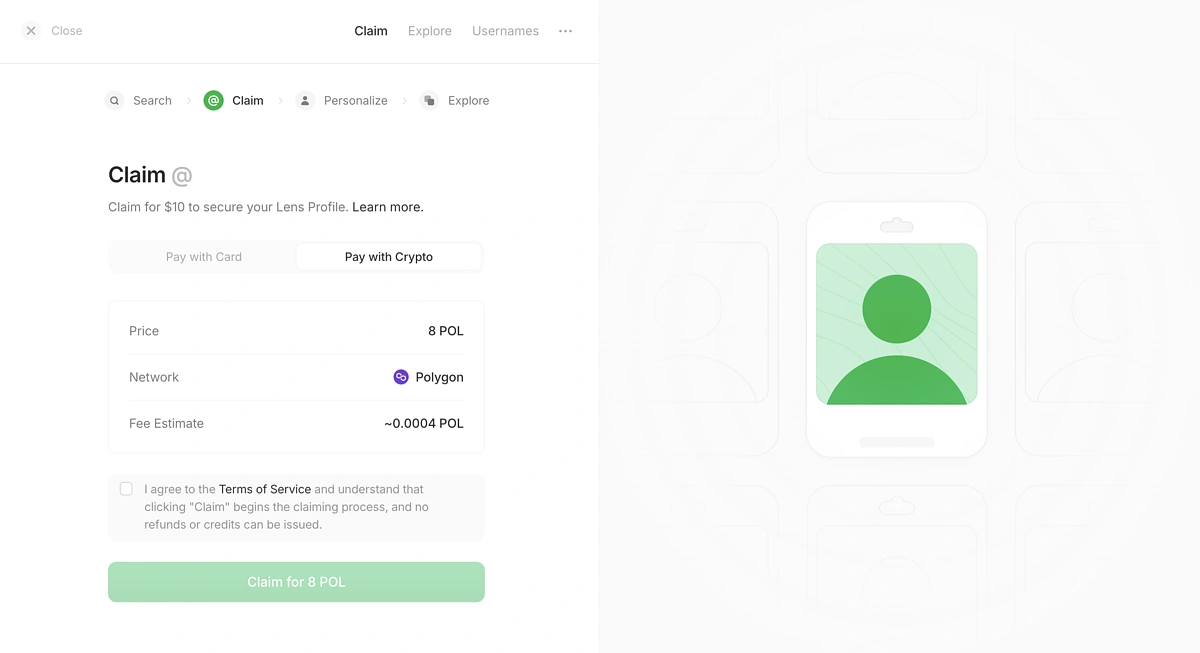
In order to claim your username, you will need to pay a fee. At the time of writing, the price options were $10 or 8 POL.
In this guide, we will be paying 8 POL on the Polygon network for the username.
After that, you can personalize your profile by providing a name and short bio.
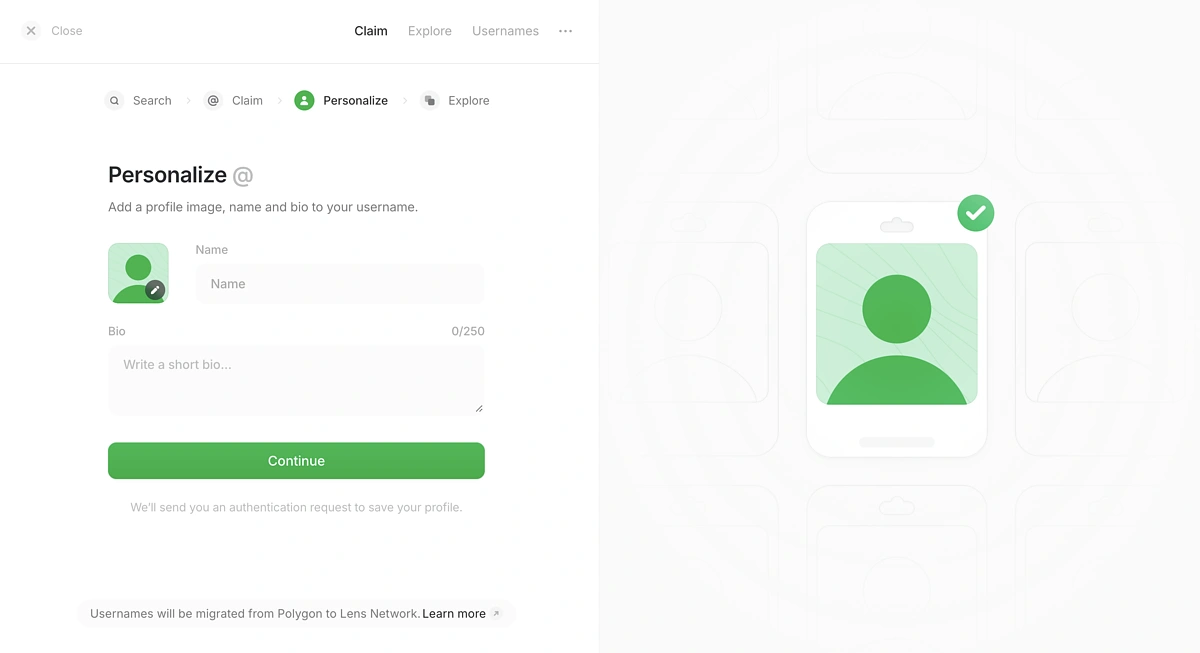
Step 3: Explore Lens Ecosystem
Now that you have your Lens username, you can explore all the apps available on Lens. We recommend going through them one by one to see which app catches your interest.
By interacting with the different apps, you can connect your username to different platforms and increase your profile’s activity.
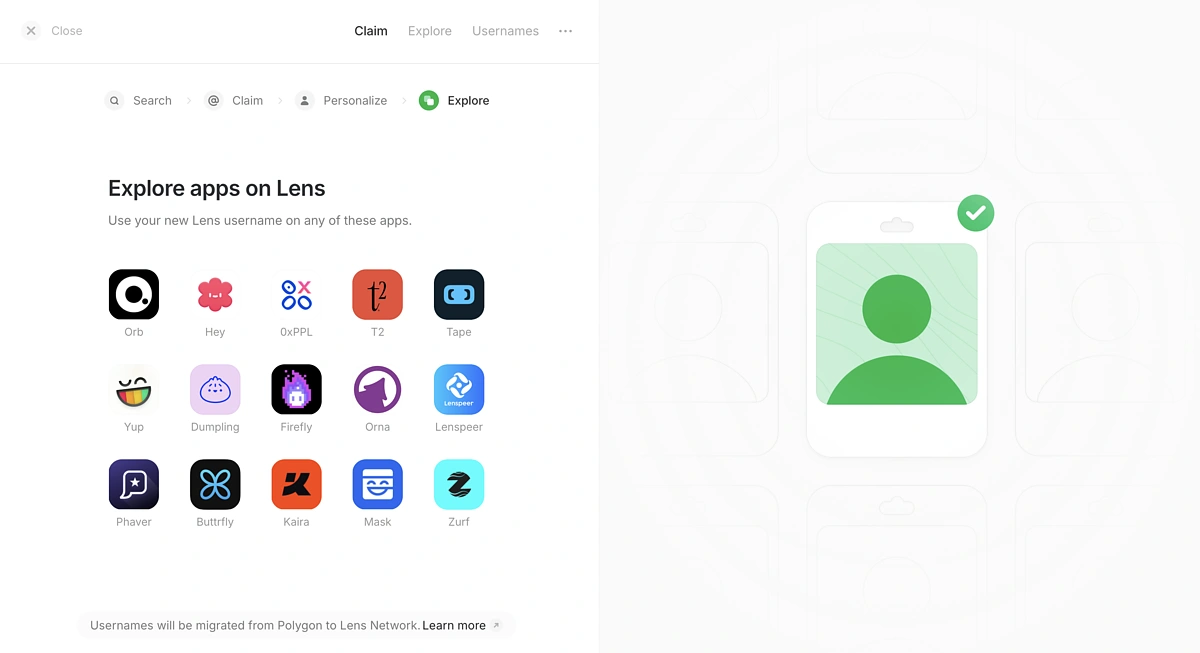
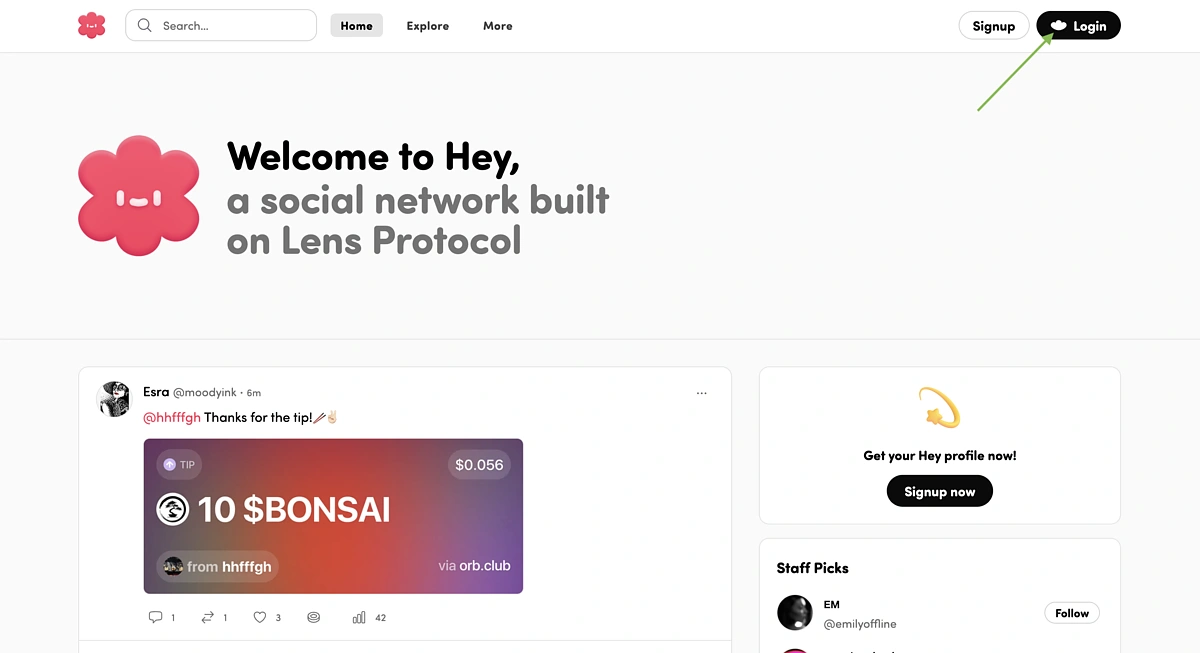
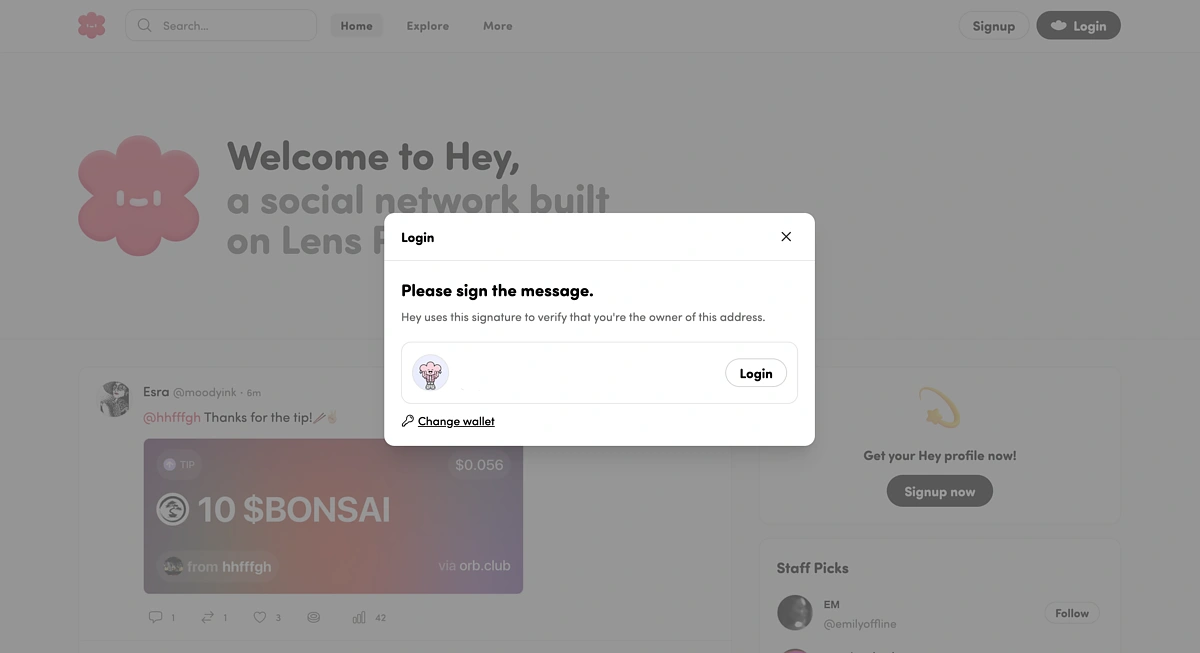
For example, you can go to the Hey application and Login in the top right corner.
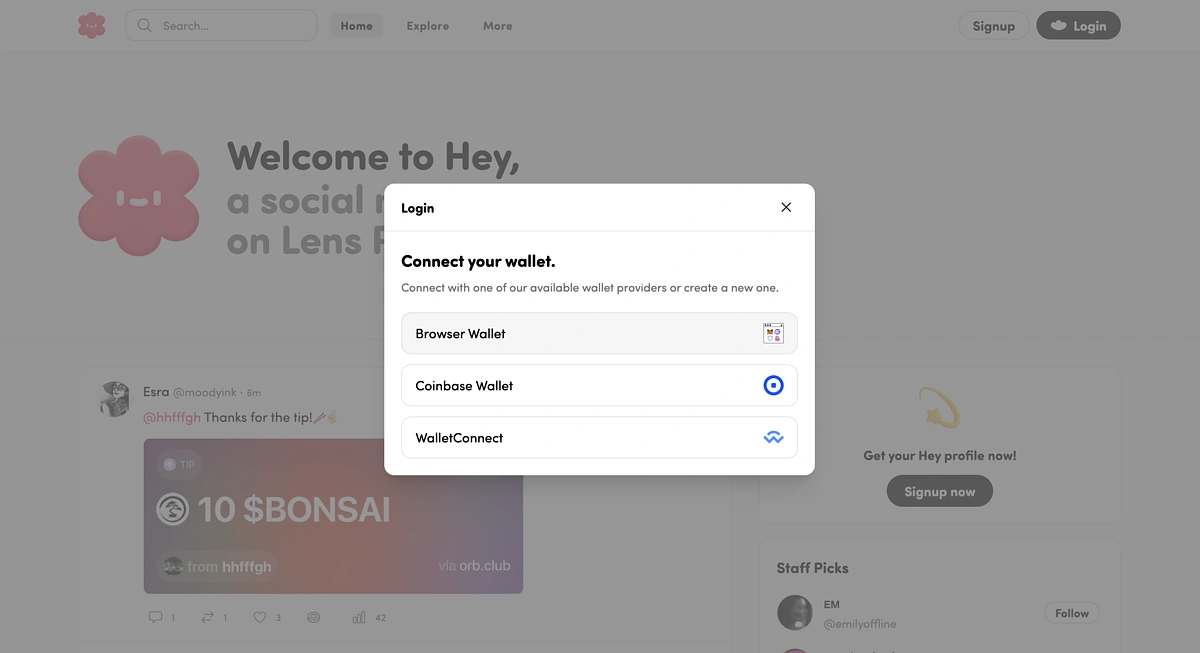
Then, connect the same wallet that you have been using for Lens. We will continue with the Rabby Wallet which is a browser wallet.
As you can see in the example, your Lens username will be ready for you to Login with.
After that, take some time to go through the platform and perform actions.
Conclusion
Lens Chain is building a L2 solution on Ethereum with the main goal of providing developers with a space to build social applications that integrate financial opportunities. As a result, creators can tap into more opportunities to earn additional income. In anticipation of the Lens mainnet launch, users can now interact with the Lens testnet as well as claim their usernames and explore social applications within the Lens ecosystem.
This article is only for informational purposes and should not be taken as investment or financial advice. Always do your own research before connecting your wallet to any protocol, and note that following the above steps is no guarantee of receiving an airdrop.






 Or check it out in the app stores



