



 Make us preferred on Google
What Is MapleStory N/Universe?
Launched on May 15, MapleStory Universe is the layer 1 (L1) blockchain built to bring the beloved 20 year old MMORPG MapleStory to the blockchain world. The blockchain version of the game is called MapleStory N and uses the NXPC and NESO token (in-game currency).
Key Takeaways
-
MapleStory N is the blockchain iteration of the popular 20 year old MMORPG MapleStory, which has over 180 million registered players and generated over $3 billion in revenue.
-
MapleStory N is built on MapleStory Universe (MSU), a custom layer 1 blockchain built using Avalanche’s subnet technology, Avacloud.
-
While there are crypto elements, players can create characters and play the game for free without crypto.
What Is MapleStory?
MapleStory is a free-to-play 2D side scrolling MMORPG launched in 2003 by South Korean companies Wizet and Nexon. It became massively popular with the launch of Global Maple Story (GMS) in 2005, which saw MapleStory becoming popular worldwide in the late 2000s. According to Wikipedia, MapleStory has over 180 million registered players and over $3 billion in lifetime revenue.
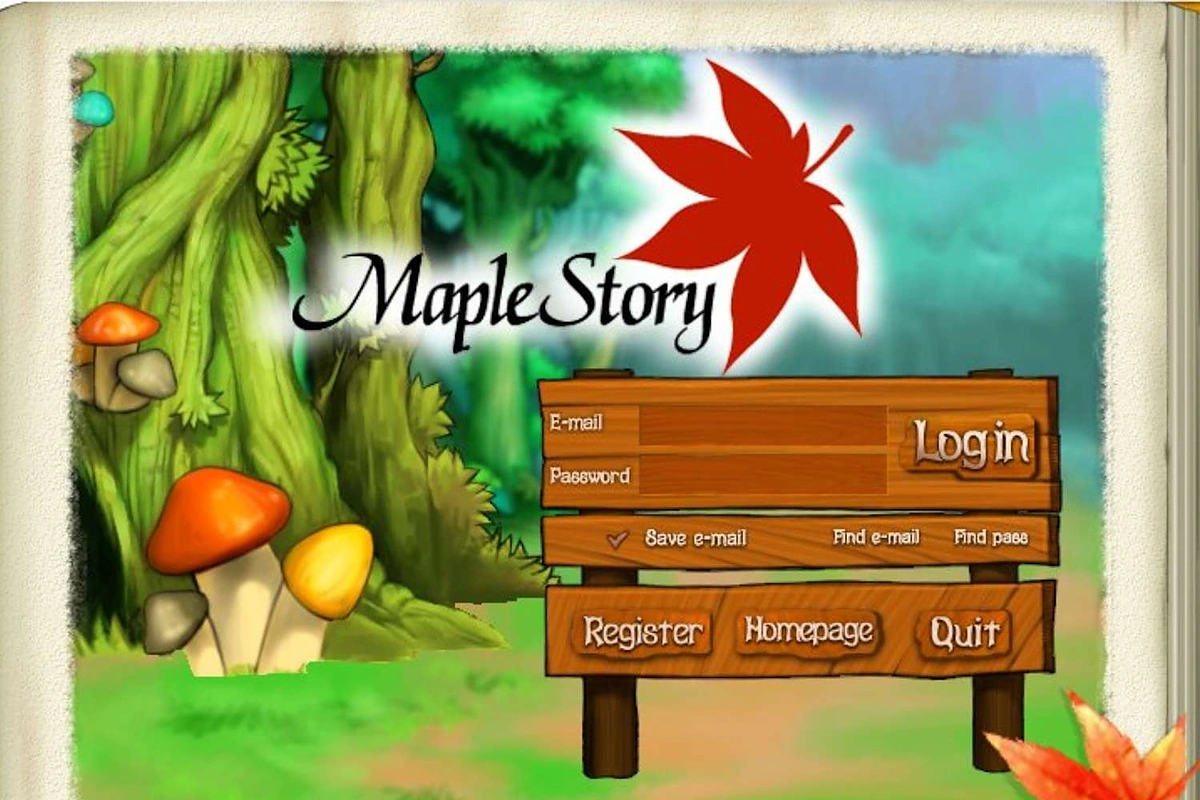
MapleStory’s familiar login page used in the early 2000s.
About MapleStory Universe
MSU is a special L1 built using the L1 network Avalanche through their AvaCloud technology. AvaCloud allows the creation of custom blockchains known as subnets. These subnets allow for precise control over gas fee structures and transaction output. Essentially, this means users will get to enjoy the performance benefits of private permissioned blockchains (MSU in this case) while leveraging on, though not fully inheriting, the security of a public permissionless blockchain (Avalanche in this case).
Tokenomics
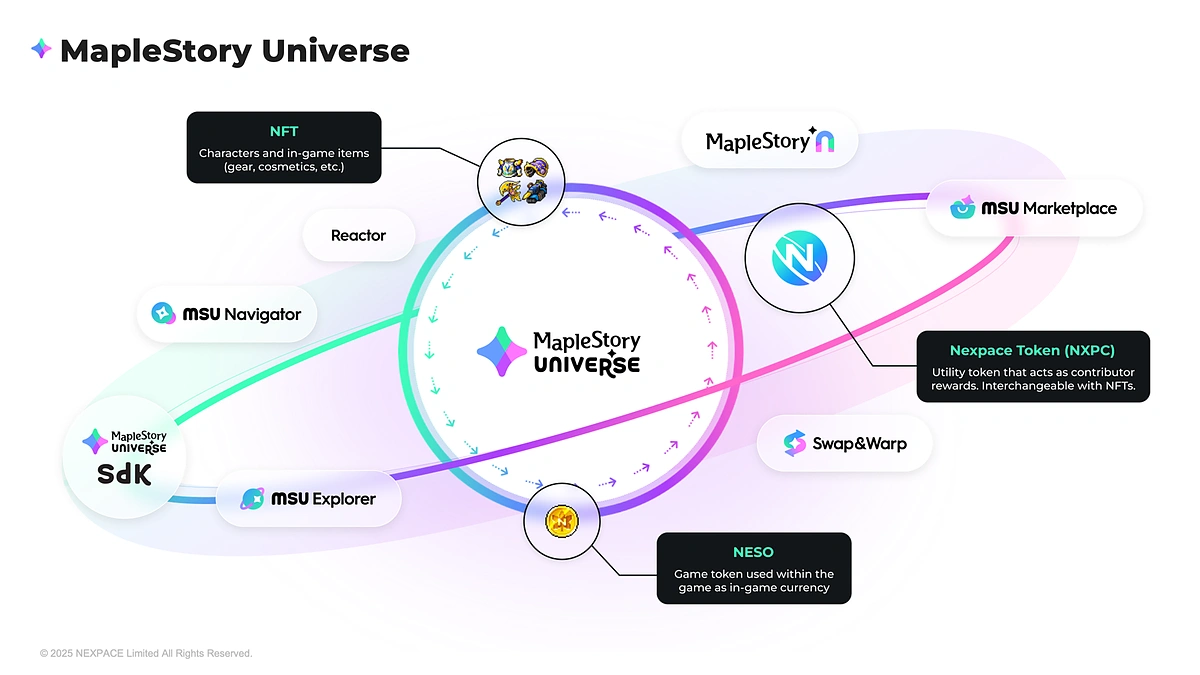
The MSU ecosystem currently revolves around three tokens: NXPC, NESO and NFTs.
NXPC
Nexopace or NXPC, is the supportive token used to redeem for NFTs or NESO. NXPC is designed to facilitate and manage the supply of NFTs (rare game items) in circulation in the MapleStory N ecosystem. NXPC has a fixed maximum token supply of 1 billion which has a distribution mechanism similar to Bitcoin. NXPC has a fixed conversion rate with NESO, MapleStory N’s in-game currency. This means users can earn NXPC by earning NESO. NXPC is also the native token used to pay gas for any blockchain transactions made in MSU.
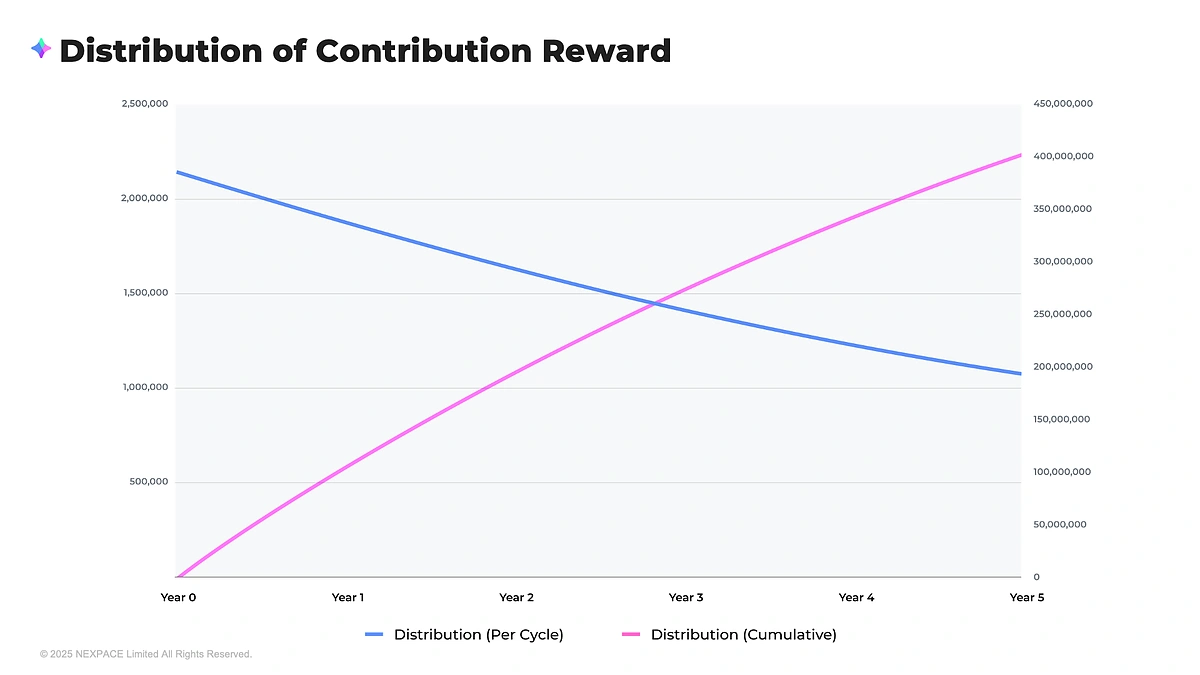
NXPC’s distribution curve.
NXPC’s Token Distribution
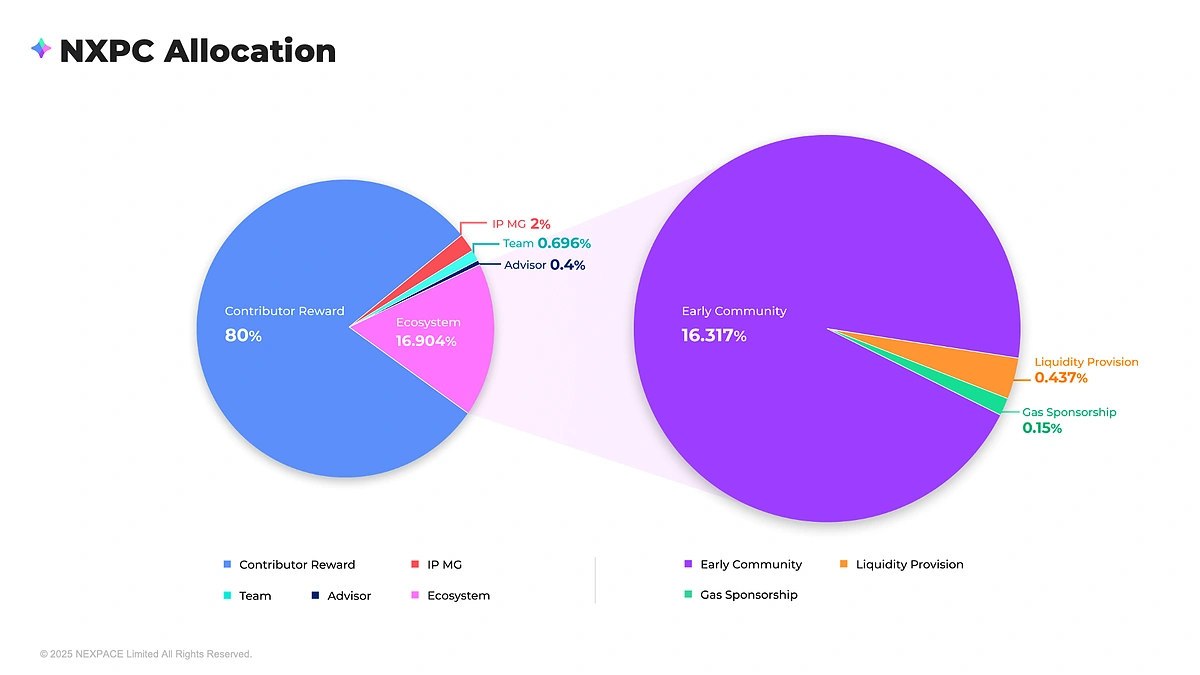
80% of the NXPC token supply is designated as “Contributor Reward,” which the team plans to distribute on a cyclical basis according to individual contribution levels to expand the MapleStory Universe, in a model similar to the Bitcoin halving system. 16.3% is designated to the early community members of MSU through community events, bug bounties and many other miscellaneous activities. 0.4% is allocated for liquidity support and 0.15% is allocated to cover network transaction fees on behalf of users, ensuring a gas-free experience for those unfamiliar with blockchain fees. IP MG, Team and Advisor constitute 3% of the token supply, and represents the insider allocation for all team members involved. This team allocation is low compared to other token distributions but fair considering the low circulating supply of the NXPC token.
NXPC Game Functions
There are two mechanisms of NXPC that facilitate item acquisition: NXPC Fission and Item Fusion.
NXPC Fission
MSU items such as weapons, armor and cosmetic items are limited supply items locked in a repository called the “Item Pool”. There may be new items added to this Item Pool, much like how new items may be added to a game. Users will exchange NXPC for a set of items from the Item Pool and receive a fixed percentage of the item’s maximum supply. Items redeemed are given out in sets, with users receiving more of the common/low-demand items and less of the rare/high-demand items. Practically this is similar to the usual game experience of “loot boxes” or “gacha”. Read here for more details on NXPC Fission.
Item Fusion
NXPC is interchangeable with game items (NFTs), the conversion of items back into NXPC is known as Item Fusion. In a given set of three items A, B and C, NXPC Fission will distribute items to the user in accordance with the available supply, meaning users may receive items A and B but not C if it is not available. However, to perform Item Fusion, users are required to have all items A, B and C before he is allowed to perform Item Fusion and redeem NXPC. Incomplete Item Fusion of these sets of items, technically referred to as “baskets for Item Fusion” is not allowed.
NESO
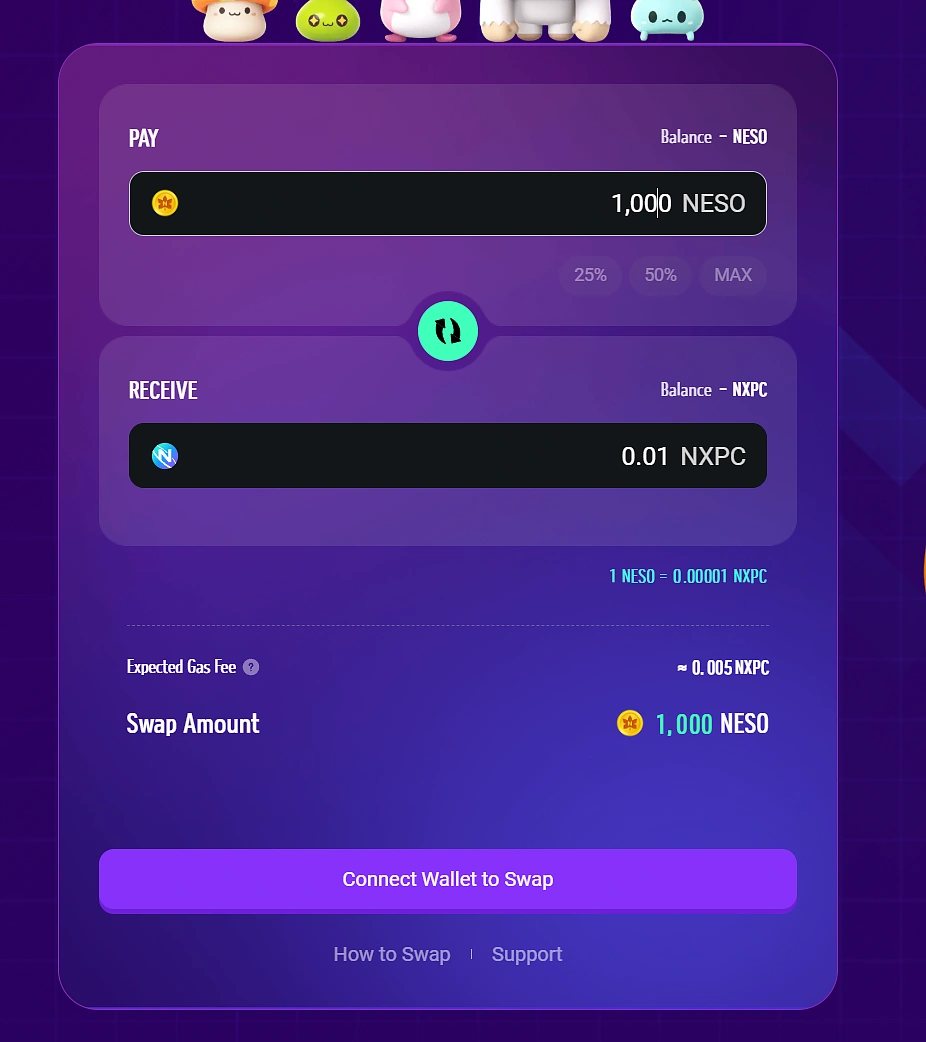
In the original MapleStory, the in-game currency obtained for killing monsters and for general transactions all around was called Meso. In MapleStoryN, this is the same with the token being aptly called NESO. NESO can be used to earn items (NFTs) within the MapleStory Universe Marketplace and also used to buy NXPC through MSU’s “Swap n Warp” section. At the time of writing, 1,000 NESO is worth 0.01 NXPC.
NFTs
Non-fungible tokens or NFTs usually refer to the digital collectible items on the blockchain such as digital art. In the case of MapleStory N, certain game items, especially rare items will be NFTs. Furthermore, character names are randomized and non-unique until players reach the level 60, where they have the option to mint and tokenize their character as an NFT and be given the chance to give their characters a unique name of their choice and finally to trade/sell their characters.
Quick Start Guide
While a crypto wallet is required, no funds are needed to create a character and install the game, this means you can do this on a fresh and unfunded wallet as well. Do also note that the game currently only supports the Windows operating system; Mac users are currently not supported.
Head to https://msu.io/ and connect your MetaMask wallet.
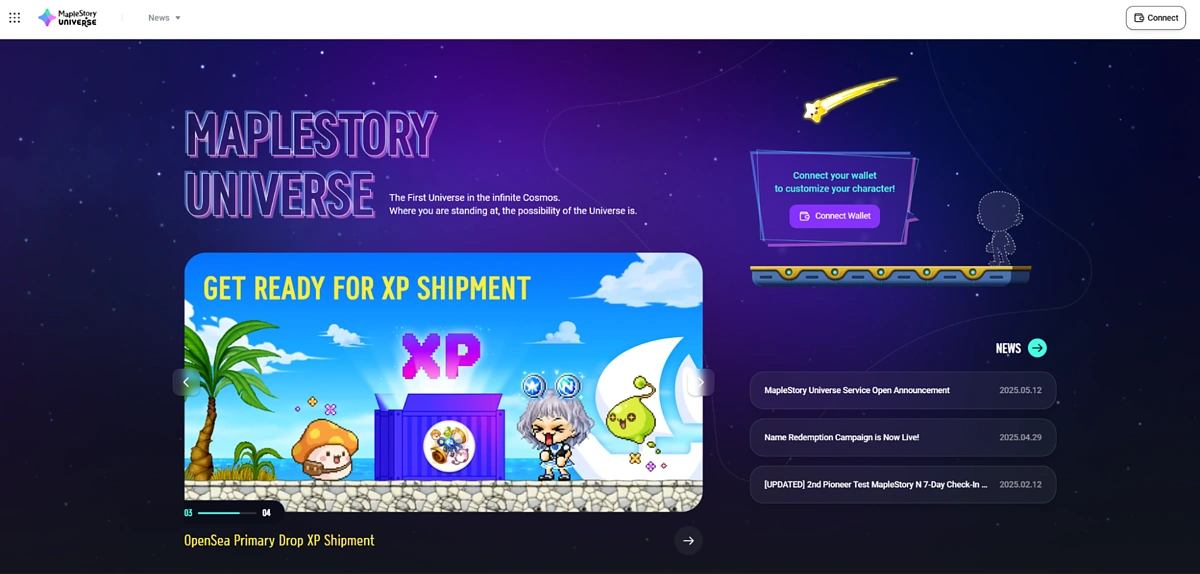
Choose your username and activate your account (email is required).

You will then be prompted to sign a message to complete the registration, no gas is needed for this.
You will then be redirected to https://msu.io/, scroll down on this page and hit the Play Now button, which will direct you to https://msu.io/maplestoryn/launch-promotion
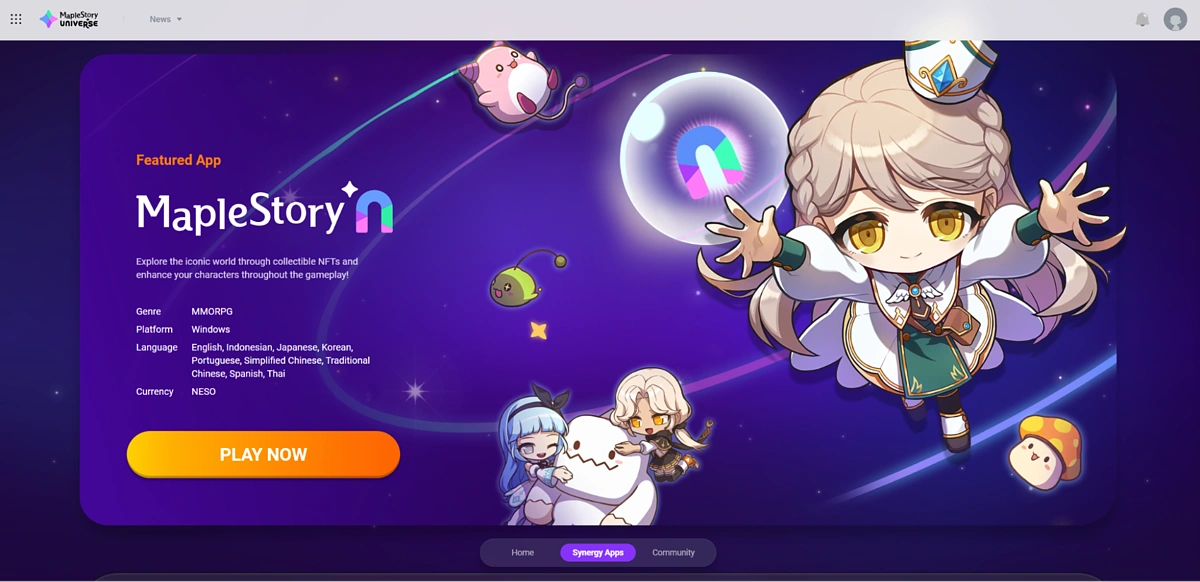
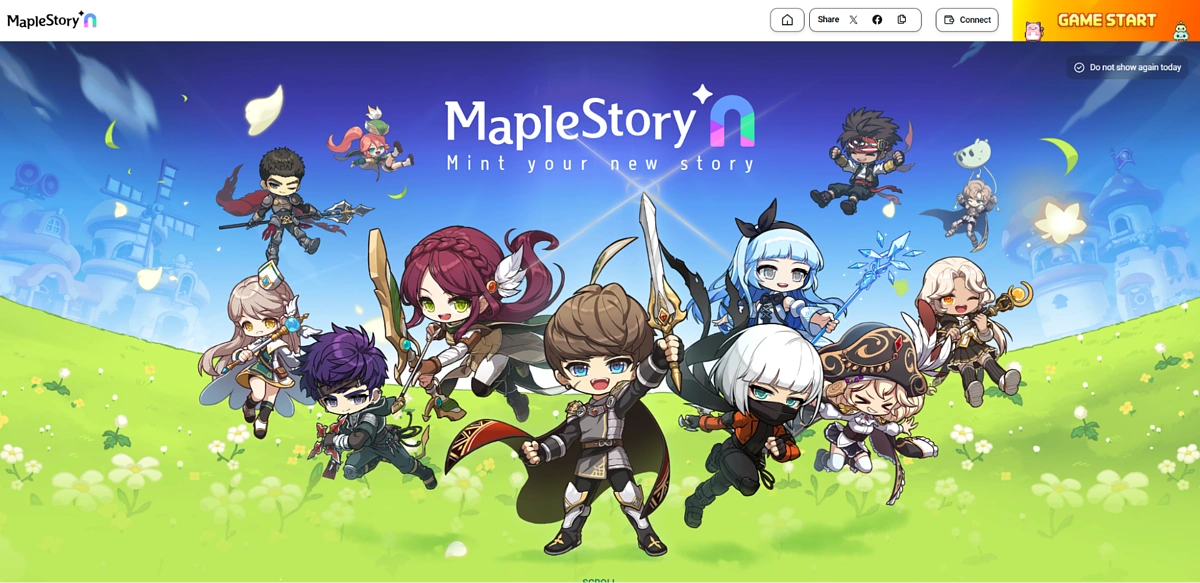
Hit the Game Start button on the redirected page, this will require you to connect your wallet once more, signing a gasless message.
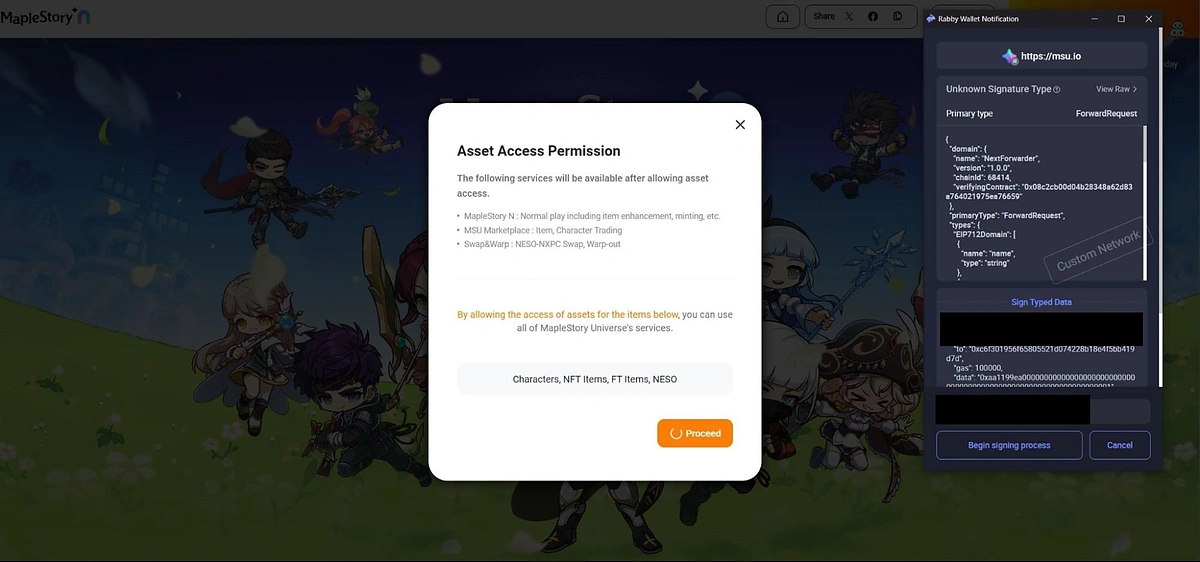
MapleStory will further request for additional permissions, requiring yet another signed message.
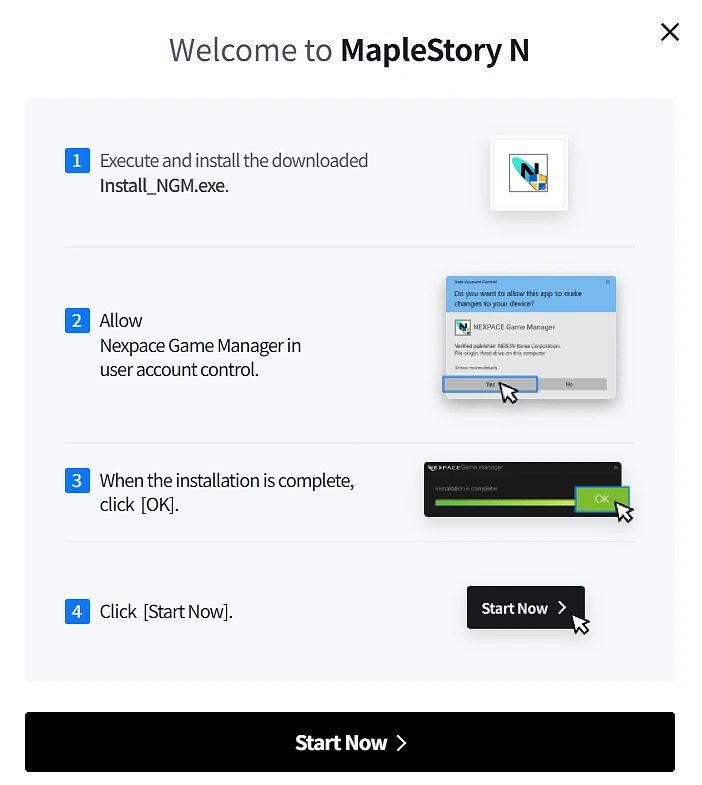
Finally, hitting Game Start will display a popup which will begin the game installation process. Select Download and Install and follow the instructions to download the game application as you would normally for any other desktop application.

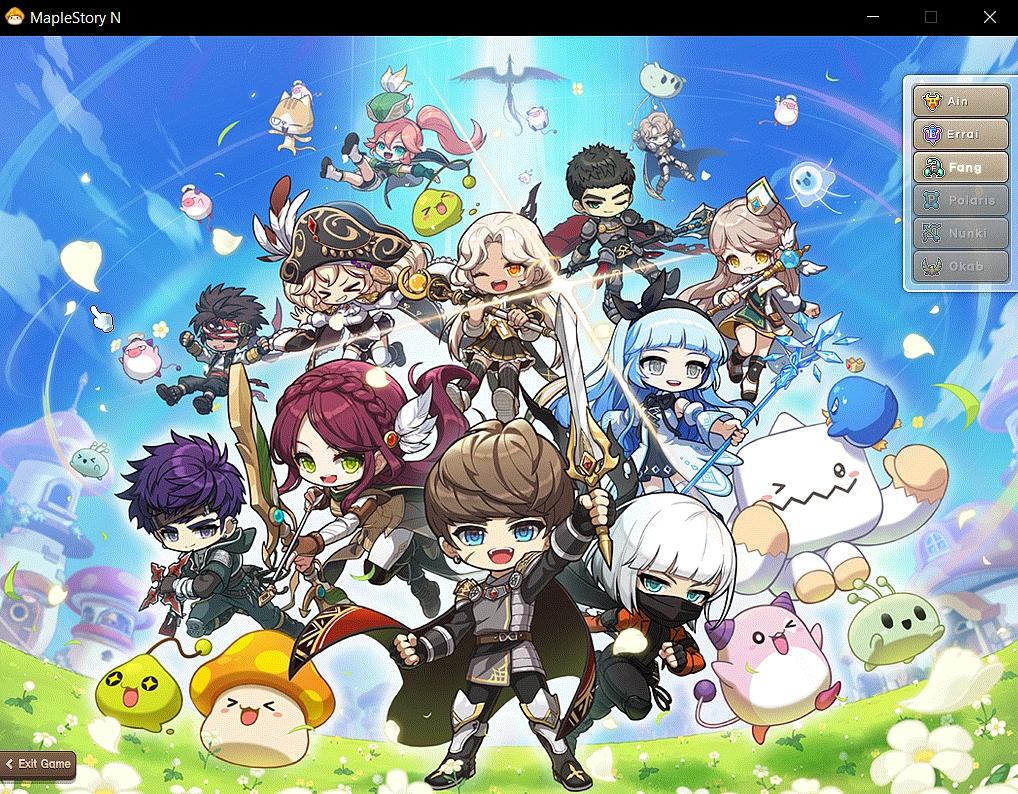
Complete the installation and congratulations, MapleStory N is up and running! Use the keyboard shortcut ALT+ENTER to enter full screen (sort of).
Selecting a Server and Creating Your Character
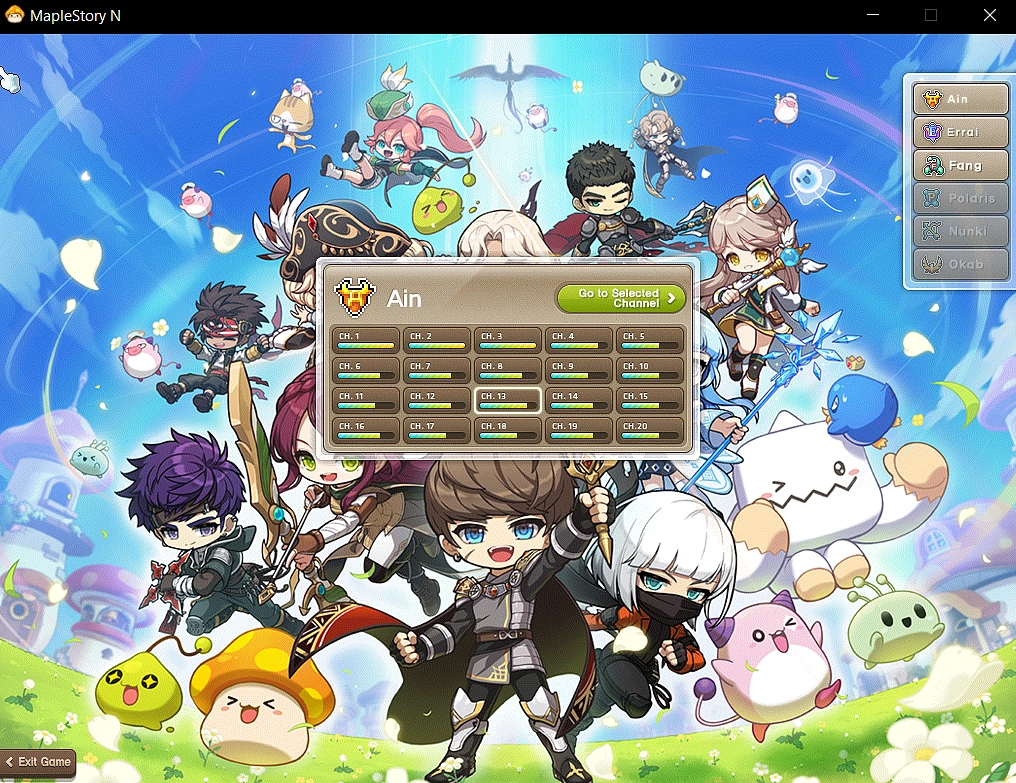
MapleStory N’s first three world servers are called Ain, Errai and Fang. Select your preferred server and channel, the loading bars represent how populated each channel is.
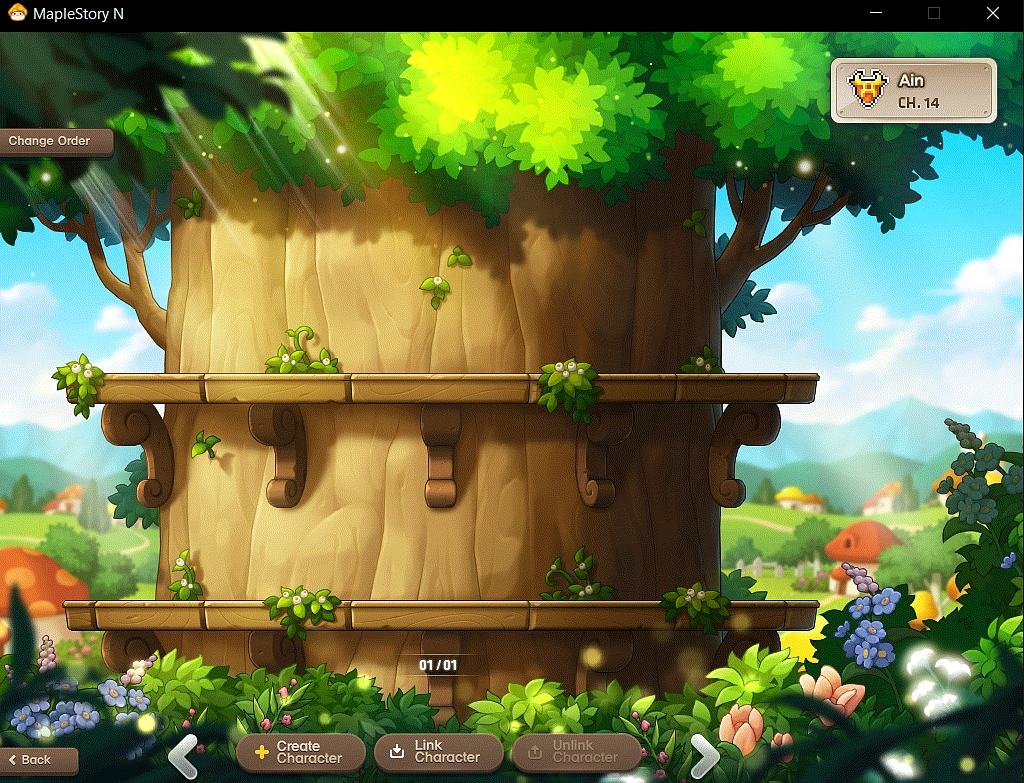
Select “Create Character” in the character selection screen.
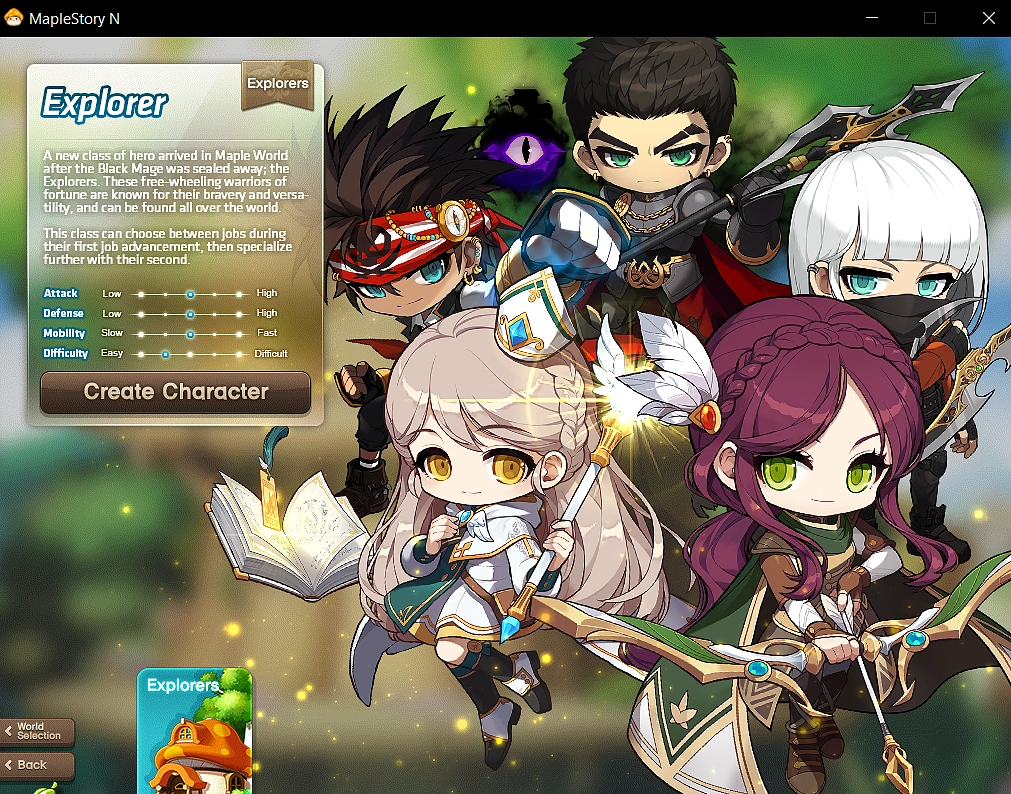
Choose “Explorer” in the character faction selection screen. Currently, only the original Explorer faction is available, other factions such as “Cygnus Knights” are expected to be in this selection channel if it is added in.
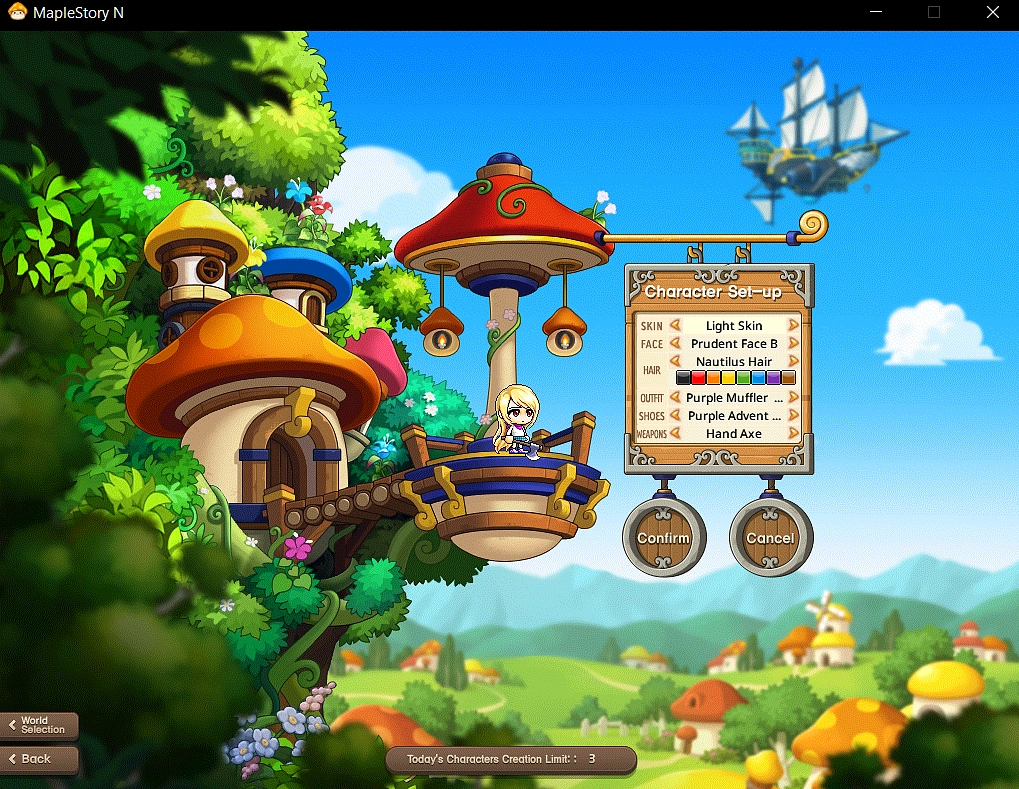
Select your gender and customize your character!
Select your created character and jump right in! Note that your name is randomized until you mint and choose your own.

Gameplay Guide
The world of MapleStory N is vast much like the original MapleStory, here are the basics to get you started.
Default Keybinds
Here are your default keybinds which you can customize as you wish.
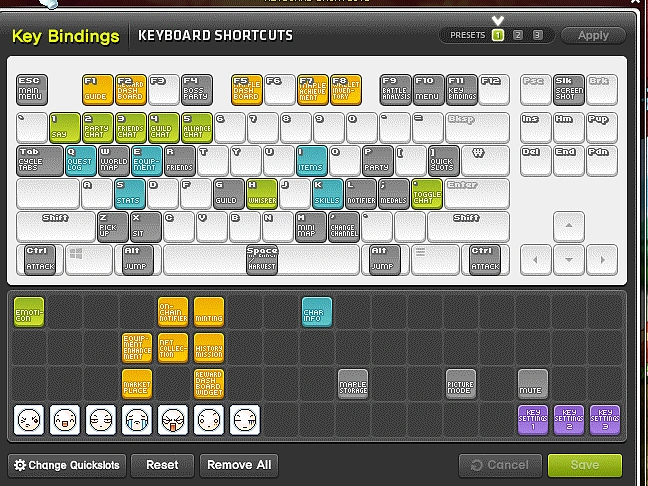
The main controls to consider are: Movement keys (up/down/left/right arrows), Attack (Ctrl), Jump (Alt), Quest menu (Q), Item inventory (I), Stat menu (S), Skills menu (K) and Item Pickup (Z).
NPC Interaction and Quests
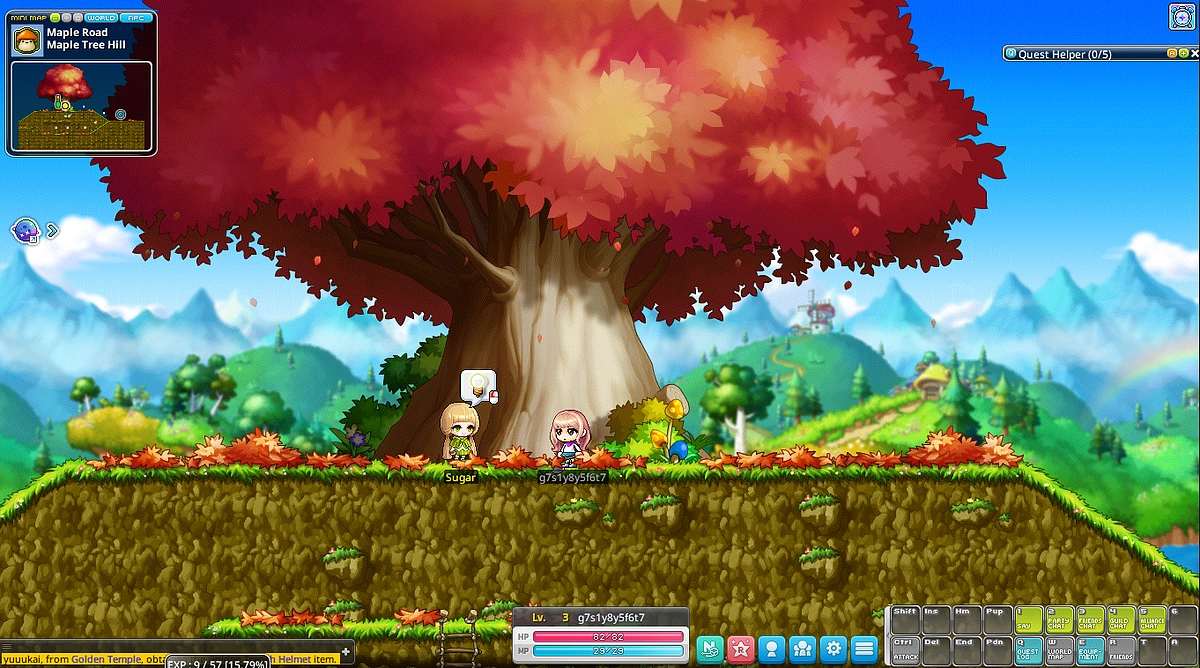
Interact with the non-player characters (NPCs) in Maple by left clicking on them, NPCs with quests are highlighted with a lightbulb symbol.

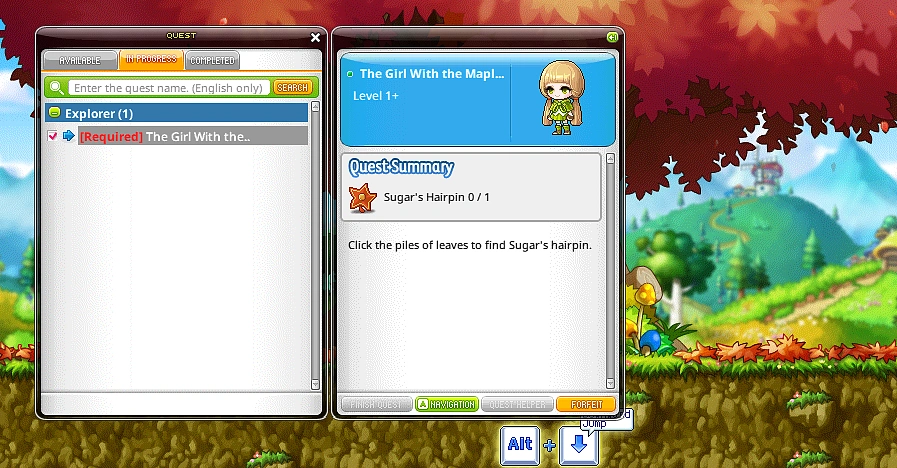
You may find information regarding the accepted quest in your quest menu (Q).
Traversing the Map
Move around using your movement keys, you can also drop from down from a higher platform to a lower platform with the key combination Down+Jump. Hit the Up button to use a portal to go from one area to the next.

Hitting Monsters
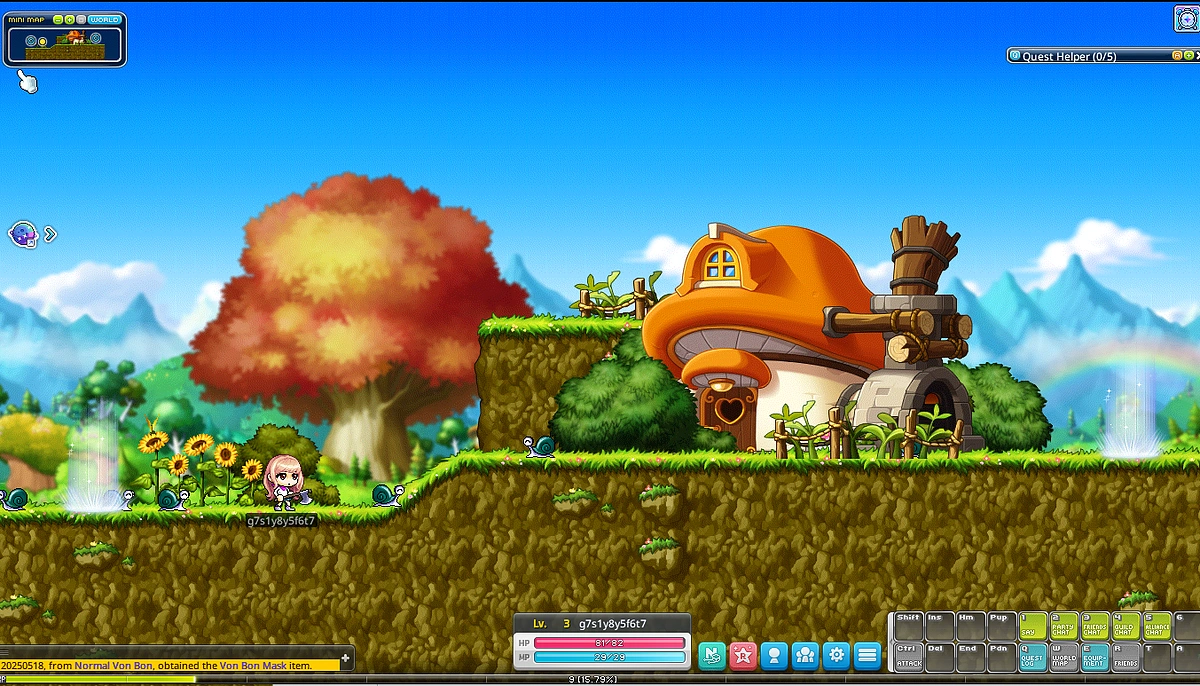
The first monsters you will encounter are the green snails, use the attack key (Ctrl) when you are near the snails to hit them, earning experience (XP) for each snail you’ve killed.
Picking Up Items
These green snails may drop various items after being killed such as the white potion, which is a potion that restores your health points (HP). Pick them by moving over towards it and using the Item Pickup button (Z).

Adding Stats
Typically, you will earn stat points when you level up and you can choose how to allocate them in the stat menu (S). In this case, stat points are automatically assigned until you’ve reached level 11 or made a job advancement (class selection).

Adding Skills
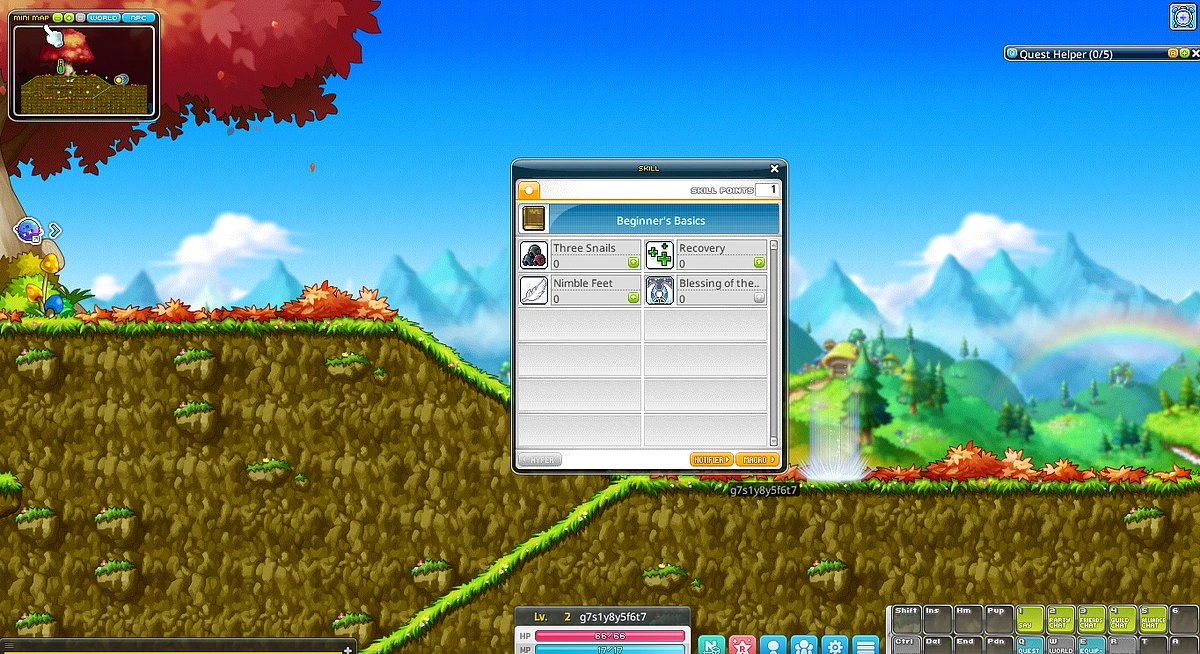
Once you’ve leveled up to level 2, you may use your newly gained skillpoints to add and learn new class abilities in the skills menu (K).
Minting Your Character
In addition to hitting level 60, there are several additional requirements you have to meet before you can mint your character as an NFT. The requirements are:
-
Complete the “To the MapleStory Universe World!” Quest
-
Reach level 60
-
Complete 3rd job advancement
-
Complete 2/4 Theme Dungeon quests (Ellinel Fairy Academy, Gold Beach, Riena Strait and Elodin)
-
Defeat boss monster “Easy Balrog”
-
Use Rune 5 times
To celebrate the release of MapleStory N, the team currently has an event that further rewards users who have successfully minted their characters with the following additional rewards:
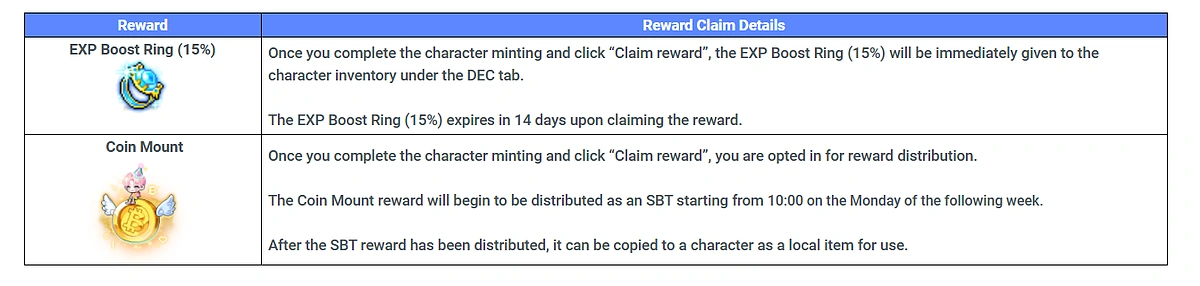
Source: https://msu.io/maplestoryn/news/events/2855834
Play-to-Earn Potential
It is difficult to measure the effort and feasibility of MapleStory N as a Play-to-Earn game, but just like the “Free Market” in the original MapleStory, MapleStory N features an on-chain marketplace where players can trade not just items but characters themselves!
MapleStory Universe Marketplace
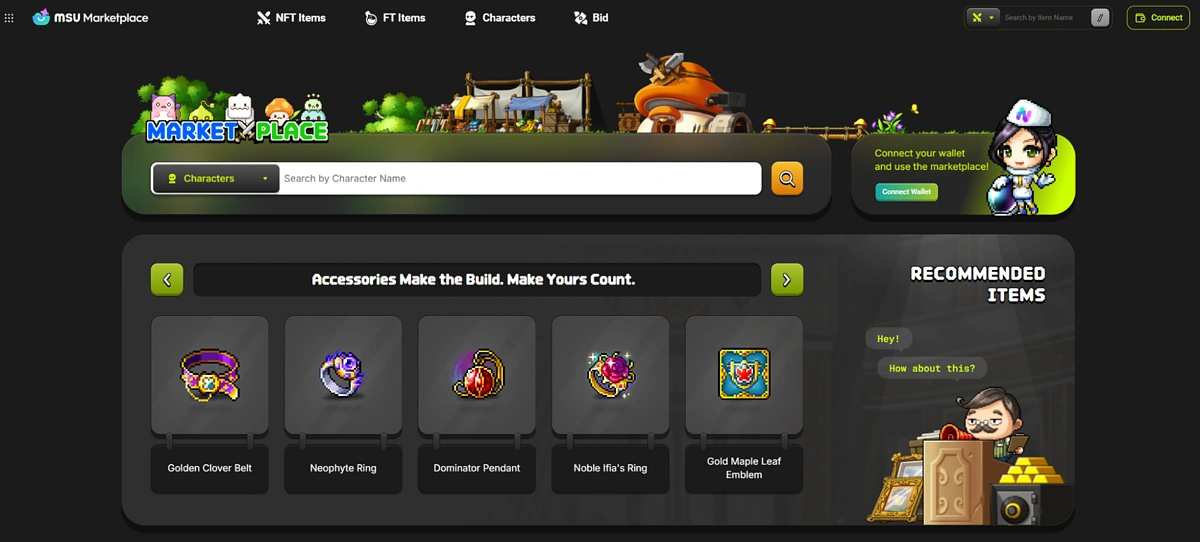
There are currently over 5.8 million item listings with over 500 thousand active wallets for a combined total trading volume of over 226 billion NESO, which roughly translates to over $4 million in total volume so far.
Record Sales
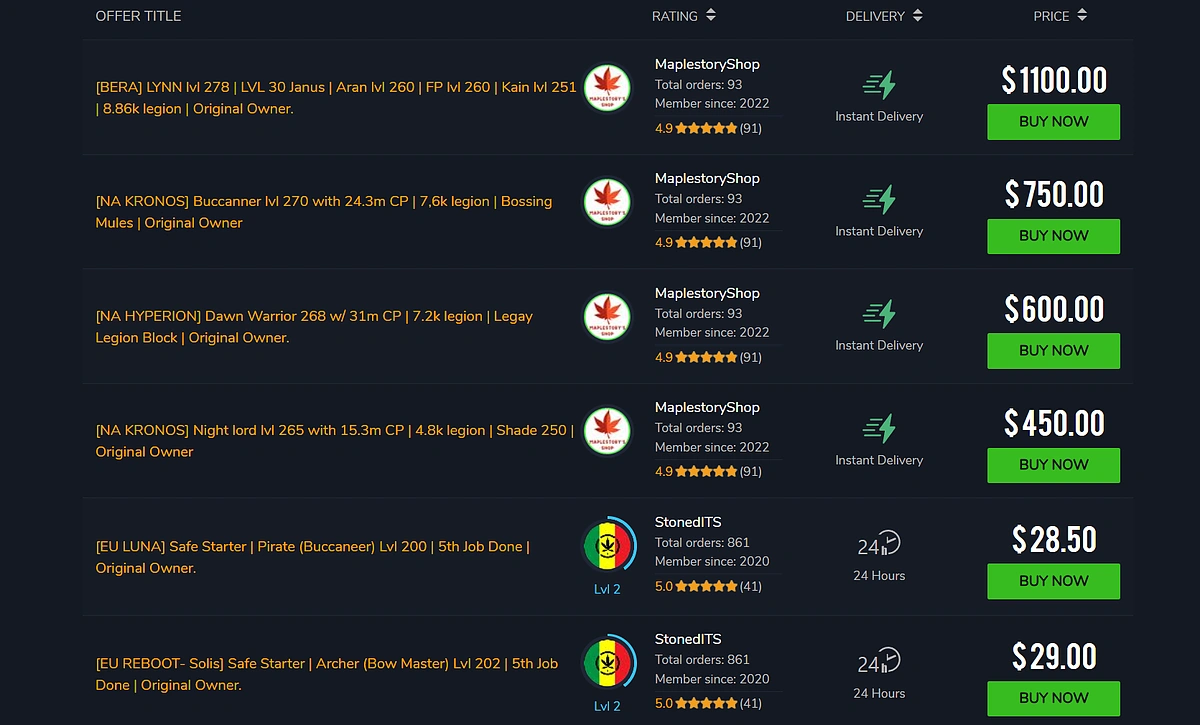
By far, the largest expense items on the marketplace are characters themselves with a level 200 character being worth over $15,000.
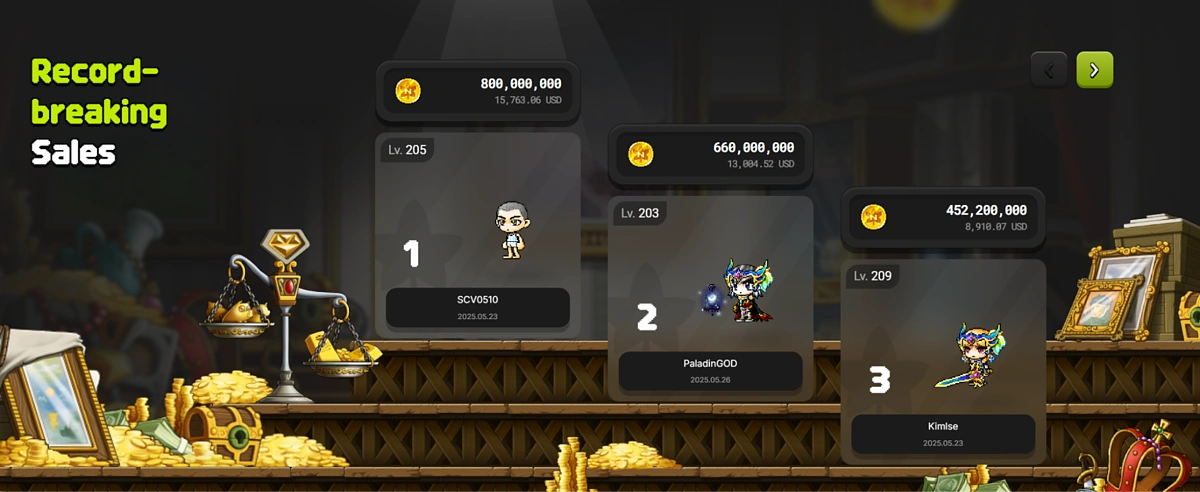
These figures above are quite impressive, but are extremely inflated especially when you compare it to the original MapleStory where account sales were also a common affair. Buying a level 200 account on the original MapleStory currently costs only $28 compared to the thousands right now on MSU. However, MapleStory N is only released for 2 weeks, hence getting level 200 on MapleStory N is likely much harder and more deserving of the high price. Overall, the inflated prices can make playing MapleStory N potentially worthwhile for play-to-earn prospects. That being said, users are encouraged to treat MapleStory N as it was intended, as a game first with profiteering being a secondary concern.
Account sale prices for the original MapleStory.
Conclusion
MapleStory N has been a project long in the making with initial announcements in 2023, finally going live on May 15 2025. MapleStory N is notable because it is a crypto game project with strong backing from the original company of MapleStory, Nexon through its blockchain subsidiary company, Nexopace. MapleStory N’s history and gameplay is vast and cannot be covered in this article alone, it remains to be seen if this will be the first blockchain iteration of a game that garners mainstream success. That being said, current numbers of over 500 thousand unique active wallet interactions in just under a month of launch is impressive and suggests that they are on the right track.
While we hope that this article inspired you to give MapleStory N a try, note that any blockchain transactions or character minting is not necessary to enjoy/play the game. This article is for informational purposes only and should not be regarded as investment advice.








 Or check it out in the app stores



