



 Make us preferred on Google
Choosing a Sui Wallet
When choosing a Sui wallet, considerations include user-friendliness, security, and device compatibility. Every Sui wallets has its own unique features, like zkLogins that let you use social accounts to create a wallet, in-wallet liquid staking, and more.
Top software Sui wallets to consider include Nightly, Sui Wallet, Suiet, Martian, and Surf.
Key Takeaways
-
Sui is a high-performance Layer 1 blockchain network that utilizes parallel processing for building efficient decentralized applications for sectors like DeFi, GameFi, and more.
-
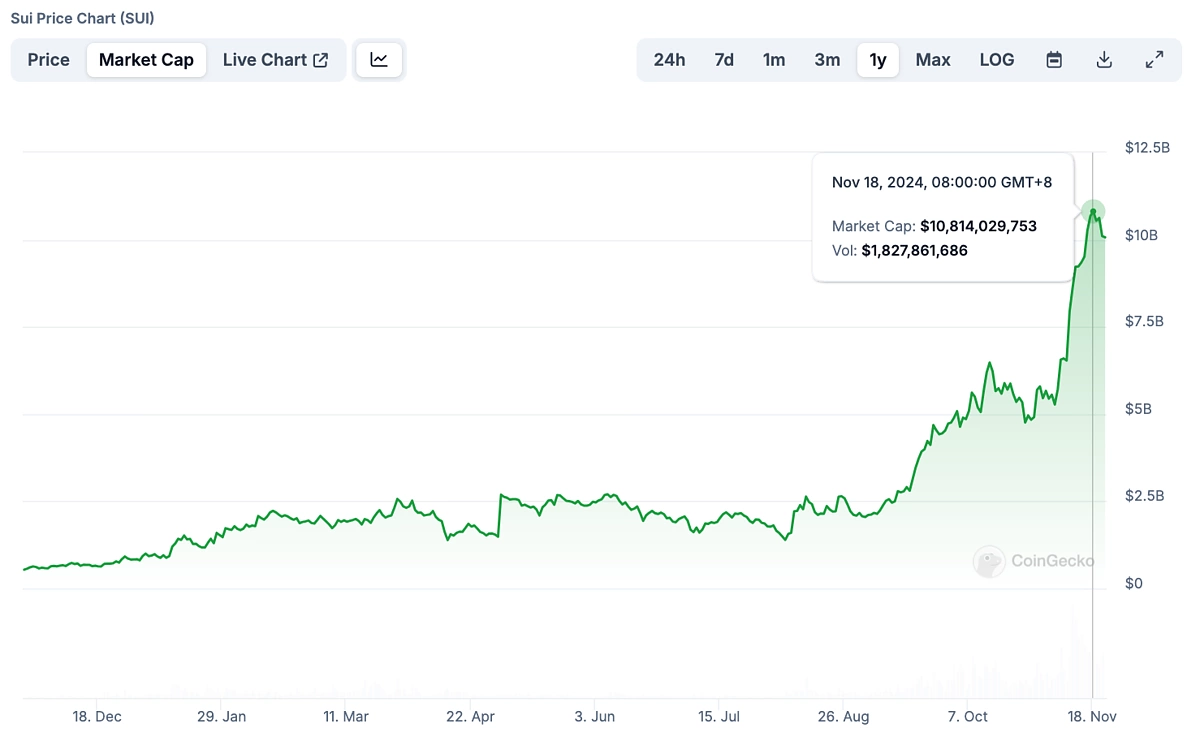
Recently, Sui reached its all-time high of $3.92, with a market cap just shy of $10.7 billion.
-
In order to explore the growing Sui ecosystem, users need crypto wallets compatible with Sui in order to manage their assets and interact with smart contracts and dApps on the network.
Sui is one of the fastest growing cryptocurrencies, with its market cap growing from $1.7 billion in August to $10.8 billion in November 2024.
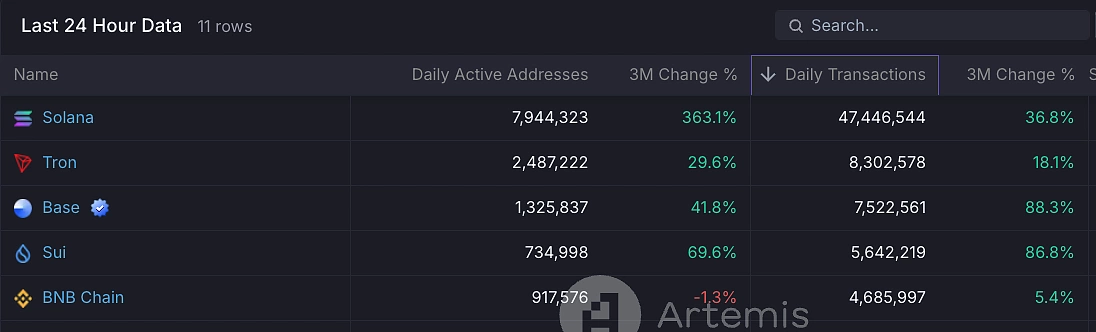
According to data from Artemis, Sui is the fourth busiest blockchain network, only behind Solana, Tron, and Base. Over 5 million transactions are processed on the network daily, and daily active addresses on the network have also surpassed one million in the past three months.
The Sui ecosystem has experienced significant growth in the past three months, thanks to influx of DeFi activity on the network, with protocol TVL on Sui growing from around $410 million in August to $1.5 billion at time of writing. With the surge in activity on Sui, users are looking for the best Sui wallets to manage their assets on the blockchain, as choosing a good wallet is key to securely storing and managing their assets.
What Are Sui Wallets?
Sui wallets are software wallet applications and hardware wallet devices that allow users to interact with the Sui network and its applications. Through Sui wallets, blockchain transactions are simplified, enabling users to store, send, receive, swap, and stake Sui tokens, or mint and manage Sui NFTs with ease.
However, as every blockchain has its own operating system, users will need a Sui compatible wallet in order to interact with dApps on Sui. There are generally two types of wallets for storing SUI and other cryptocurrencies:
-
Software wallets: Software wallets are also known as hot wallets, and take the form of mobile applications and browser extensions. While they offer users convenience when connecting to dApps, their constant connection to the internet adds a layer of risk as users are more exposed to exploits.
-
Hardware wallets: Hardware wallets are also known as cold wallets, and are hardware devices that store private keys offline, offering a higher level of security, although they are less convenient than their software counterparts.
In this article, we’ll cover software and hardware wallets, beginning with software wallets because of their popularity and convenience.
Sui software wallets usually offer browser extensions for Chrome and Chromium browsers, although the exact browser supported varies by the wallet. Some of these wallets also support additional chains beyond Sui.
The wallets below are listed in order of their estimated monthly traffic based on Similarweb data.
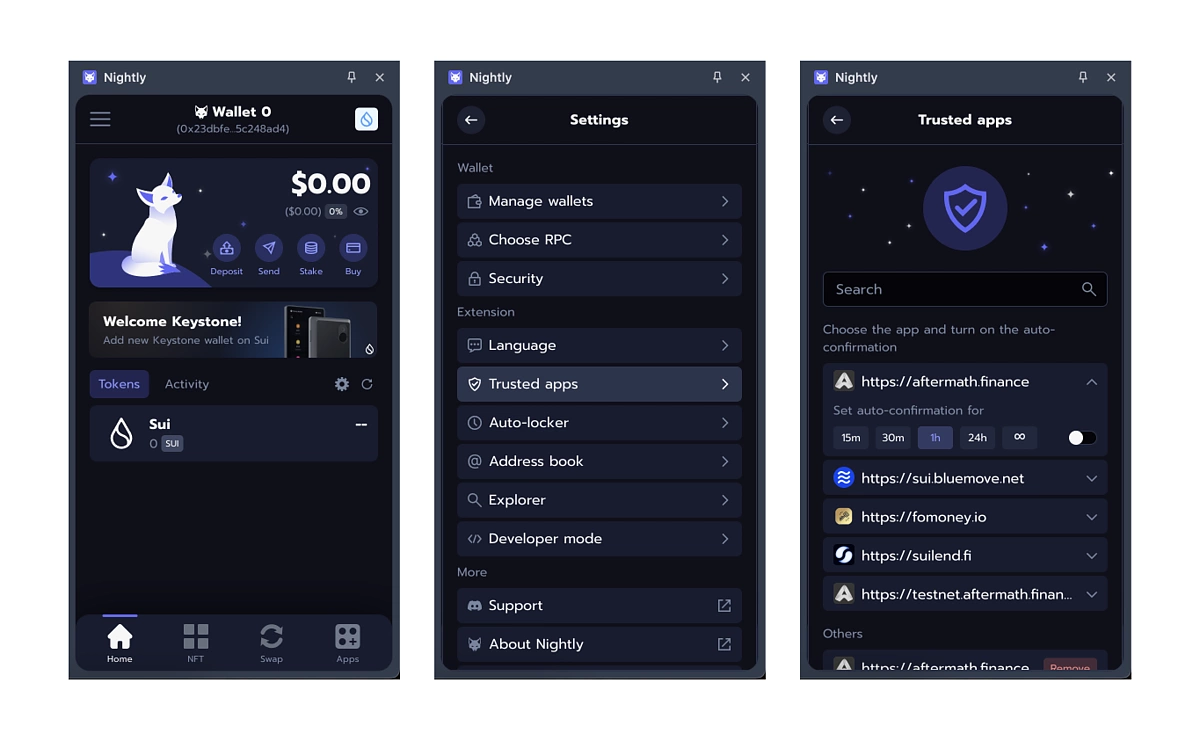
Nightly: Multichain Wallet With an Auto-Confirm Feature for Transaction Approvals
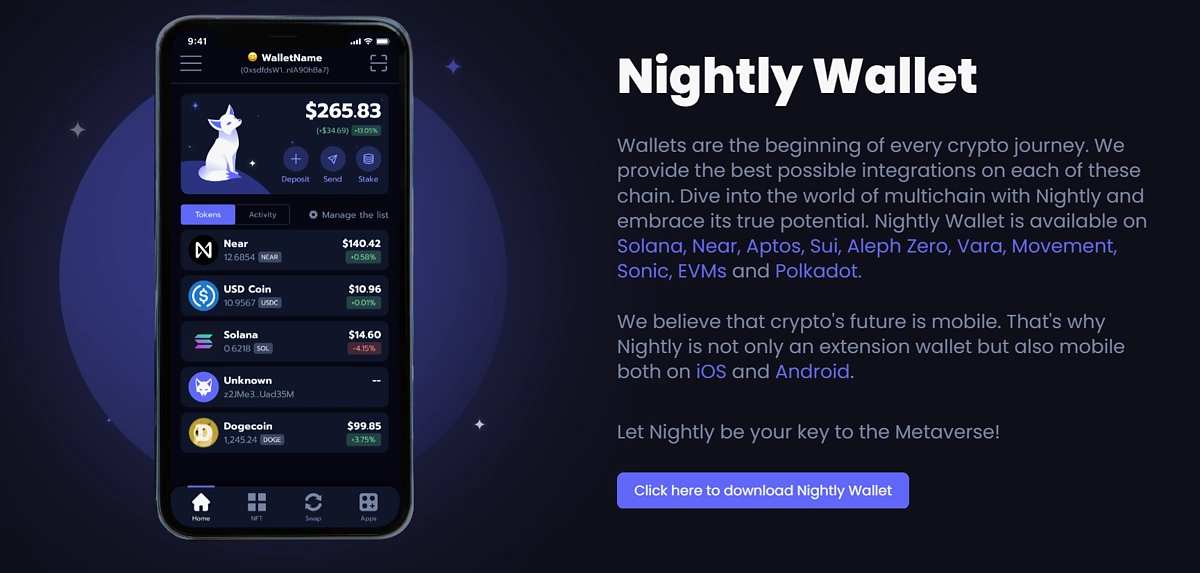
Nightly is a multichain wallet that supports over 10 blockchain networks including Sui, Solana, Aptos network, Ethereum, EVM networks, and more. As a multichain wallet, users can manage their Sui assets alongside assets from other supported networks in one place. Nightly is available as an app for Android and iOS devices, while desktop users can install the Nightly extension on their Chrome, Opera, Edge, and Brave browsers.
At time of writing, Nightly’s Sui wallet allows users to send, receive, and buy cryptocurrencies. Nightly’s Sui Wallet also integrates staking and liquid staking, where users can either commit and lock their SUI with the blockchain directly, or use liquid staking, where liquid staked SUI can be used for other yield-generating DeFi activities.
Nightly has an Auto-Confirm feature, which is designed to improve the user experience on Sui by simplifying the transaction approval process by removing the need for manual confirmations. Users can choose to set how long the feature remains active, with intervals set at 15 minutes, 30 minutes, 1 hour, 24 hours, and infinite. Once activated, users can toggle the switch to activate, and upon expiry of the selected duration, the feature will automatically switch off, returning the user’s control over every transaction. However, this feature is only available for trusted apps (Aftermath, BlueMove, FoMoney, and SuiLend) to protect users from suspicious activity.
Sui Wallet: Official Sui Wallet That Allows Wallet Creation With Social IDs
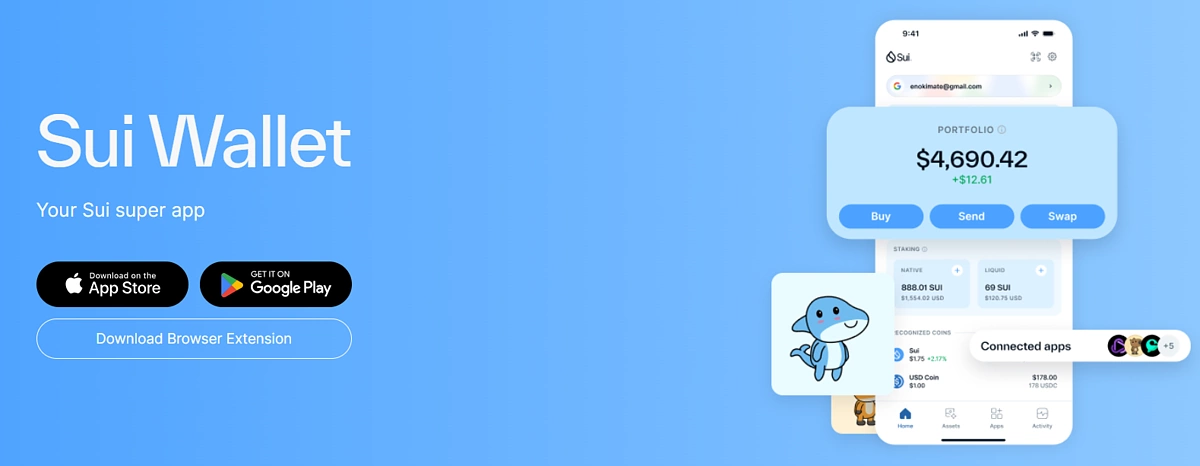
Sui Wallet is developed by Mysten Labs – the team behind the Sui blockchain – and is considered the official wallet by the Sui Foundation. It is available as a mobile app for iOS and Android users, and is also available as a browser extension for Chromium-based browsers (Chrome, Edge, Opera, Brave). Sui Wallet enables users to buy, send, and swap SUI and related tokens from its app, and also offers staking and liquid staking options for its users. Sui Wallet also includes a comprehensive list of protocols available on Sui – while the apps are curated, users are still advised to DYOR before interacting with them.
One standout-feature for Sui Wallet is that it incorporates zkLogin, which allows users to create their wallet with the Single Sign-On authentication scheme, allowing users to log in with a social ID like Google or Discord. To further secure your account, you can also turn on 2-step verification on Google. Sui Wallet also offers more conventional options like creating a new account with a new passphrase, or importing an existing account through the associated passphrase or private key. For users who prefer hardware wallets, Sui Wallet is also compatible with Ledger (but more on that later).
Suiet: Secure Sui Wallet With Testnet Faucet for Exploring Upcoming Sui dApps
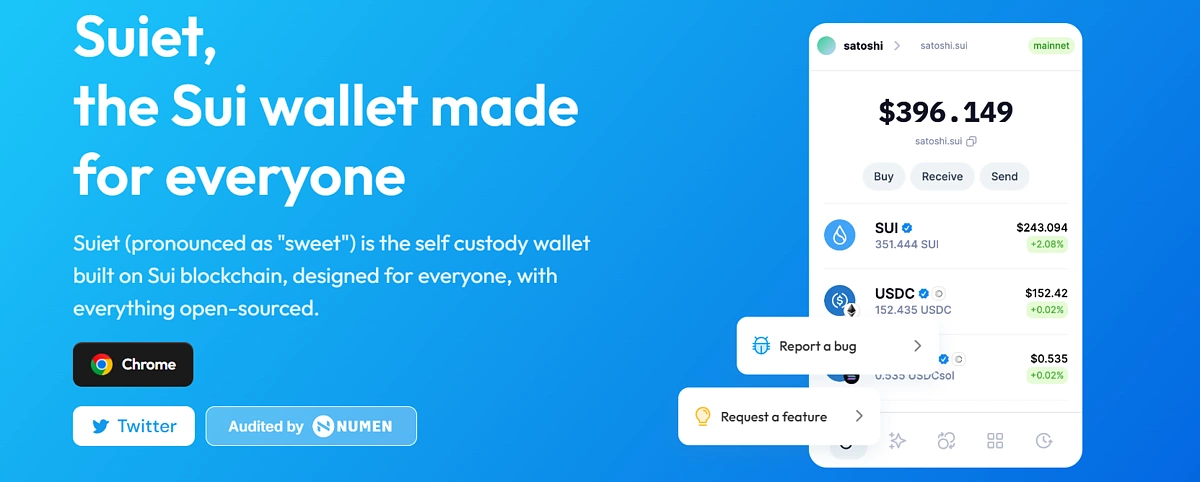
Suiet is an open-source non-custodial wallet for the Sui network. Based on available information, Suiet is only available as a browser extension for Chrome and Brave at time of writing, with wallets for Android and iOS devices still in development. Users can buy, send, receive and swap SUI on Suiet, and explore dApps available on Sui. Suiet also has a special tab for NFT management, where users can view NFTs they own and also mint special Suiet NFTs when available.
Suiet also makes it easy for users to interact with up and coming projects, without needing to acquire testnet tokens from the Discord faucet bot or other sources. Users can click the Faucet button on the testnet or devnet, and receive gas tokens. Do note though, that as this is a testnet/devnet feature, SUI acquired through the faucet cannot be used on the mainnet.
One of Suiet’s top priorities is security, and Suiet wallet is fully open sourced with the code available on GitHub, encrypted by default, and does not track users in any way, ensuring wallet addresses are anonymous and transactions are not linked to personal identities. However, this doesn’t come at the expense of accessibility, as to eliminate login friction, Suiet accepts biometric recognition as an alternative to passwords.
Martian: Move Wallet That Lets Users Link X Accounts for Potential Rewards
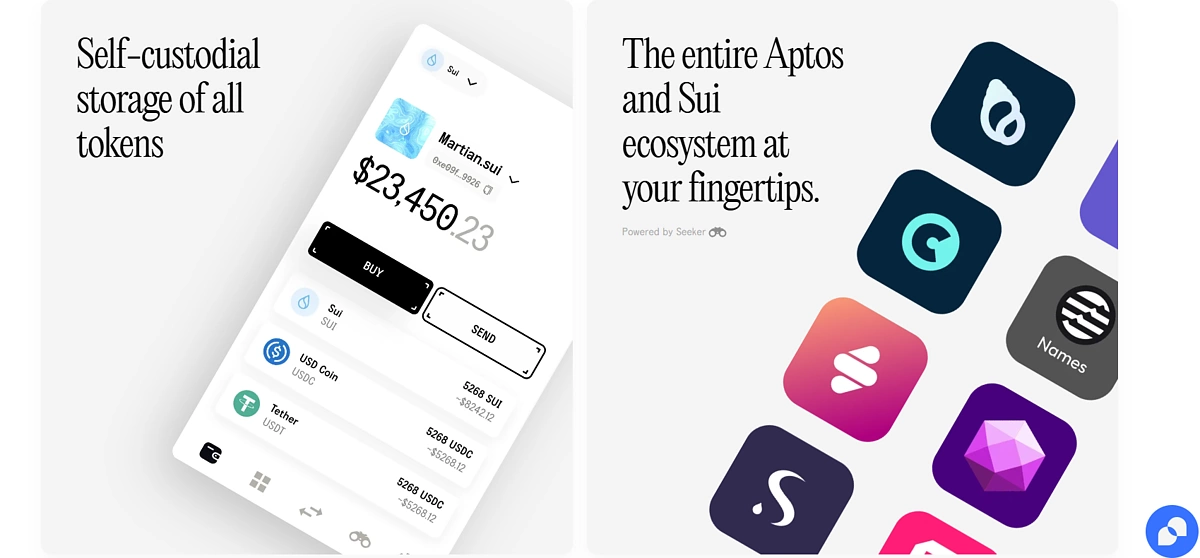
Martian is a multichain wallet with exclusive support for blockchain networks built with the Move programming language. It supports Sui and Aptos networks, and users on both networks can manage their assets and interact with dApps using the Martian wallet. Martian was launched in 2022, shortly after the launch of Aptos Network, and expanded its support to the Sui network after the network launched. At the time of writing, Martian Wallet is only available as a browser extension on Chrome, with Android and iOS wallets still in development.
Martian users can buy, send, swap, bridge, and stake SUI through the wallet. However, unlike some of the other wallets in this list, Sui only offers traditional staking options and not liquid staking.
One interesting feature of Martian is that it allows users to link their X (formerly Twitter) accounts. This will allow Sui NFT projects and DAOs to run Twitter campaigns and reward their communities with tokens or NFTs through the Martian wallet, where users that have fulfilled the campaign’s criteria will receive the reward directly in their Martian wallet. Users can also connect multiple X accounts; however, each account/address can only be connected to one X handle, so users will need to create multiple accounts/addresses to connect multiple X accounts.
Surf Wallet: Beginner-Friendly Community-Based Wallet
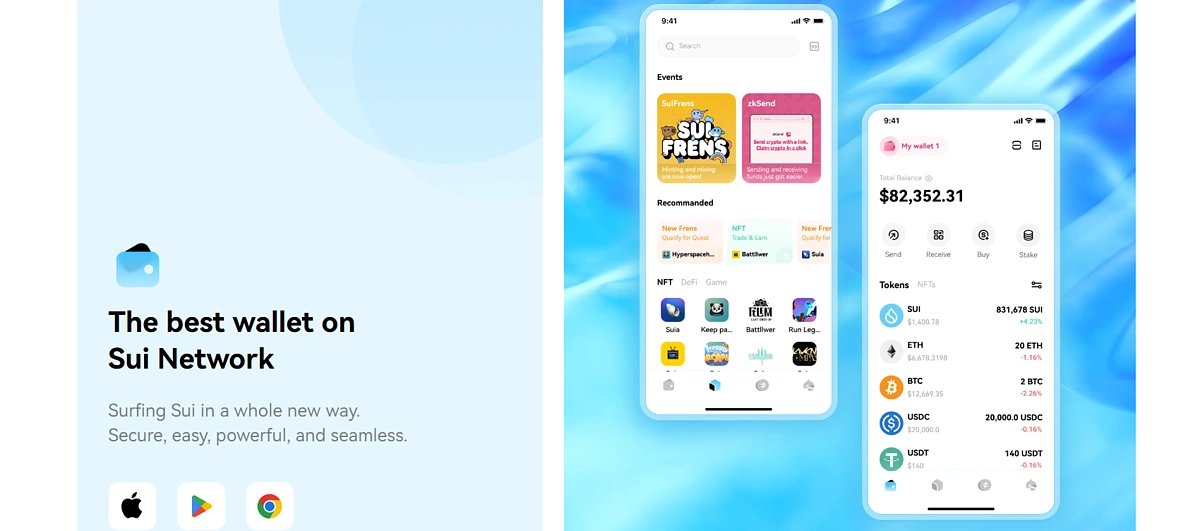
Surf wallet describes itself as a community-based wallet, as it is developed by the Surf DAO team, which consists of five early Sui supporters. Surf wallet is available on iOS and Android devices, and is also available as a browser extension for Chrome. On the mobile application, users can opt for zkLogin for added security and convenience and sign in with their Google account, instead of having to deal with seed phrases.
Surf supports in-wallet staking that currently earns users 2.75% APY. For new users who may be less familiar with the validators available, there is an Auto setting, which removes the additional step of choosing the validator to stake with. Surf also integrates all swap quotes, claiming to save users up to approximately 2 USDC per swap. Other features of Surf include sending, receiving, and buying tokens.
Surf also comes with an embedded browser that allows users easy access to DeFi and other dApps within the Sui ecosystem.
Bonus: Connect to Sui With the MetaMask Sui Snap
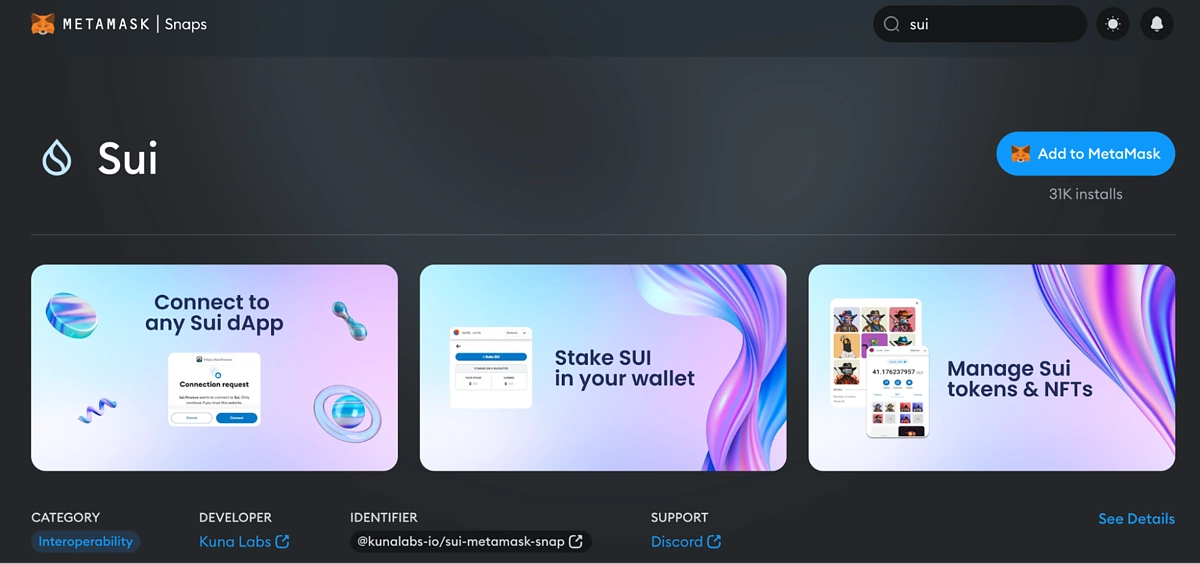
For users that prefer to manage all their connections through MetaMask, one of the most popular EVM wallets, they can also opt for the Sui MetaMask Snap. MetaMask Snaps are permissioned third-party applications that extend MetaMask’s functionality and offer connection to non-EVM blockchains, along with added security and account management features.
The Sui MetaMask Snap is developed by Kuna Labs and can be downloaded from the MetaMask Snap directory. Refer to this article for a guide on how to install and use the MetaMask Sui Snap. After installing the Sui Snap and creating (or importing) a wallet, you can manage your Sui assets and connect to decentralized applications (that support the Sui Snap).
Sui Snap supports NFTs on the Sui network and features a display section for collectibles. It also allows users to stake their tokens directly from the wallet interface. Note that MetaMask Snaps are only available for desktop devices via the MetaMask browser extension.
Top Sui Hardware Wallets
Hardware wallets are popular for their improved security network. Users on the Sui network can also store their SUI coin and other tokens on the network on hardware wallets that support the network. Some of these wallets include;
Ledger Nano X: Secure and Manage Your Sui Assets
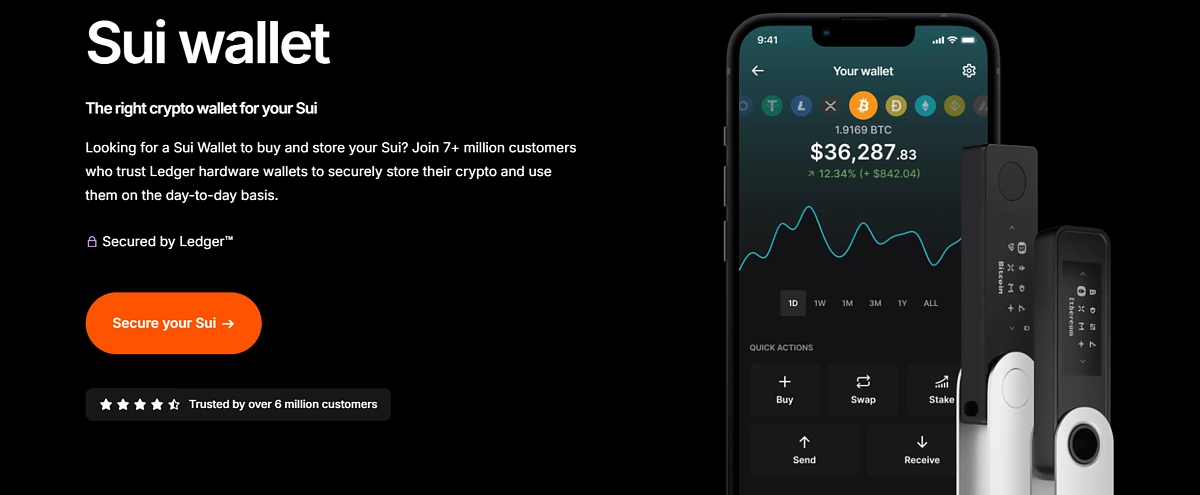
Ledger is a popular multichain cold wallet for crypto assets, providing security for crypto assets through offline storage of private keys. While Ledger is not exactly a wallet as it does not directly support Sui, you can use your Ledger hardware wallet to secure and manage your Sui assets by connecting it to a compatible third-party wallet. Sui Wallet supports Ledger, and after connecting your Ledger to Sui Wallet, you can review and sign transactions securely using your device.
The Ledger Nano X is a mid-tier option from Ledger’s product line, with a 1.09 inch screen size, a battery that supports up to five hours of normal use, and is also compatible with iOS. The Nano X supports Bluetooth and USB-C connections. At time of writing, the Ledger Nano X retails for $149, and interested users can go directly to the Ledger website.
SafePal S1
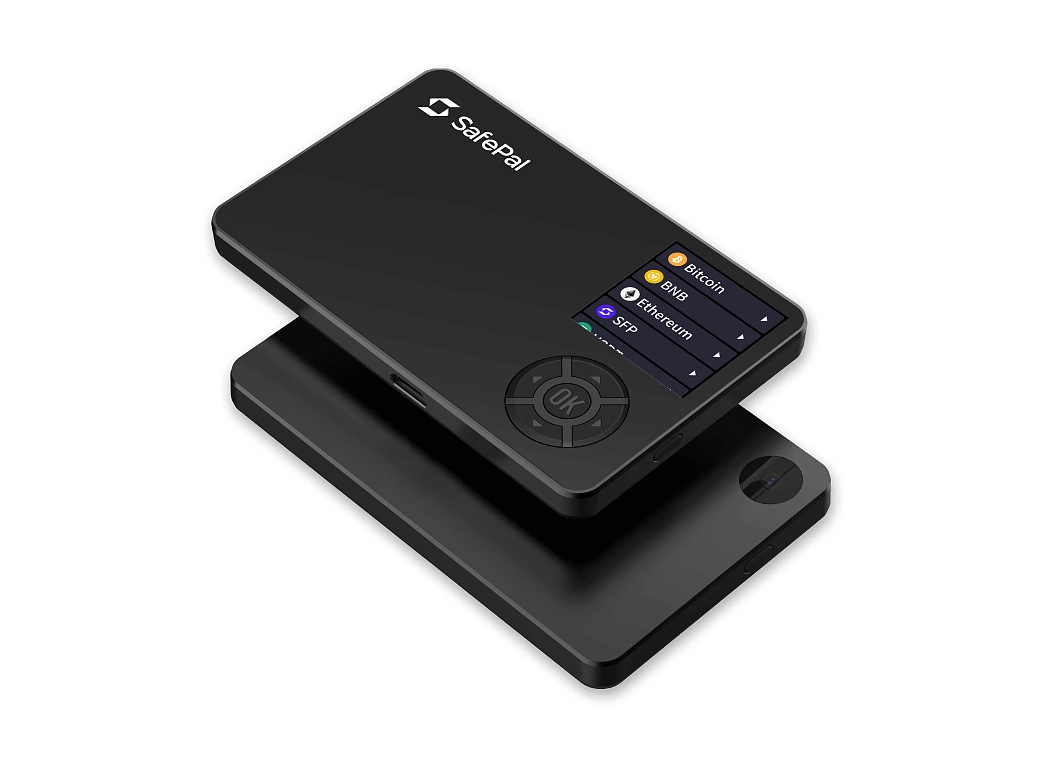
SafePal offers both hardware and software wallets, which are multichain and support over 4,000 crypto assets from over 70 blockchain networks including Sui. SafePal’s S1 series feature fully air-gapped and 100% offline hardware wallets that have an anti-hacking self-destruct mechanism, with the S1 retailing for $49.99 and the S1 Pro (which has better battery life and more premium materials) for $89.99.
With the SafePal app, users can access SafePal Swap, which lets users swap tokens across different blockchains. Another feature of the SafePal Wallet is the SafePal dApp store, which allows users to discover a wider range of dApps.
Comparing Top Sui Wallets
Note that Ledger is excluded from the list, as its Sui compatibility is through the Sui Wallet.
|
Features |
Nightly |
Sui Wallet |
Suiet |
Martian |
Surf |
Safepal S1 |
|
Mobile App |
Yes |
Yes |
In development |
In development |
Yes |
Yes |
|
zkLogin |
No |
Yes |
No |
No |
Yes (on Mobile) |
No |
|
Browser Extension |
Chrome, Opera, Edge, Brave |
Chromium-based browsers |
Chrome and Brave |
Chrome |
Chrome |
Yes |
|
NFT Support |
Yes |
Yes |
Yes |
Yes |
Yes |
Yes |
|
Other Features |
Auto-confirm transactions |
Compatible with Ledger |
Testnet Faucet |
Users can link X accounts for rewards |
Integrated swap quotes |
- |
|
Open Source |
Not stated |
Yes |
Yes |
Not stated |
Yes |
Not yet |
|
Security Check |
Not stated |
Yes |
Yes |
Yes |
Yes |
Yes |
|
Price |
Free |
Free |
Free |
Free |
Free |
$49.99 |
Final Thoughts and Methodology
When identifying the top Sui wallets, we evaluated each wallet’s features, including their security features, accessibility, and any unique features they offer. We also tested the ease of use and overall user experience for the different wallets.
In order to interact with the growing Sui ecosystem, users will need a Sui wallet. While the software wallets in this list offer users convenience with self-custody of funds, along with additional features like zkLogin, liquid staking, and more, hardware wallets are still the more secure option to consider. For users who are looking to hold Sui assets long term with only occasional transactions, hardware wallets are still the better fit.
However, software and hardware wallets are not mutually exclusive. Users can choose to use a software wallet to store their trading assets, while storing long-term holdings in a cold wallet for better security. This article is only meant for informational purposes, and users should still do their own research into individual wallets before making their decision.








 Or check it out in the app stores



