





 Make us preferred on Google
How to Interact with Eclipse and Earn Grass on Turbo Tap
You can interact with Eclipse by bridging to Eclipse, minting tETH, and providing liquidity to Eclipse ecosystem dApps. You can earn grass points on Eclipse Turbo Tap as well, where users feed Turbo by preloading gas by tapping, where every tap earns the user one grass point. There is also the opportunity to get boosts for Turbo Tap as well, which can be unlocked by performing specific actions or trading a certain amount,
Key Takeaways
-
Eclipse is introducing a modular blockchain architecture that separates various functions such as execution and data availability.
-
The project was founded in 2022 and has successfully raised $65 million through multiple funding rounds.
-
Interested users can interact with the platform, mint Turbo ETH (tETH), and earn grass through the Turbo Tap program.
Traditional blockchain architectures often struggle with the blockchain trilemma of achieving decentralization, security, and scalability simultaneously. In the beginning, blockchains were monolithic systems that put all the necessary duties of storing and validating transactions on the same set of nodes running the network. The resulting bottlenecks introduced significant speed and scalability issues.
Layer 2s were then introduced to move the execution process off of Layer 1s and improve transaction processing. While this has helped to relieve some of the pressure faced by the network’s nodes, Layer 2s also face their own set of challenges. These include security risks, complex user experiences, and potential centralization risks.
How Eclipse is Introducing A New Modular Blockchain
Eclipse aims to address the blockchain trilemma and introduce a solution through a modular blockchain approach that combines the strengths of Ethereum and Solana technologies. The project utilizes the Solana Virtual Machine (SVM) as the execution environment to ensure quicker transaction processing. Meanwhile, Ethereum’s security and established infrastructure work as the settlement layer for transaction finalization.
In order to provide scalable data availability, Eclipse employs Celestia for efficient data management, reduced storage costs, and easier verification. On top of that, RISC Zero’s zero-knowledge proving mechanism generates cryptographic proofs to verify transaction validity to then add an additional security layer.
This multi-faceted combined approach will implement several tactics such as separating blockchain functions into specialized layers, enabling parallel transaction processing, and providing customizable infrastructure for developers. As a result, Eclipse aims to offer up to 10x faster transaction processing, enhanced scalability, and a developer-friendly platform.
Interacting With Eclipse For A Potential Airdrop
On March 11, 2024, Eclipse announced that the project successfully secured $50 million in a Series A round. It was led by Placeholder and Hack VC and included other investors such as Polychain Capital, Delphi Digital, Maven 11, and more. The round brought the project’s total funding to $65 million.
Eclipse has launched Turbo Tap, a game where users can earn points by accumulating “Grass” through interactive gameplay. The game was initially rolled out to just 259 Eclipse early users, or OGs, who were then given invite codes to expand the player base. Since then, Turbo Tap has hit performance records including 7,460 transactions per second (TPS) and 114 million transactions in a 24 hour period.
Given the project’s growing popularity and the opportunity to earn points on Turbo Tap for a potential airdrop, now is an ideal time to get familiar with Eclipse.
However, do note that at the time of writing the Eclipse team has not made any official announcements regarding a token launch or token airdrop. Therefore, following the steps below does not guarantee a future token airdrop allocation.
How to Interact with Eclipse
Now, let's look at how to interact with Eclipse, as well as how to play Turbo Tap.
Step 1: Bridge to Eclipse
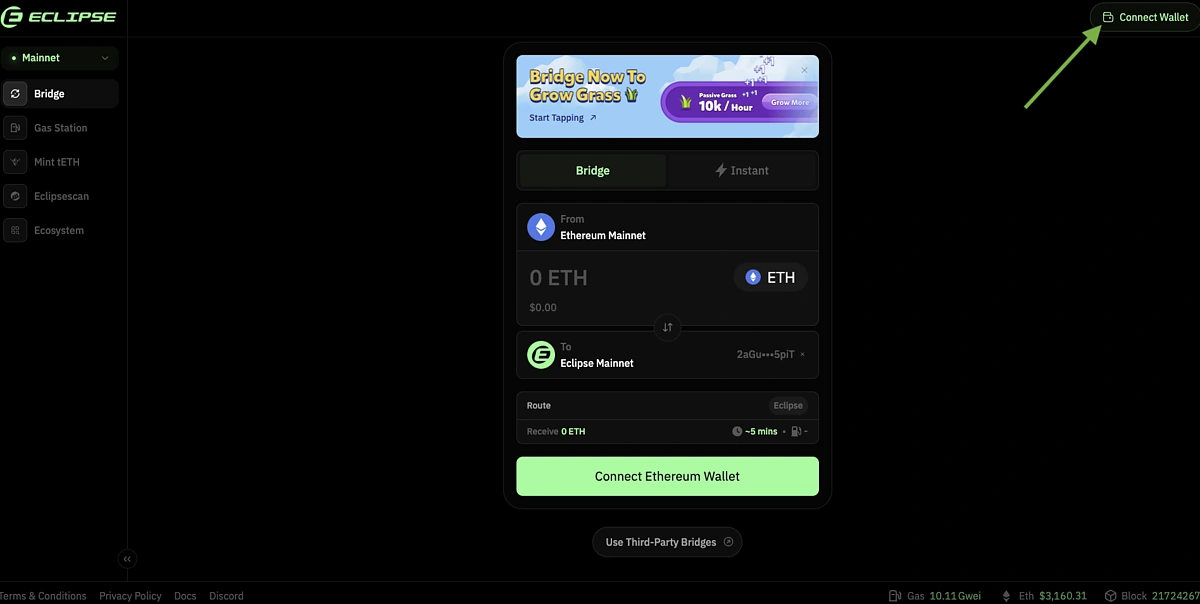
Head over to https://app.eclipse.xyz/bridge and Connect Wallet in the top right corner.
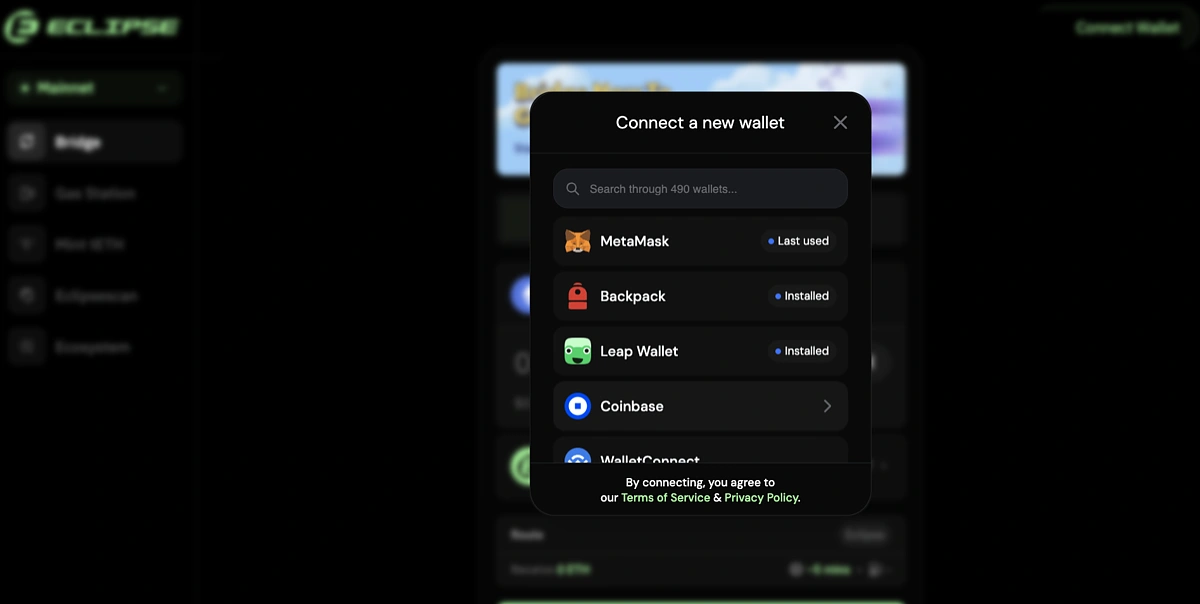
You will need to connect an EVM and Eclipse wallet. There are 490 EVM wallet options including MetaMask, which we will use in this example.
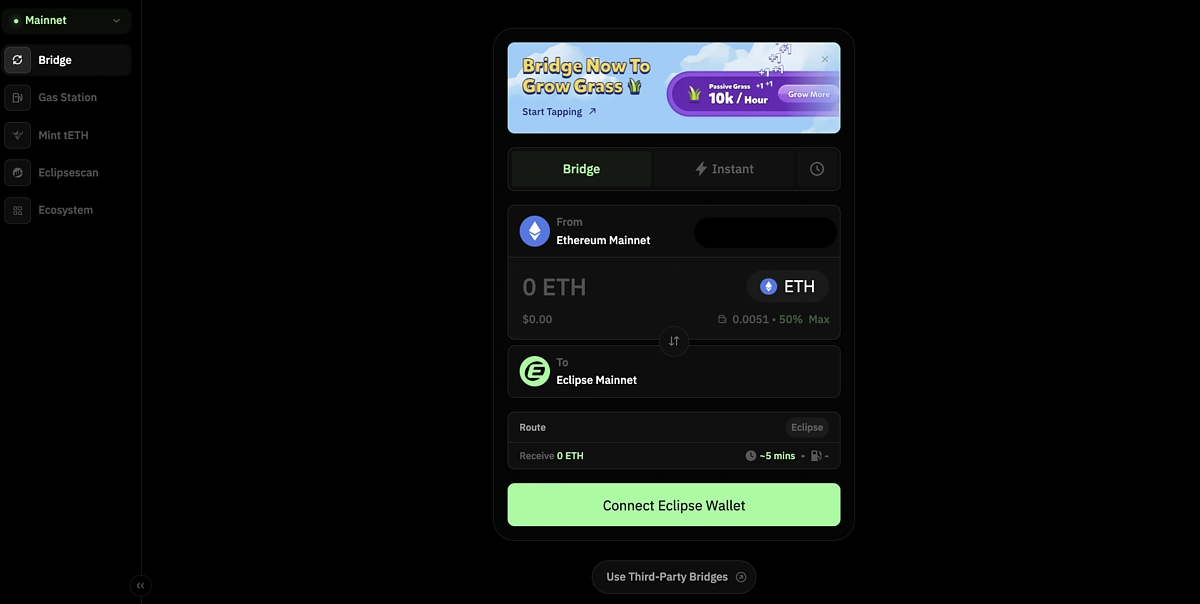
Then Connect Eclipse Wallet that you will bridge your tokens to.
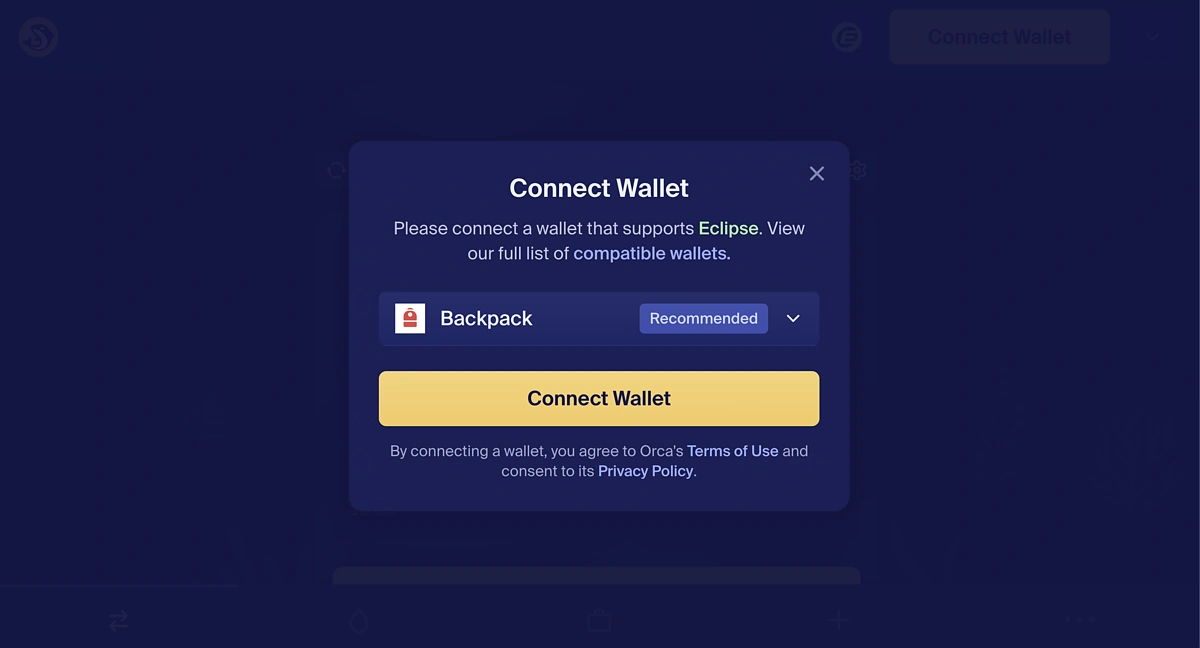
At the time of writing, there are only three Eclipse wallet options which are Backpack, OKX Wallet, and Nightly. We will be using a Backpack wallet.
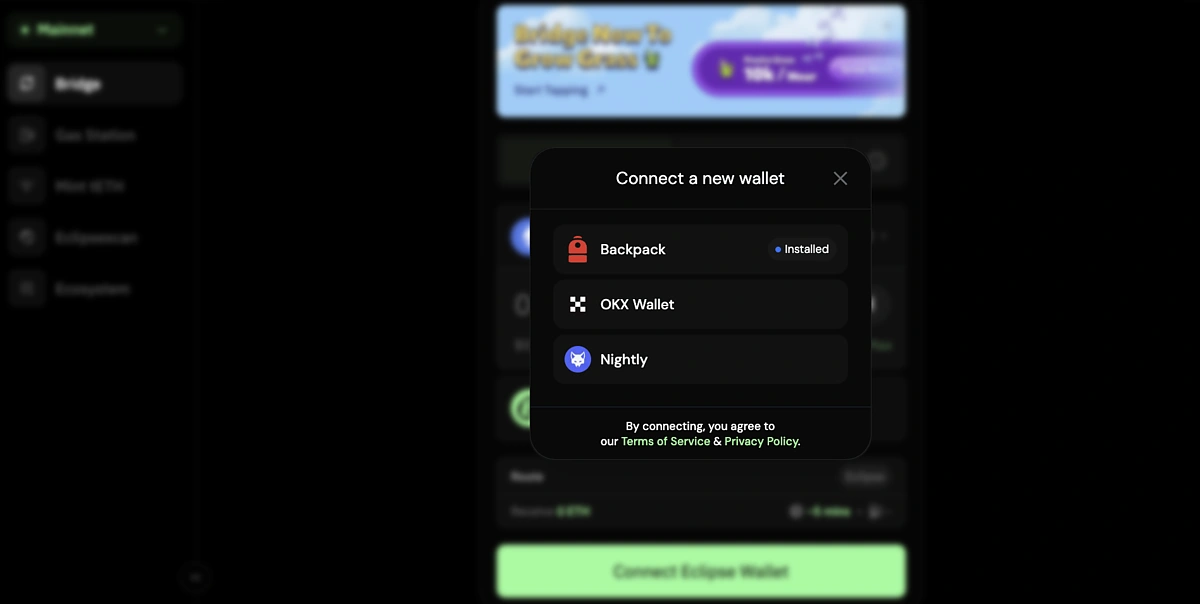
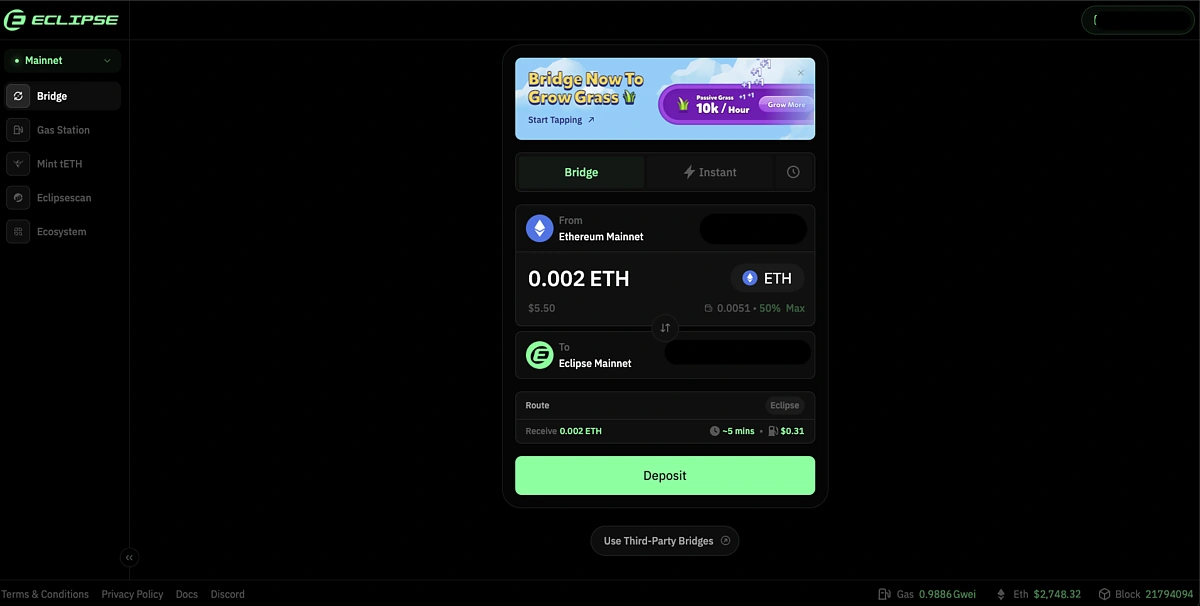
You can then input the amount of ETH you want to Deposit and approve and confirm the transaction in your wallet.
Do note that at the time of writing, bridging through Eclipse is only available for ETH from the Ethereum Mainnet.
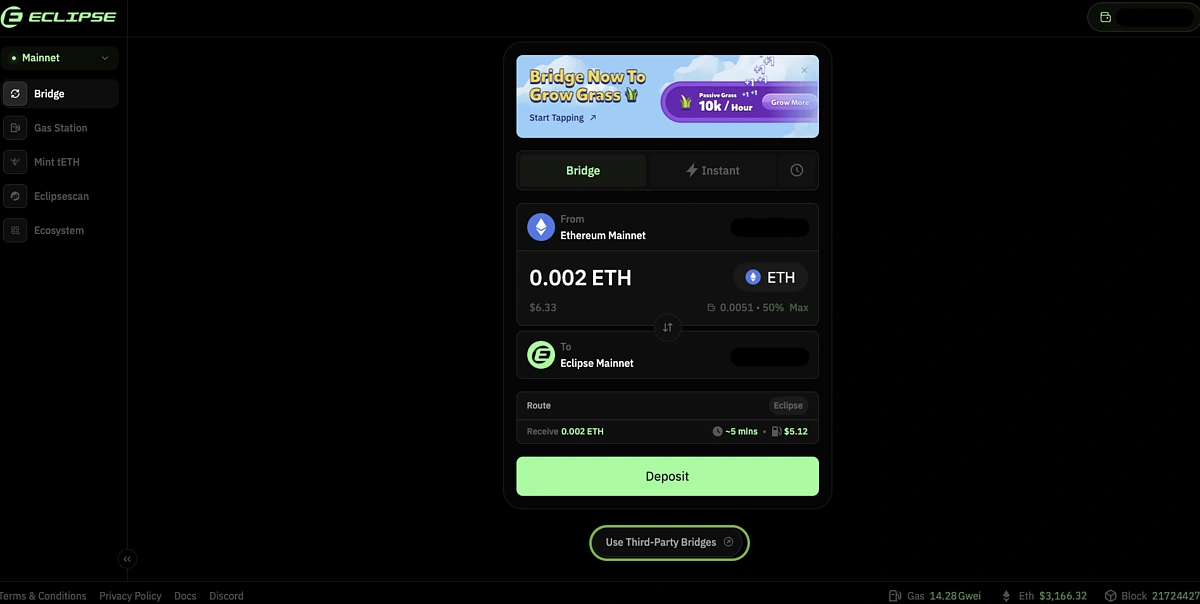
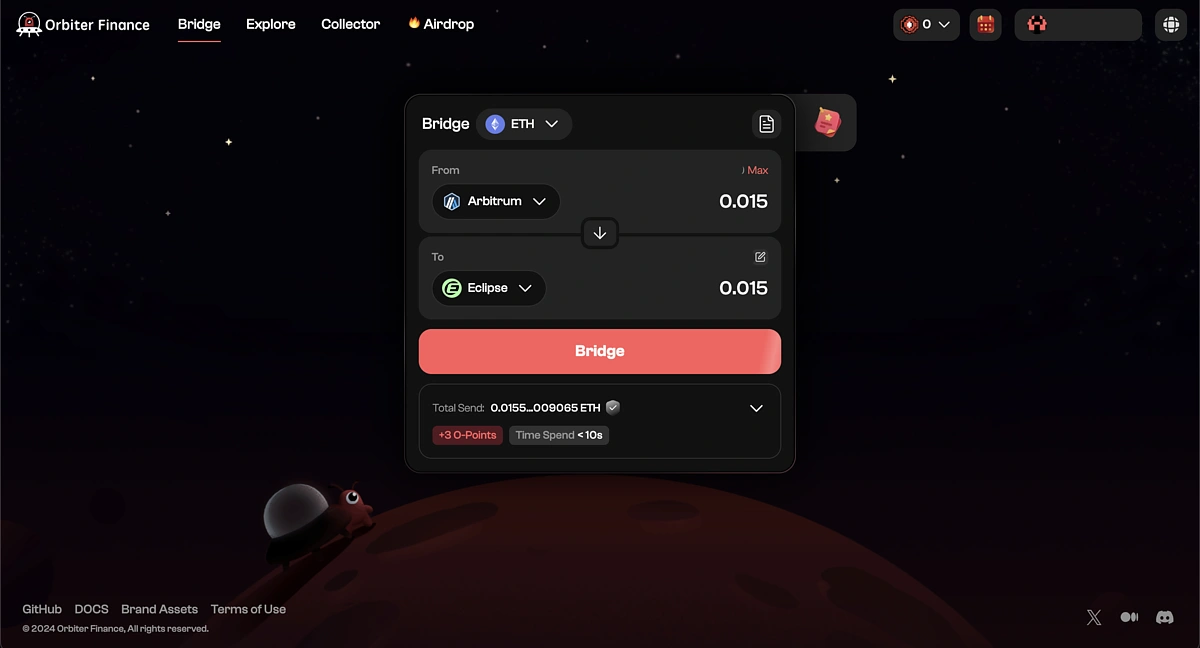
Alternatively, you could use a third-party bridge to bridge your ETH from a different network. At the bottom of the page, click on Use Third-Party Bridges.
You can then choose from a list of bridges that support bridging to Eclipse.
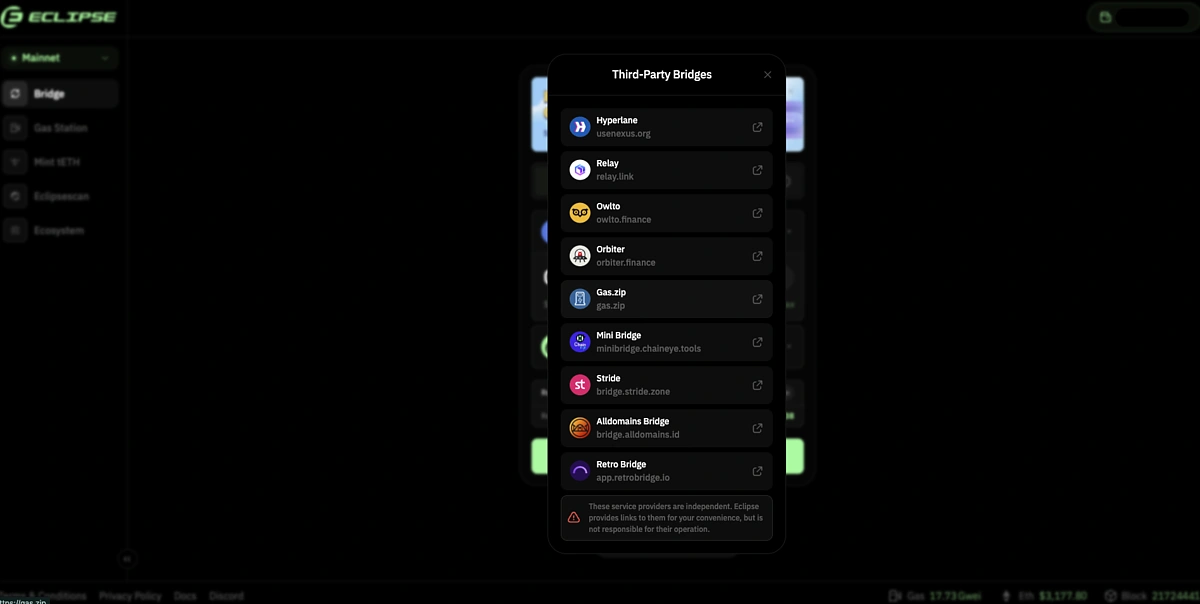
In this example, we used Orbiter Finance to bridge ETH from Arbitrum to Eclipse.
Bridging from a different network gives you the option for cheaper gas fees.
Step 2: Mint tETH
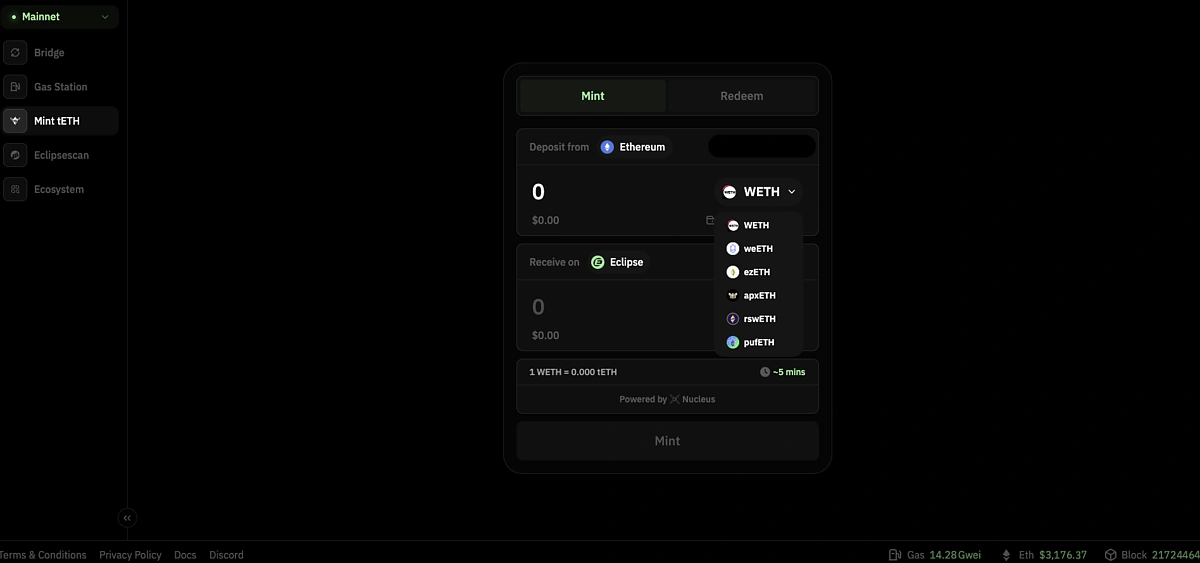
Go to https://app.eclipse.xyz/mint-teth and ensure that the same two wallets from Step 1 are already connected.
You can then choose to mint tETH by depositing tokens such as WETH, ezETH, and pufETH from Ethereum. Once you have input the amount, Mint tETH then approve and confirm the transaction in your wallet.
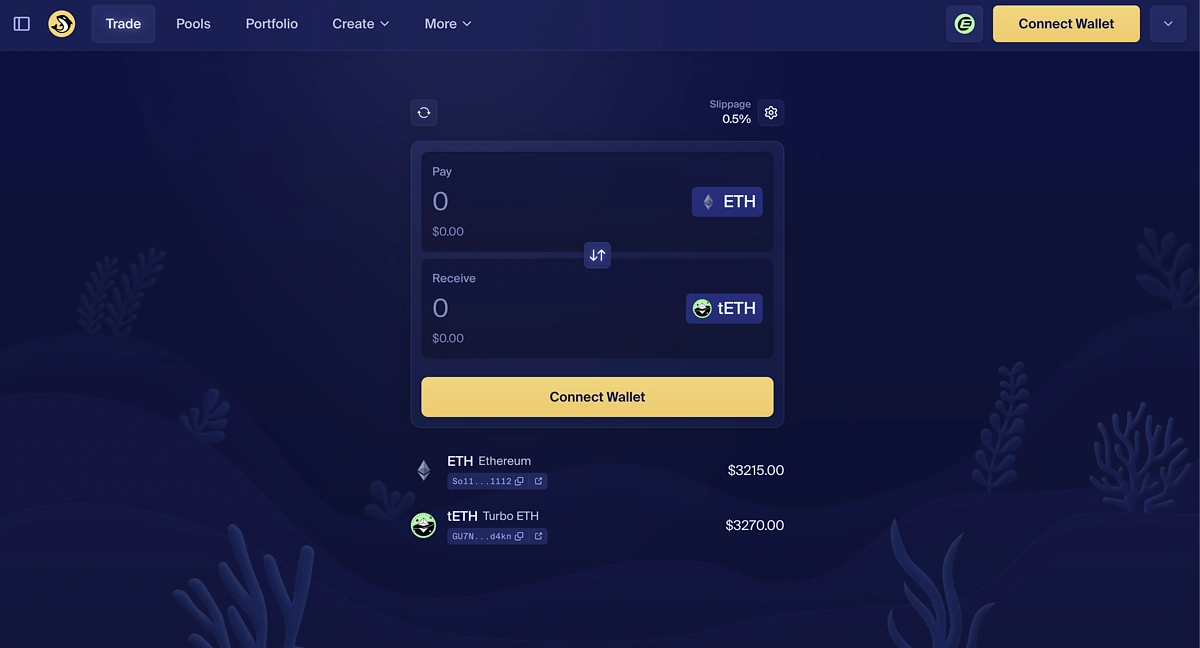
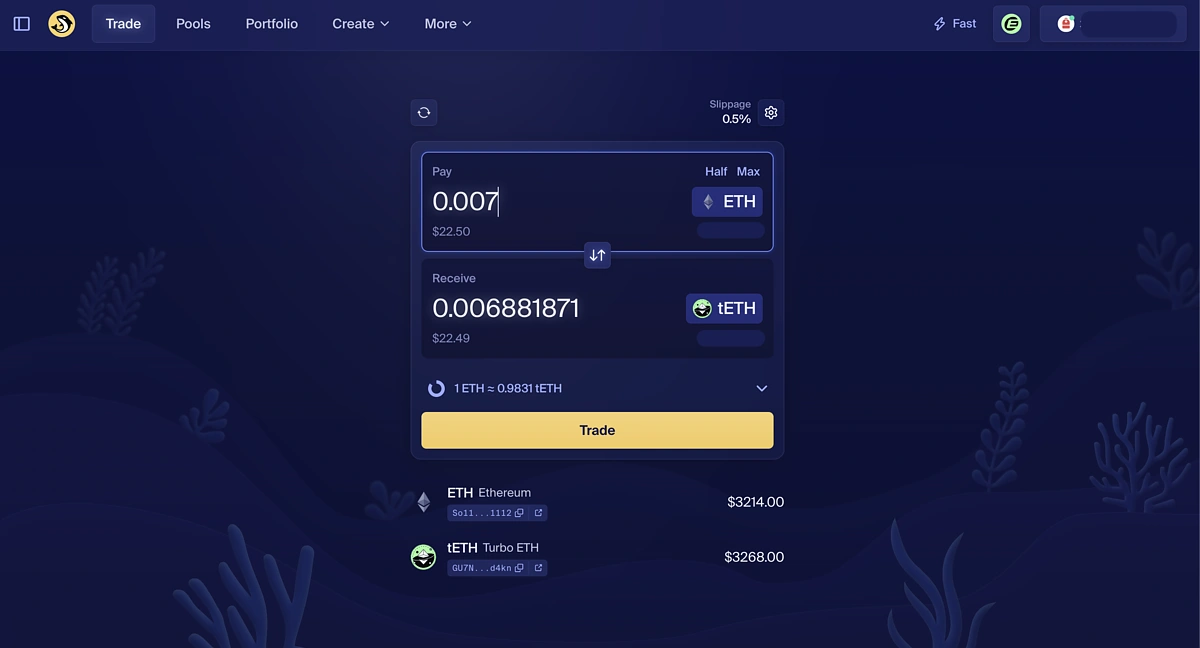
If you don’t have any of the available tokens on Ethereum, you can also mint tETH through Orca Finance.
You can do so at https://www.orca.so/?chainId=eclipse and Connect your Eclipse wallet.
Once again, we will be using Backpack.
You can then use the ETH from Step 1 to mint tETH.
Input the amount then Trade, approve, and confirm the transaction in your wallet.
Step 3: Join Turbo Tap
Head to https://tap.eclipse.xyz/ to join Eclipse Turbo Tap. You will need an invite code, which you can find by joining the Eclipse Discord channel or browsing through the replies on Eclipse’s X account. Whichever platform you choose, do note that you will still need to join the Eclipse Discord channel to join Turbo Tap.
You can find the official Eclipse accounts at:
Discord: https://discord.com/invite/eclipse-fnd
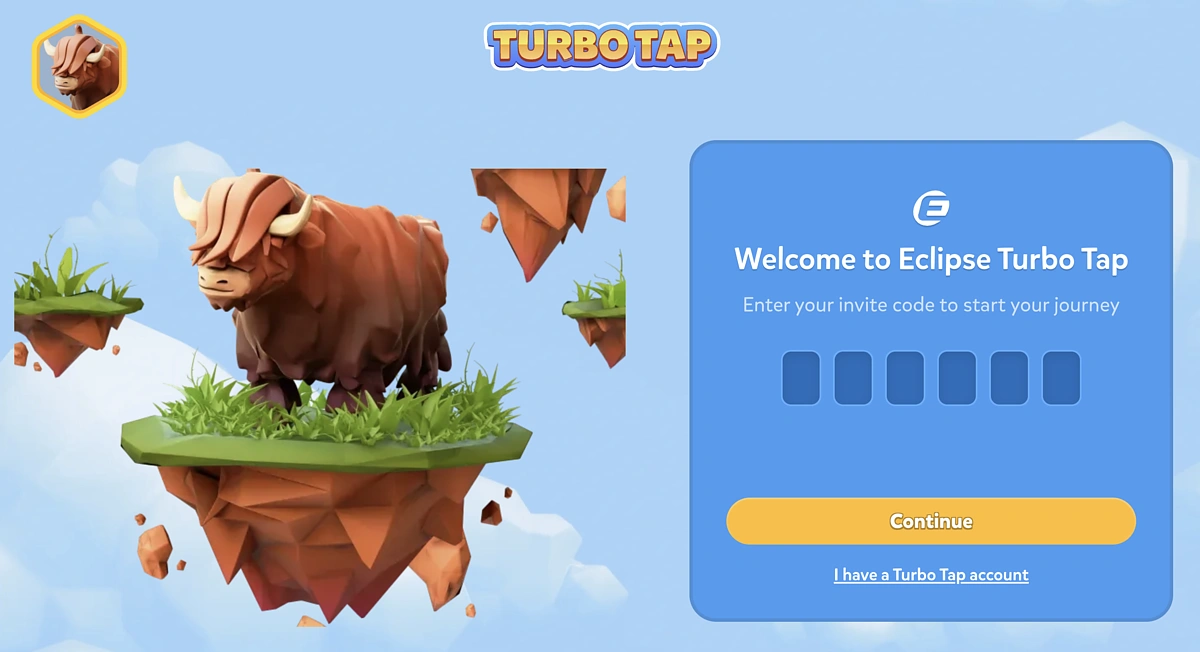
Once the invite code is accepted, connect your Eclipse wallet.
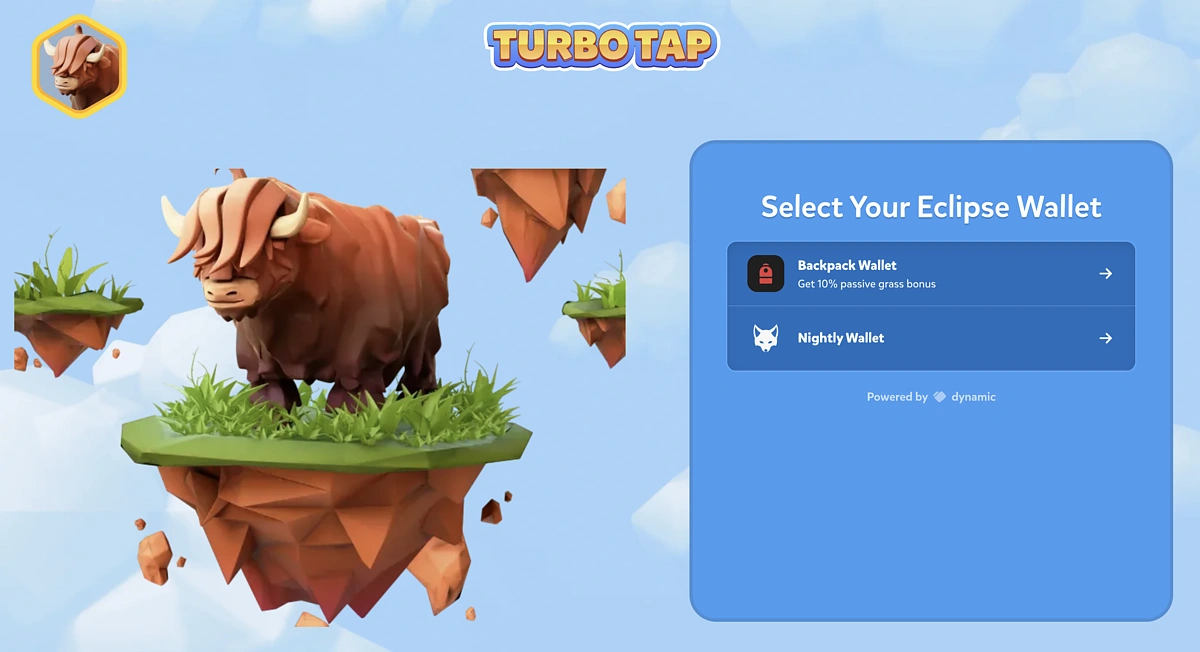
Then connect your X account. Clicking Continue will open up an X window that allows you to grant Eclipse access to your X account.

Then Join the Discord community. Your Discord application will open the invitation for you to accept. After that, verify your account in the Verify channel.

Once your Discord is successfully connected, you can then mint your domain. Do note the domain is free to mint but you will need some ETH for gas. Your X handle will be used as your username for the domain.
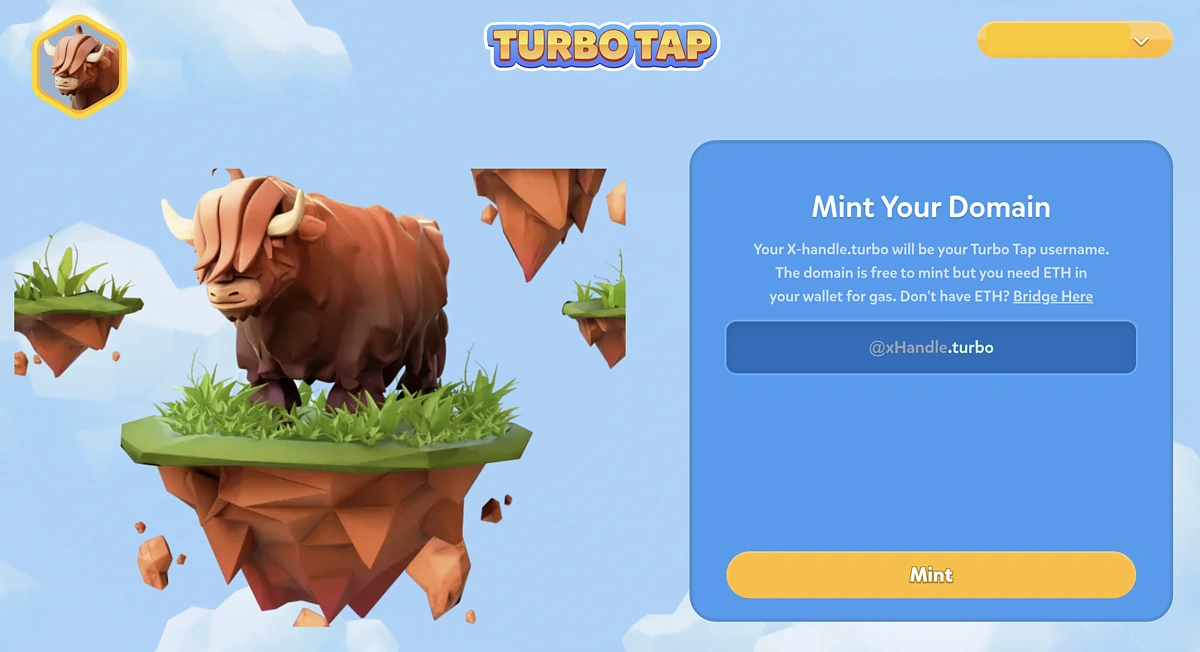
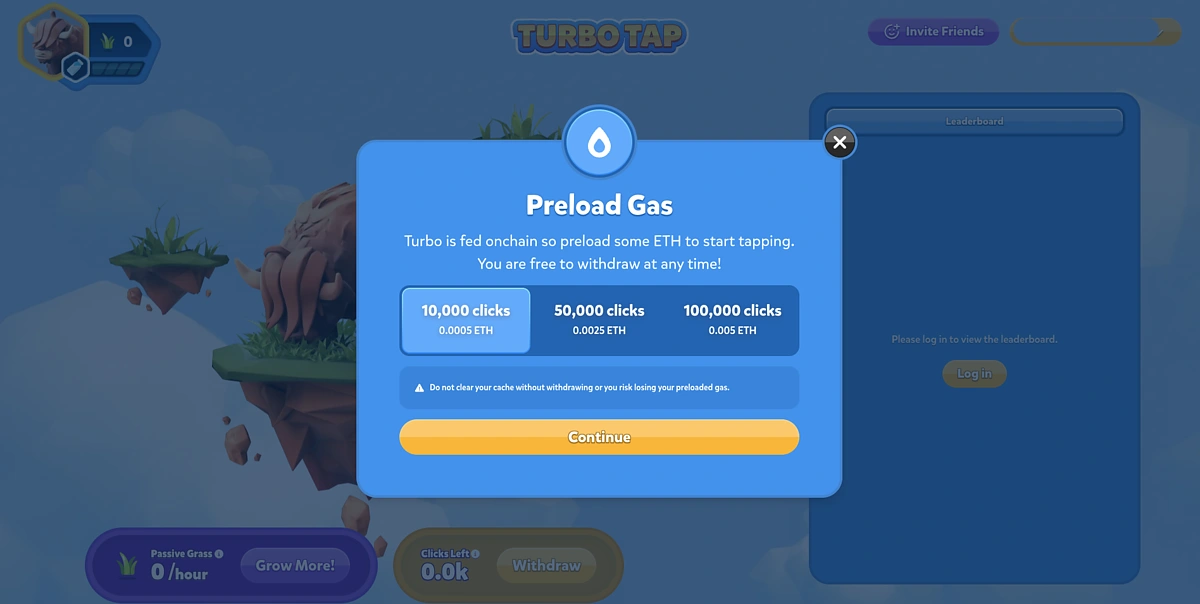
Now that you have created your Turbo Tap account, click on Turbo (the animal that looks like a highland cow) and you will be prompted to preload gas.
Each click is required to be an onchain transaction in an attempt to prevent bots or autoclickers. According to Eclipse, the gas fees to perform each click should be 0.00000005 ETH per click.
You can choose how much gas to preload by selecting the number of clicks it grants you.
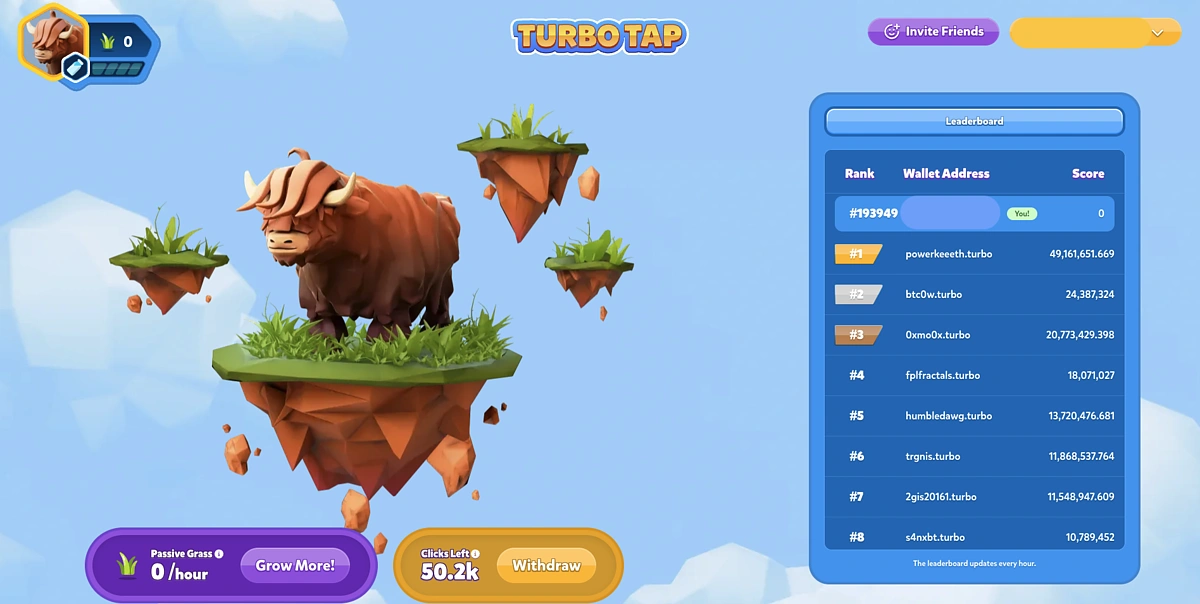
Once your gas has been preloaded, you just need to keep tapping on Turbo. Each tap will earn you one grass point. Visit Turbo everyday to tap and earn points.
Step 4: Provide Liquidity (Optional)
You can earn grass passively by providing liquidity to Astrol Finance, Invariant, Orca, Save, Sandglass, and Solar DEX. These platforms can be found at https://www.eclipse.xyz/ecosystem.
This step is optional because it requires you to interact with third party projects and deploy additional capital.
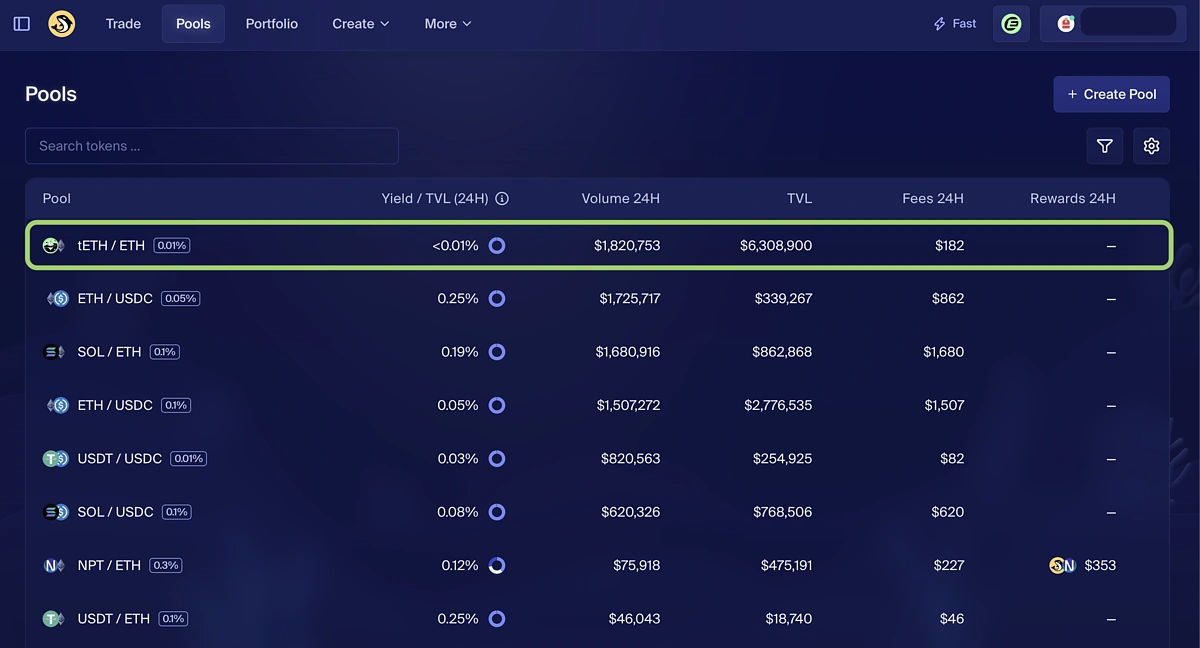
In this guide, we will use Orca as our example. Go to https://www.orca.so/pools?chainId=eclipse and connect your Eclipse wallet. You can then choose which pool to deposit into.
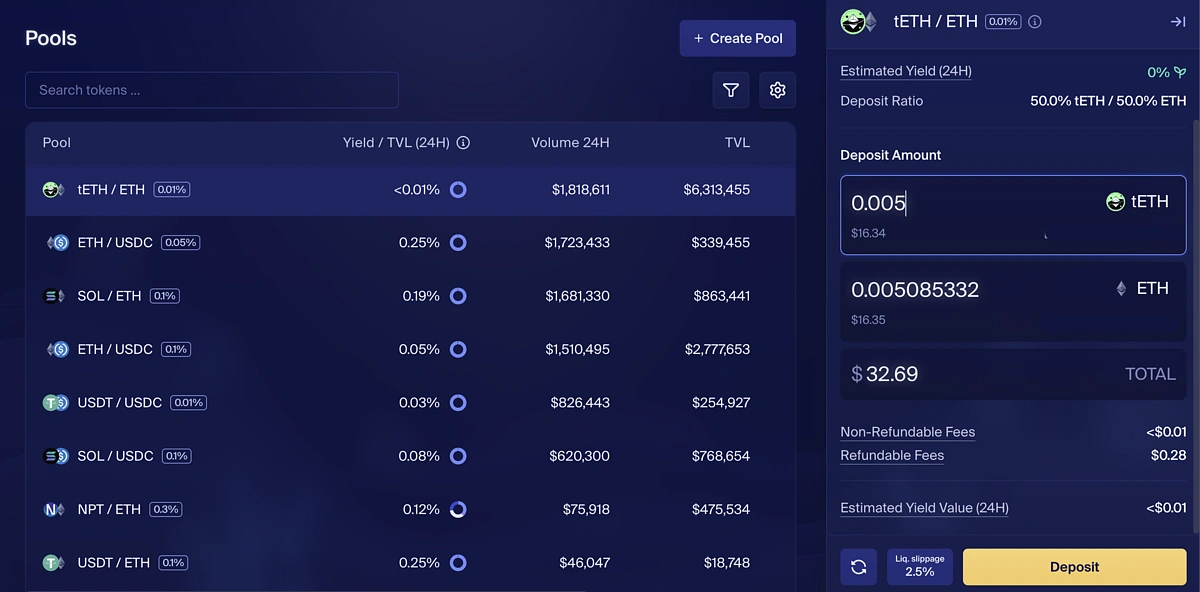
We will be depositing into the tETH/ETH pool
Input your deposit amount, click Deposit, then approve and confirm the transaction in your wallet.
Step 5: Get Boosts (Optional)
This is another optional step because it also requires you to interact with third party projects and deploy additional capital.
Back on Turbo Tap, there is a list of available boosts that you can unlock by performing certain actions or fulfilling specific trading amounts. For example, by swapping $10K of volume on Lifinity, you will receive a 10% passive grass boost.

Conclusion
Eclipse is focused on developing Layer 2 solutions by utilizing the Solana Virtual Machine (SVM) to enhance scalability and performance. It aims to address the limitations faced by traditional blockchains through a modular architecture that separates execution, settlement, and data available. Interested users can participate in the Turbo Tap program to earn grass as well as interact with the Eclipse platform for a potential future airdrop.
Note that this content is only for educational purposes and no part was meant to be financial advice. As a standard, always do your own research before investing in cryptocurrency or interacting with any cryptocurrency protocols.






 Or check it out in the app stores



